Generate high-quality blog posts, essays, and creative articles powered by AI.
AI Writer: Free Online Content and Article Generator
The ai writer by Muse AI SEO Tools helps you create articles, paragraphs, and other written content without starting from scratch. Enter your topic, choose your writing preferences, and generate a draft that you can edit and personalize. Whether you're preparing a blog post, marketing copy, or professional content, this free online tool makes the writing process easier and faster.
What is an AI writer?
An AI Writer is an online tool that uses artificial intelligence to generate written content based on your instructions. Instead of writing everything manually, you provide a topic, relevant keywords, and a few preferences. The tool then creates a draft that you can review and improve.
Our ai writing tool helps bloggers, students, marketers, and business owners turn ideas into organized text. You can use it to develop article sections, explore different writing styles, or create content for specific audiences. It also works as an ai paragraph writer, helping you expand short ideas into more detailed paragraphs.
However, AI-generated content should always be reviewed before publishing. Check important facts, remove unnecessary repetition, and add your own examples or experience.
Why use an AI writing tool?
Writing useful content takes time, especially when you need to organize ideas, choose the right words, and maintain a consistent tone.
Here are some practical benefits:
- Start Writing Faster: Turn a simple topic into a first draft without facing a blank page.
- Organize Your Ideas: Create structured content that is easier to develop and edit.
- Adjust Your Writing Style: Choose a tone that suits your readers and the purpose of your content.
- Create Different Content Types: Prepare articles, paragraphs, and other written material using available formats.
- Save Editing Time: Generate a starting draft that you can refine instead of writing every sentence manually.
Among the many ai writing tools available online, choosing one with adjustable writing settings can make drafting more convenient.
If you already have lengthy research notes, use our Text Summarizer to identify the main points before preparing your draft.
How to use the AI writer step by step
Create written content using our AI Writer in five simple steps:
- Choose a Content Type: Select the type of content you want to create from the six available writing formats.

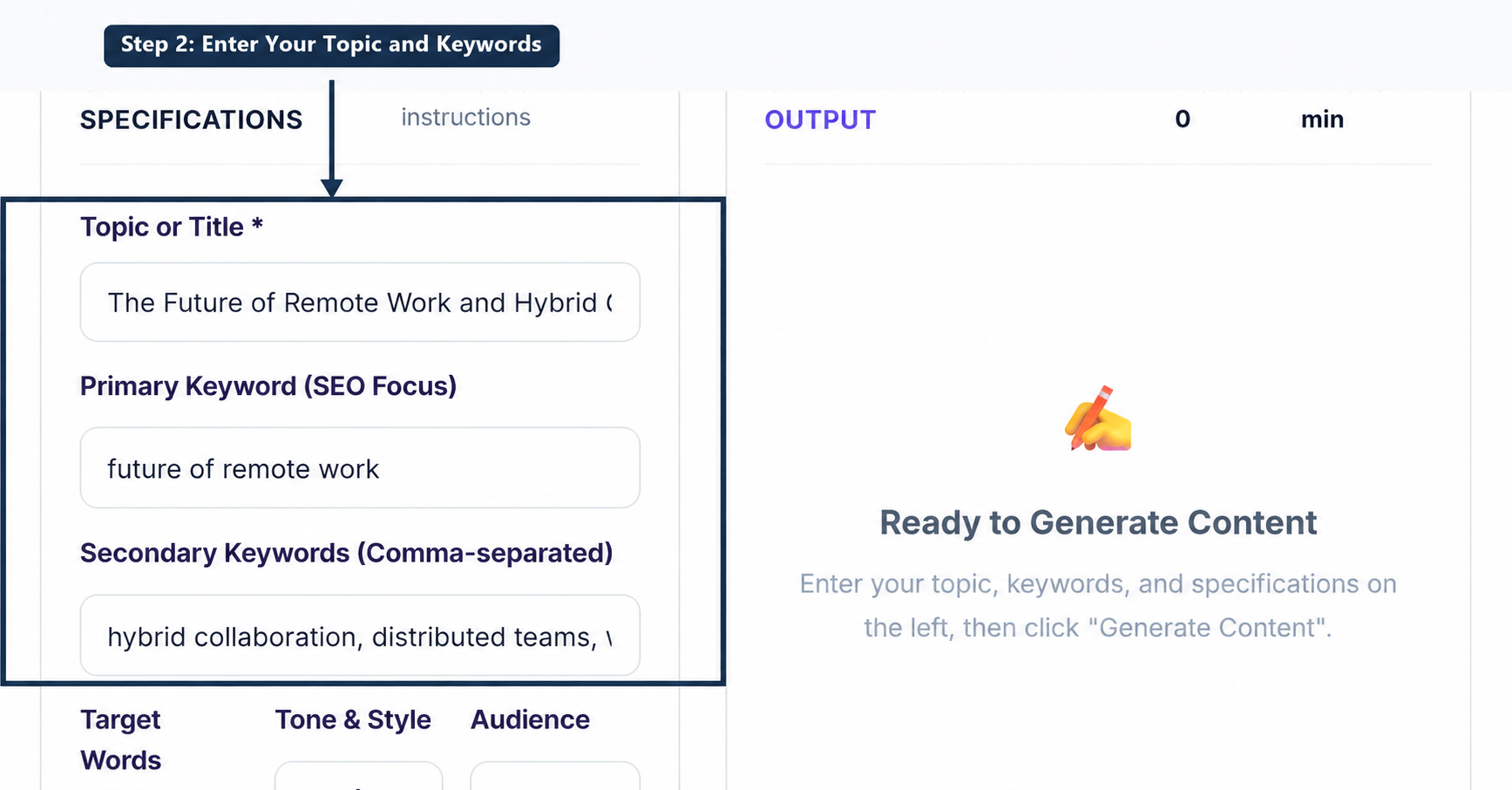
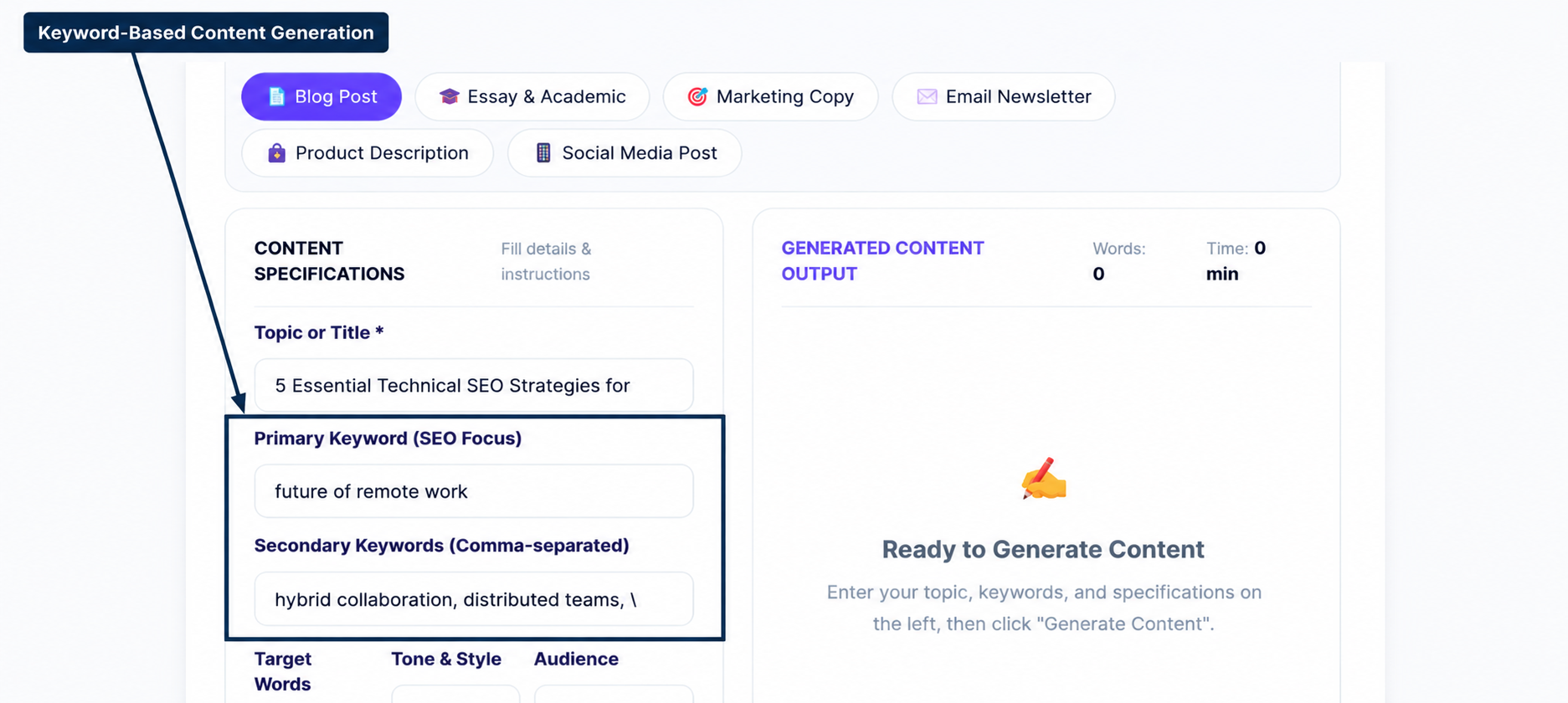
Choose a Content Type - Enter Your Topic and Keywords: Add your main topic and relevant keywords to guide the generated content.
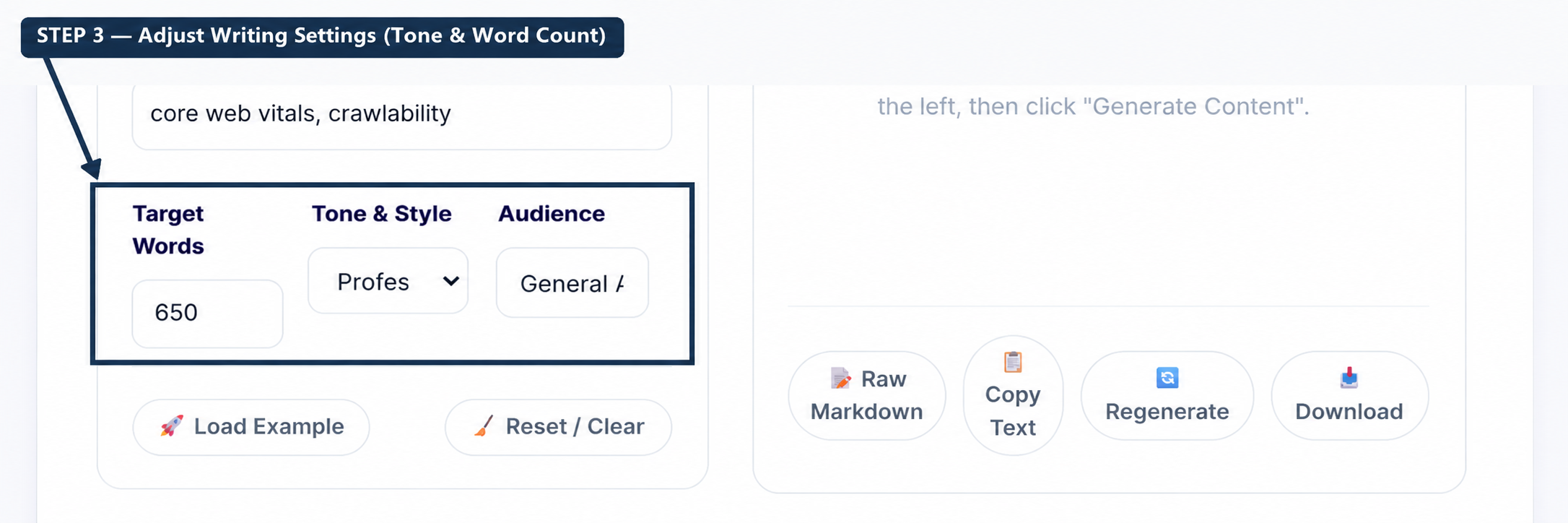
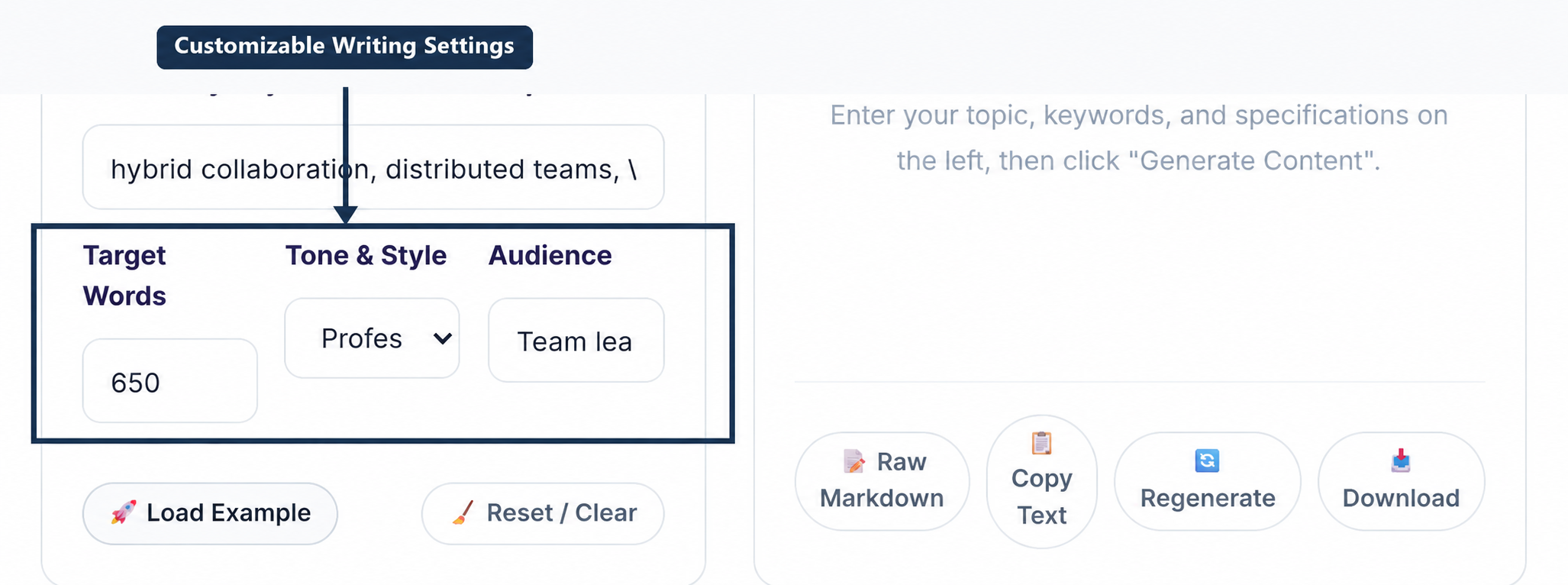
Choose a Content Type - Adjust Writing Settings: Choose your preferred writing tone, target audience, and word count.
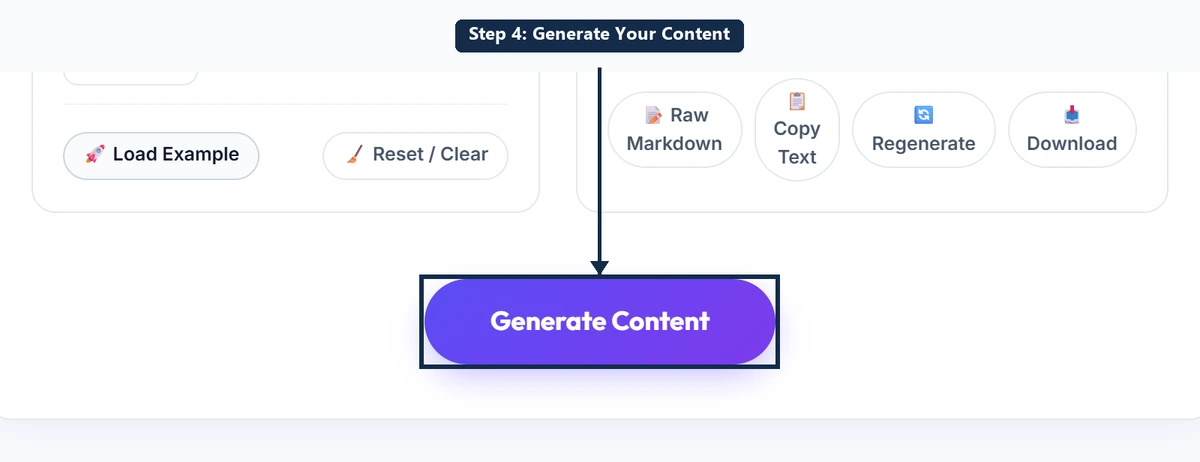
Choose a Content Type - Generate Your Content: Click the generate button to create a draft based on your selected settings.
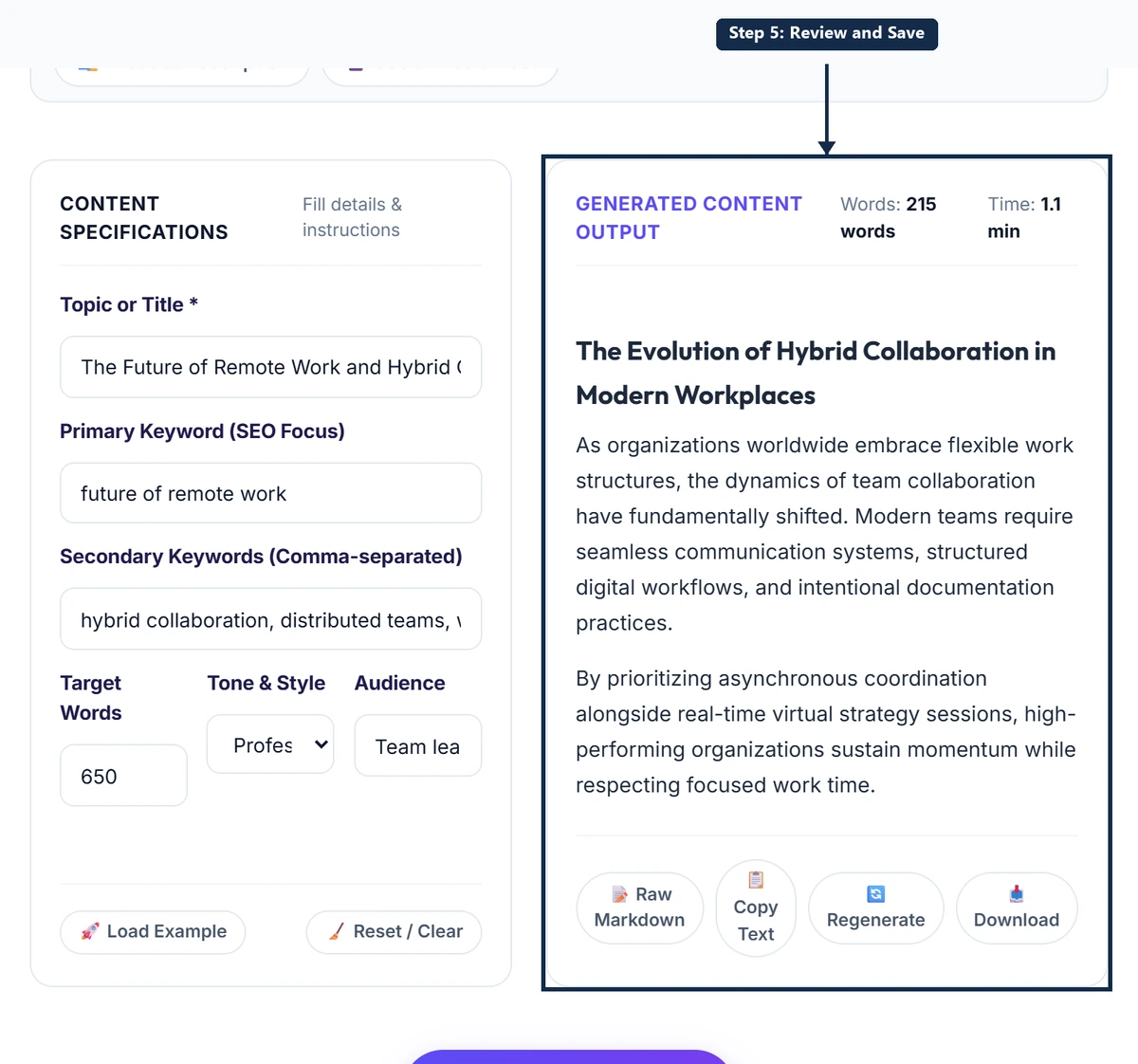
Choose a Content Type - Review and Save: Read the generated content, make any necessary improvements, and use Copy or Download to save it. You can also regenerate the content if you want another version.
Choose a Content Type
Key features of our online AI writer
Our ai writer free tool offers practical features to make content creation easier for different writing needs.
Six content writing formats
Choose from six available writing formats to prepare different types of content. This flexibility helps users create material for blogging, marketing, and other writing tasks without switching between multiple tools.

Customizable writing settings
Adjust the tone, target audience, and desired word count before generating your draft. These settings help guide the writing style and length according to your requirements.
Keyword-based content generation
Add relevant keywords alongside your topic to guide the generated content. This feature can be useful when preparing SEO-focused articles, product descriptions, and website content. However, keywords should be included naturally, and the final draft should be reviewed for readability.
How to improve AI-generated content before publishing
AI-generated writing provides a useful starting point, but it should not replace careful editing.
Before publishing your draft:
- Check facts, dates, statistics, and other important details.
- Remove repetitive or unnecessary sentences.
- Add original examples, experiences, or useful insights.
- Make sure the writing matches your intended audience.
- Review spelling, grammar, and sentence structure.
- Check whether your content properly credits outside sources.
If your draft sounds too formal or repetitive, try our AI Humanizer to explore more natural wording and sentence flow.
You can also use our Grammar Checker to review grammatical errors and punctuation before publishing.
For articles that include research or information from other sources, our Plagiarism Checker can help identify possible text matches that need further review.
Practical uses of our AI writer
Blog posts and informational articles
Bloggers can generate initial article drafts based on topics and keywords. They can then add original research, practical examples, and helpful explanations to create more valuable content.
Marketing and website content
Businesses can prepare first drafts for promotional messages, website sections, and product-related content. The writing settings help users experiment with different tones for their intended audience.
Paragraph writing and idea expansion
Students, professionals, and content creators can use the tool to develop short ideas into more complete paragraphs. If you want to ai write an initial explanation of a topic, the generated draft can provide a useful starting point.
Professional communication
Professionals can prepare drafts for reports, presentations, and business-related writing. They should review the final content carefully to ensure that it is accurate and appropriate for its intended purpose.
Creative writing
Writers can experiment with ideas, descriptions, and different approaches to storytelling. AI-generated suggestions can support creativity, but the final direction and originality should come from the writer.
Start creating content with Muse AI SEO Tools
Writing an article or developing a new idea becomes easier when you have a useful first draft. The ai writer from Muse AI SEO Tools helps you generate content using your topic, keywords, and writing preferences. Choose your content type, adjust the settings, and generate a draft. Then personalize the writing, verify important details, and make it ready for your readers.