Convert AI-generated text into natural, undetectable, and authentic human-grade writing.
AI Humanizer: Free Online Tool for Natural Writing
The ai humanizer by Muse AI SEO Tools helps turn stiff, repetitive, or AI-generated text into clearer, more natural writing. Whether you're editing blog posts, emails, or professional documents, this tool helps improve sentence flow, tone, and readability while keeping your original message in focus. Simply paste your text, choose a writing style, and generate a revised version in seconds.
What is an AI humanizer?
An AI Humanizer is an online writing tool that rewrites text to make it sound more natural and easier to read. AI-generated drafts sometimes use repetitive phrases, predictable sentence structures, or overly formal language. Although these patterns are not exclusive to AI writing, they can make content feel less engaging.
Our tool helps you humanize content by adjusting wording, sentence structure, and overall tone. Instead of manually rewriting every paragraph, you can generate a revised version and make further improvements yourself. The goal is to make content human like in its flow and expression, without losing the main ideas you want to communicate.
However, humanizing text does not guarantee that AI detection tools will classify it as human-written. The output should always be reviewed for accuracy, clarity, and originality.
Why use an AI humanizer?
Clear, natural writing makes information easier to understand. Whether you're creating content for a website or communicating with customers, the way you express ideas matters.
Here are some practical benefits:
- Improve Readability: Turn complicated sentences into clearer, more approachable language.
- Reduce Repetition: Replace overused phrases and repetitive sentence structures.
- Adjust Writing Tone: Make content more conversational, balanced, or suitable for academic writing.
- Improve Content Flow: Connect ideas more naturally so paragraphs are easier to follow.
- Save Editing Time: Generate an alternative draft that you can review and refine.
For shorter passages that need alternative wording, you can also use our Paraphrasing Tool to explore different ways of expressing the same ideas.
How to use the AI humanizer step by step
Humanizing your text takes four simple steps:
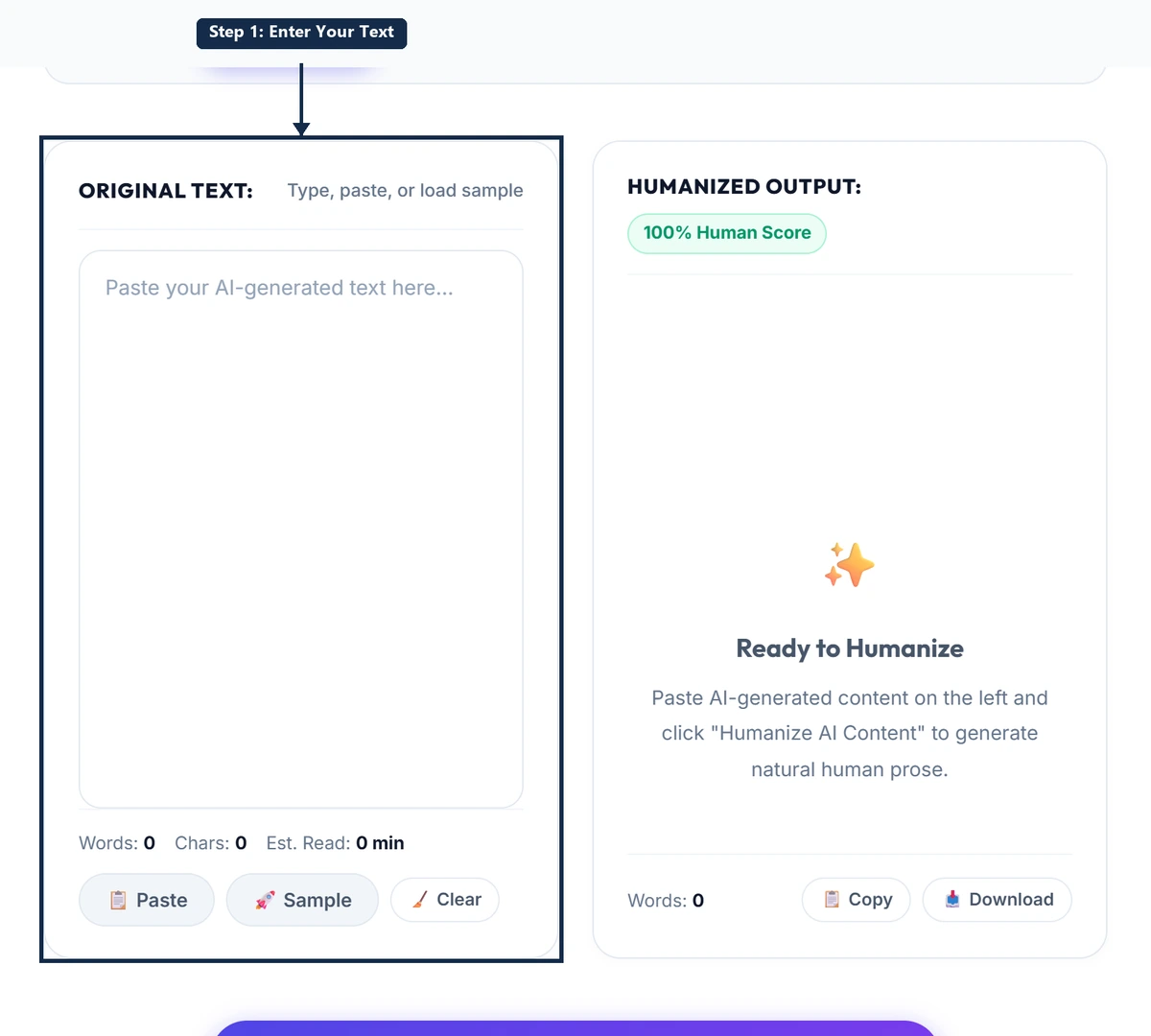
- Enter Your Text: Type or paste your content into the Original Text box. You can also use the Paste or Sample option.
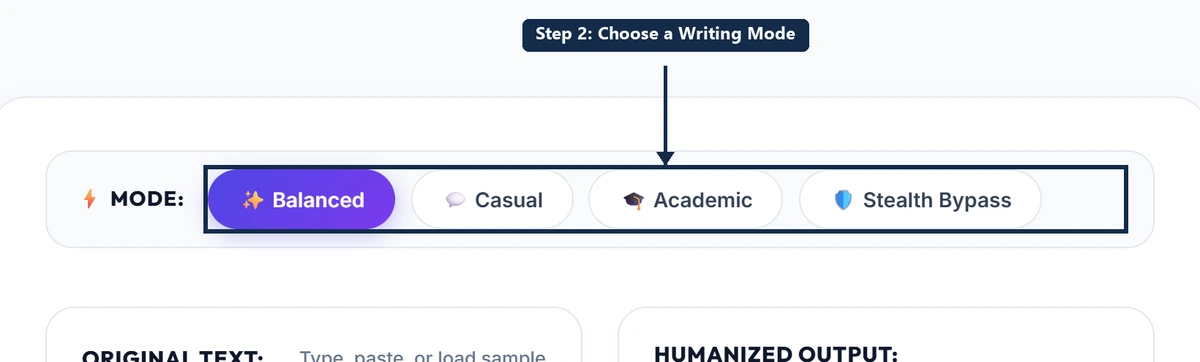
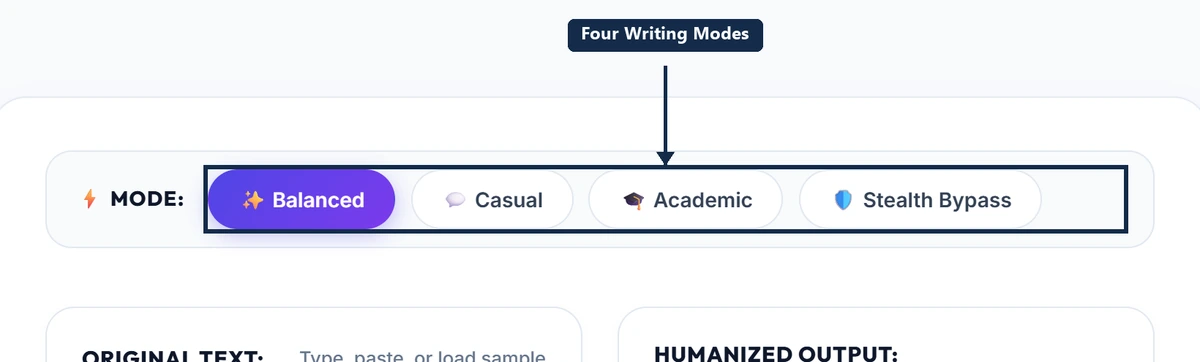
Enter Your Text - Choose a Writing Mode: Select Balanced, Casual, Academic, or Stealth Bypass, depending on the style you want to try.
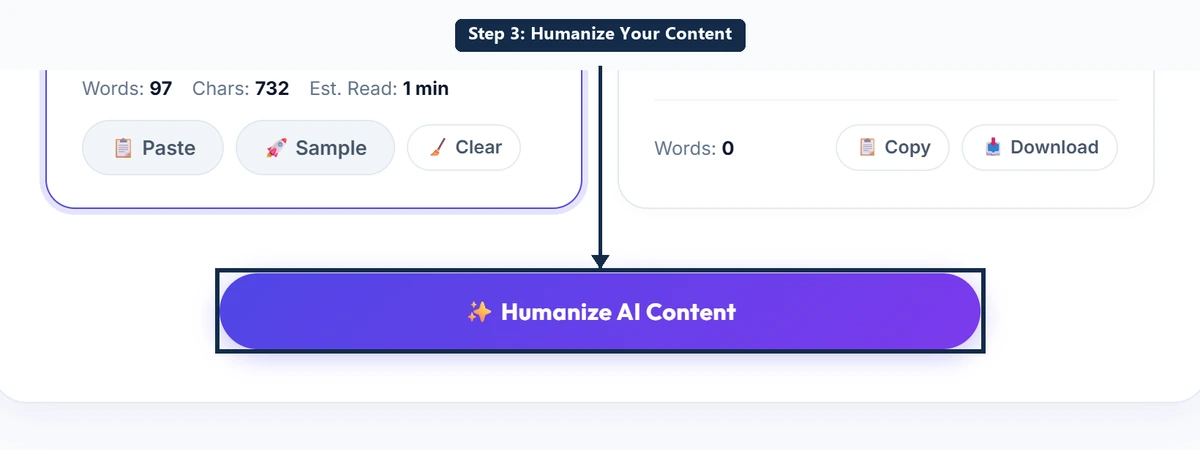
Enter Your Text - Humanize Your Content: Click Humanize AI Content to generate a revised version of your writing.
Enter Your Text - Review and Save: Read the Humanized Output carefully. Click Copy to copy the text or Download to save it.
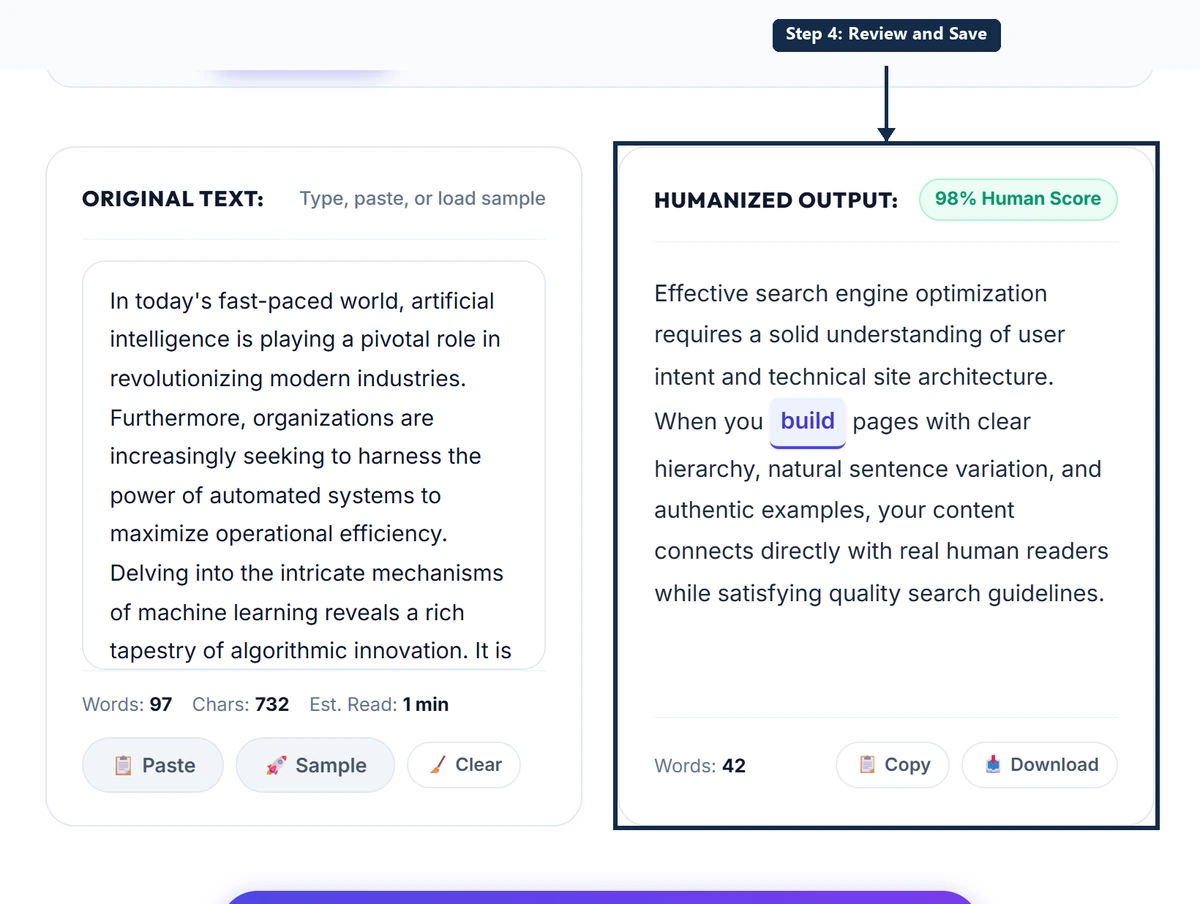
Enter Your Text
Key features of our online AI humanizer
Our tool provides several features to help writers improve their content without complicated editing software.
Four Writing Modes
Choose from four available writing modes:
- Balanced: Refines wording while maintaining a generally natural and neutral tone.
- Casual: Makes writing more conversational and relaxed.
- Academic: Helps maintain a more formal style for educational or research-related writing.
- Stealth Bypass: Offers another rewriting approach aimed at changing AI-like writing patterns. It does not guarantee that content will bypass AI detection.
These options make it easier to experiment with different writing styles.
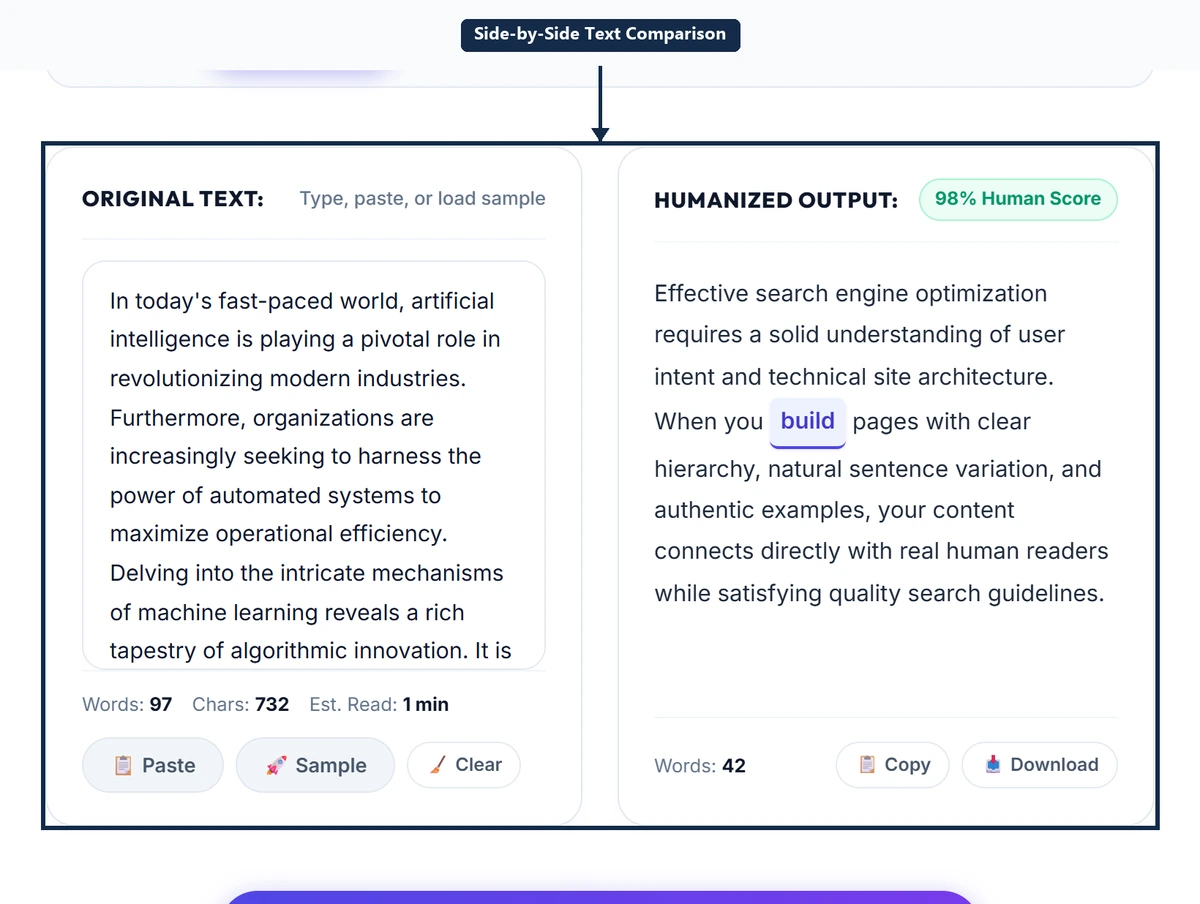
Side-by-Side Text Comparison
The tool displays your Original Text and Humanized Output in separate areas. This layout makes it easier to compare the revised version with your original draft and check whether the intended meaning has been preserved.
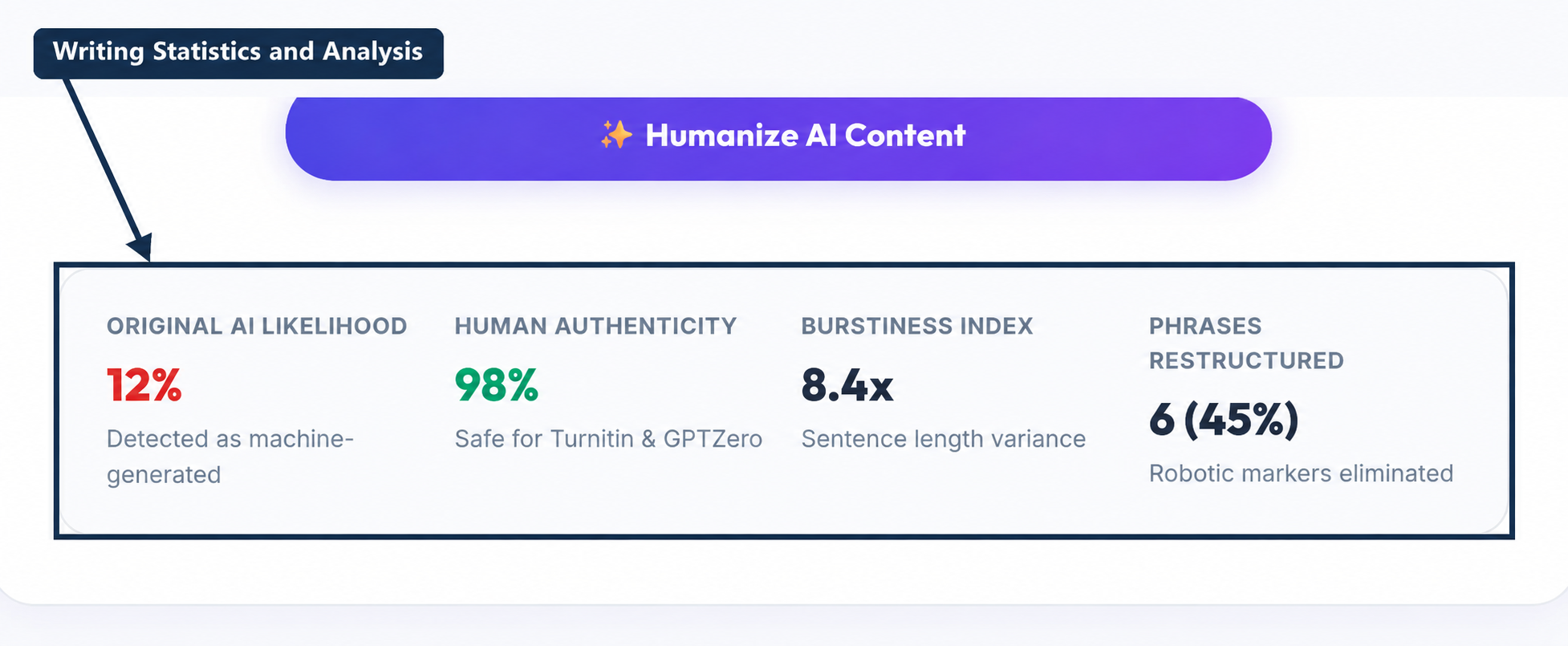
Writing Statistics and Analysis
The input area displays word count, character count, and estimated reading time. The interface also includes writing analysis indicators, such as AI likelihood, human authenticity, sentence variation, and restructured phrases. These indicators should be treated as estimates rather than guaranteed measurements of human authorship.
How to improve humanized content before publishing
Humanizing a draft is only one part of the editing process. Even well-written content may contain grammatical mistakes, unclear statements, or information that needs verification.
Follow these simple practices before publishing:
- Read the revised text to confirm that the meaning remains accurate.
- Replace generic statements with relevant examples or original insights.
- Check names, numbers, dates, and factual claims.
- Remove unnecessary words and repetitive expressions.
- Make sure the writing suits your intended audience.
You can use our Grammar Checker to review spelling, punctuation, and grammar after humanizing your content.
If you're preparing articles or academic writing, our Plagiarism Checker can help identify possible matches with existing sources. Always review matched passages and provide appropriate citations when necessary.
Practical uses of an AI humanizer
- Customer Newsletters: Refine automated email drafts into warmer, more conversational messages that feel natural and personal.
- Lifestyle Blogs: Turn stiff informational drafts into engaging articles with smoother transitions and a more conversational flow.
- Executive Thought Leadership: Improve AI-assisted articles with natural wording while preserving the executive's unique insights and perspective.
- Customer Support Responses: Rewrite standard support templates into clearer, more empathetic replies while preserving important information.
Start improving your writing today
Natural writing helps readers understand your message without unnecessary complexity. With the free AI Humanizer from Muse AI SEO Tools, you can refine repetitive sentences, experiment with different tones, and improve your content's overall readability. Paste your text, choose a writing mode, and create a revised draft that you can review, personalize, and confidently use.