Check content against billions of web pages and documents with instant originality scoring.
Plagiarism Checker – Check Text Originality Online for Free
Worried about accidental plagiarism in an essay, research paper, or website article? Checking your writing before submission can help you identify potentially duplicated passages and review whether sources need proper attribution.
The plagiarism checker from Muse AI SEO Tools analyzes submitted text and presents an originality report with plagiarism and unique-content percentages.
Whether you're a student preparing an assignment or an editor reviewing an article, this free online utility helps you examine text similarity before publishing or submitting your work.
What is a plagiarism checker?
A plagiarism checker is a tool that examines written content for potential matches with existing material.
Our online plagiarism checker provides an originality assessment and a sentence-by-sentence breakdown, helping users identify passages that may require further review.
The tool functions as a plagiarism detector and similarity checker, displaying the percentage of flagged content alongside the percentage identified as unique.
However, similarity does not automatically mean plagiarism. Properly quoted passages, references, and commonly used expressions may also resemble existing material.
Key features
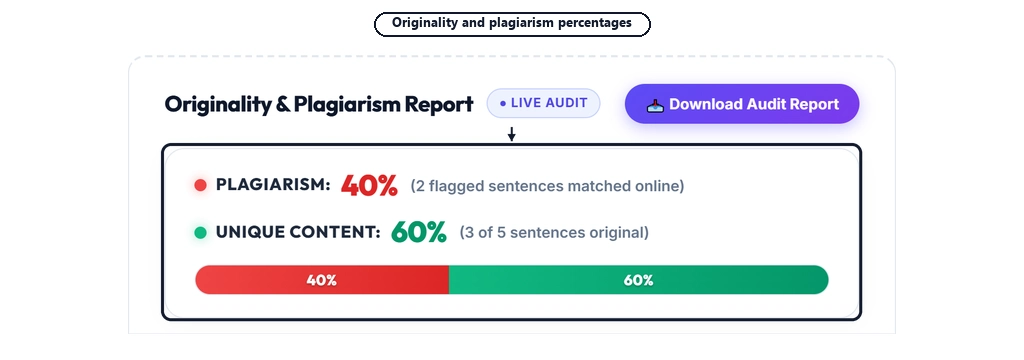
Originality and plagiarism percentages
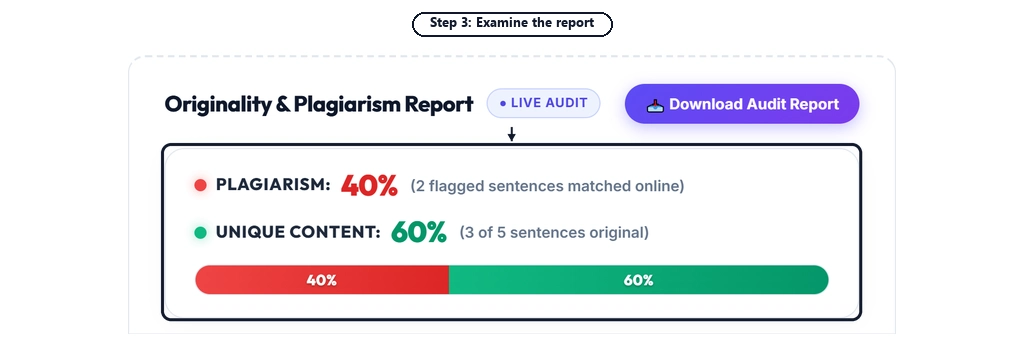
After scanning, the report displays:
- Plagiarism percentage: The proportion of content flagged by the analysis.
- Unique content percentage: The proportion assessed as original.
- Visual originality bar: A quick overview of the reported results.
These figures provide an initial assessment rather than a guarantee that the document contains no plagiarism.
Sentence-level review
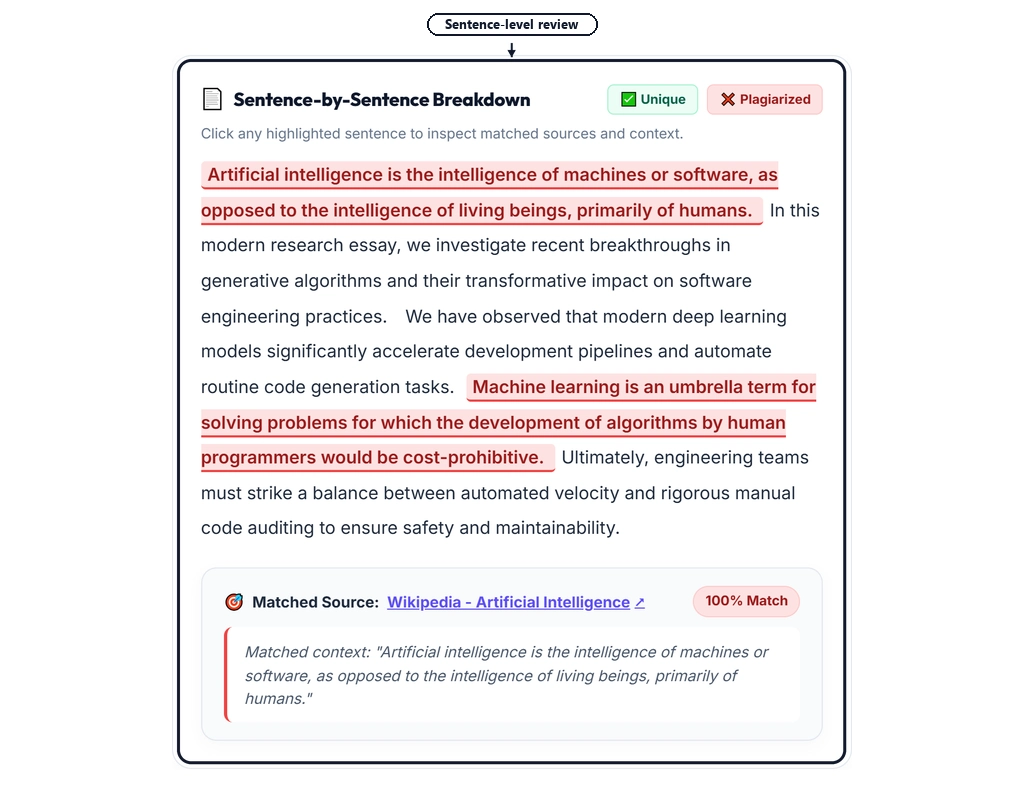
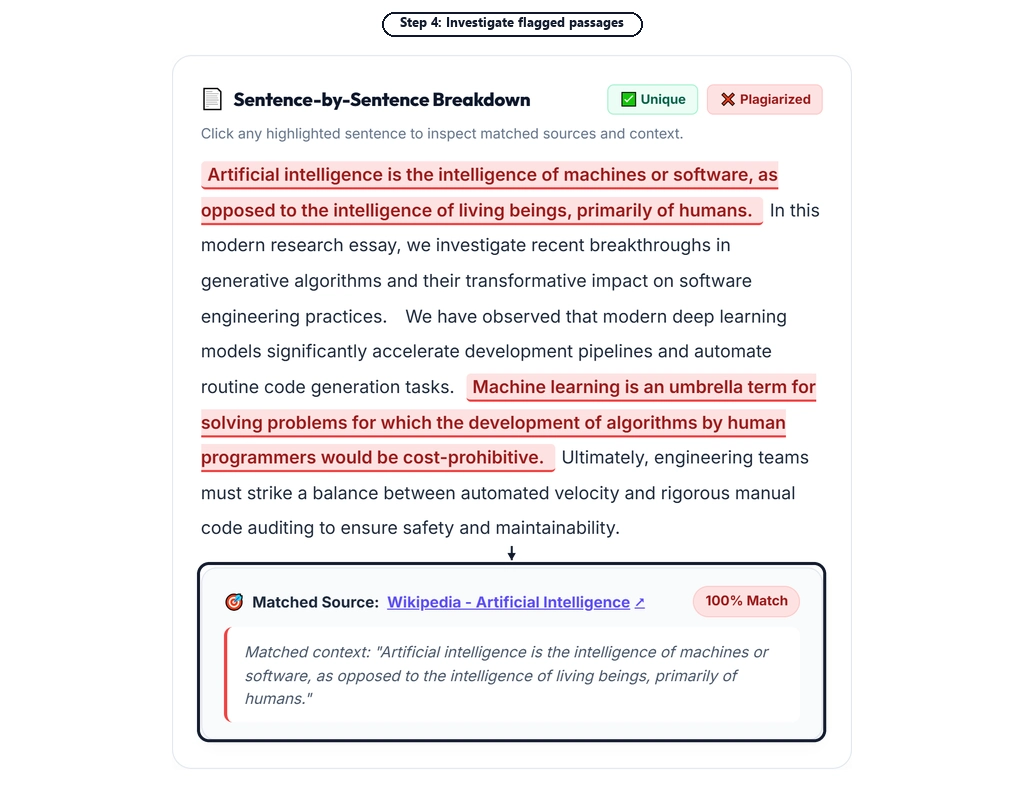
The Sentence-by-Sentence Breakdown distinguishes unique and flagged passages. Users can select highlighted sentences to inspect available match information and context.
How to check plagiarism online
- Enter your content: Paste or type an essay, article, or research passage into the text box. Alternatively, choose Upload Document.
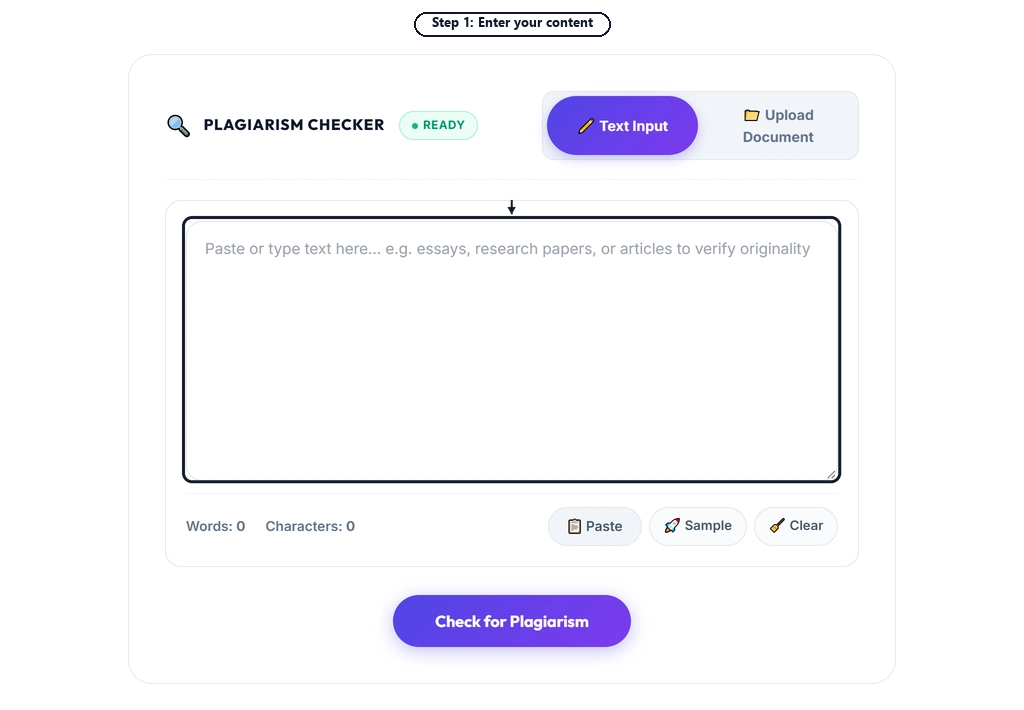
- Start the scan: Click Check for Plagiarism.
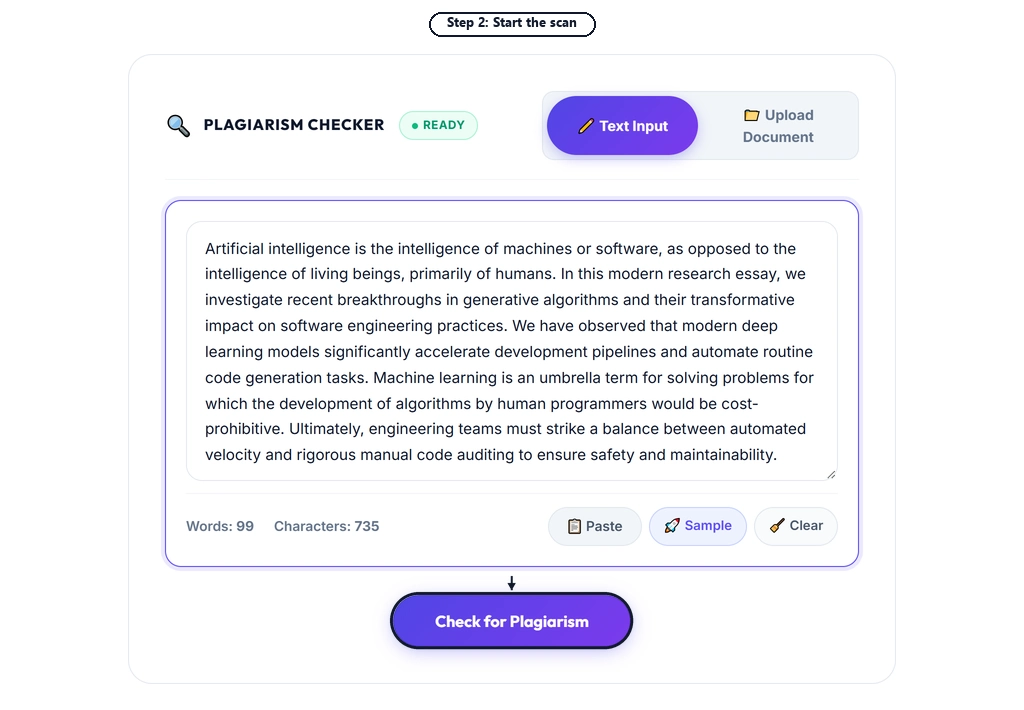
- Examine the report: Review the plagiarism percentage, unique-content percentage, and sentence-level results.
- Investigate flagged passages: Select highlighted sentences to inspect available matching-source details.
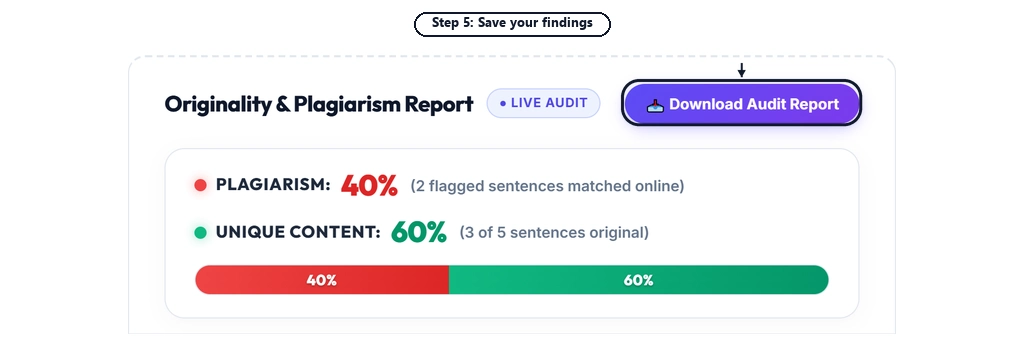
- Save your findings: Click Download Audit Report if you need a copy.
You can use Clear to remove existing text before checking another document.
Understanding plagiarism and similarity scores
A plagiarism detection report is most useful when interpreted carefully.
| Report element | What it indicates |
|---|---|
| Plagiarism percentage | Content flagged as potentially matching existing material |
| Unique content percentage | Content assessed as original |
| Sentence breakdown | Individual passages requiring review |
| Matching-source details | Available context for investigating flagged text |
For example, a research paper may contain properly cited quotations that resemble published sources. These passages should be reviewed rather than automatically rewritten.
Likewise, a 100% unique result does not prove that every idea has been appropriately attributed.
A duplicate content checker can help identify textual overlap, but responsible writing still requires accurate citations and original analysis.
Practical university, publishing, and editorial use cases
- Undergraduate essay audits: Students can check assignments for plagiarism before submitting history essays, literature reviews, and term papers.
- Scholarly journal submissions: Academic authors can examine manuscripts for potentially overlapping passages and overlooked citations.
- Admissions essay screening: Applicants can review personal statements for unintended similarities while preserving their individual writing style.
- Editorial content reviews: Publishing editors can examine freelance submissions for duplicated passages before publication.
For students seeking a free plagiarism detector, these checks provide an additional review stage alongside proofreading and citation verification.
Can a plagiarism checker correct copied content?
A plagiarism tool identifies potential similarities; it does not automatically resolve attribution problems.
If a passage is flagged, determine whether it needs quotation marks, a citation, a clearer paraphrase, or an original explanation.
For legitimate rewriting needs, the Article Rewriter can help restructure text. However, rewriting another author's ideas does not eliminate the need for attribution.
You can also explore the AI Content Detector to assess possible AI-generated writing or the AI Humanizer for language refinement. These tools perform different functions and do not replace plagiarism checking.
Review your writing before submission
A reliable originality review helps writers identify potential similarities before their work reaches readers, instructors, or editors.
The free plagiarism checker online from Muse AI SEO Tools combines text analysis, originality percentages, sentence-level results, and a downloadable report in one interface.
Paste your writing, run the analysis, and review any flagged passages carefully before submitting or publishing.