Paraphrase sentences and paragraphs with fluency, creative, and formal rewriting modes.
Free AI Paraphrasing Tool: Rephrase and Rewrite Text Online
Struggling to express an idea clearly without changing its meaning? Whether you're revising academic writing, simplifying technical explanations, or improving everyday content, finding alternative wording can make your message easier to understand.
The free AI Paraphrasing Tool from Muse AI SEO Tools helps you rewrite sentences and paragraphs in different writing styles. Paste your text, select a mode, and compare the rewritten version with your original content.
With interactive synonym suggestions, side-by-side comparison, and downloadable results, you can refine your writing while maintaining control over the final wording.
What Is an AI Paraphrasing Tool?
An AI paraphrasing tool uses artificial intelligence to suggest alternative vocabulary and sentence structures while aiming to preserve the original meaning.
Unlike summarization, which focuses on reducing content length, paraphrasing expresses existing ideas differently. Depending on the selected mode, the result may be shorter, longer, more formal, or more conversational.
Our AI rephraser offers six writing modes, interactive synonym suggestions, and a comparison interface that displays original and rewritten text side by side.
Whether you need to paraphrase a sentence or revise a complete paragraph, the tool helps you explore alternative expressions without manually rewriting every line.
Key Features of Our Tool
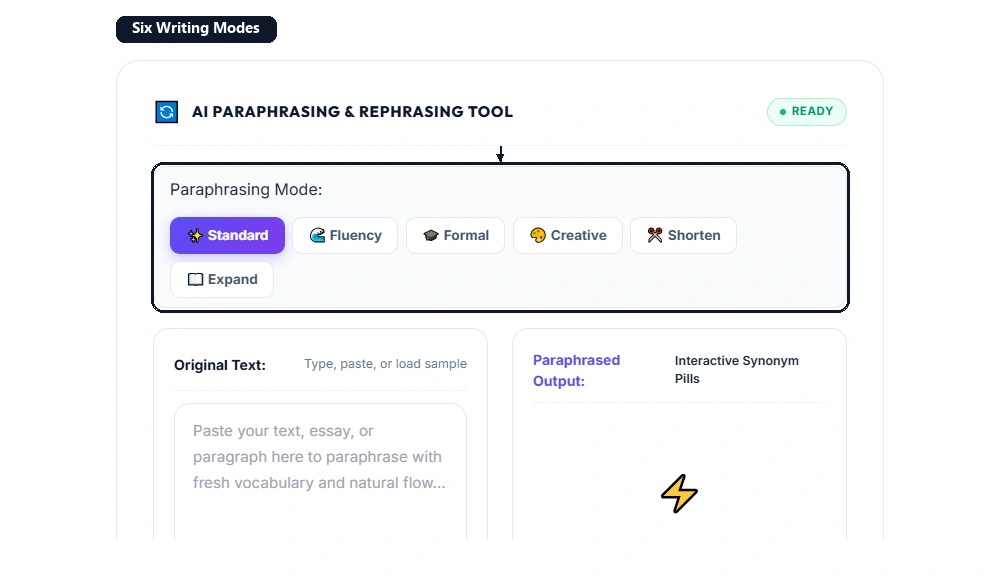
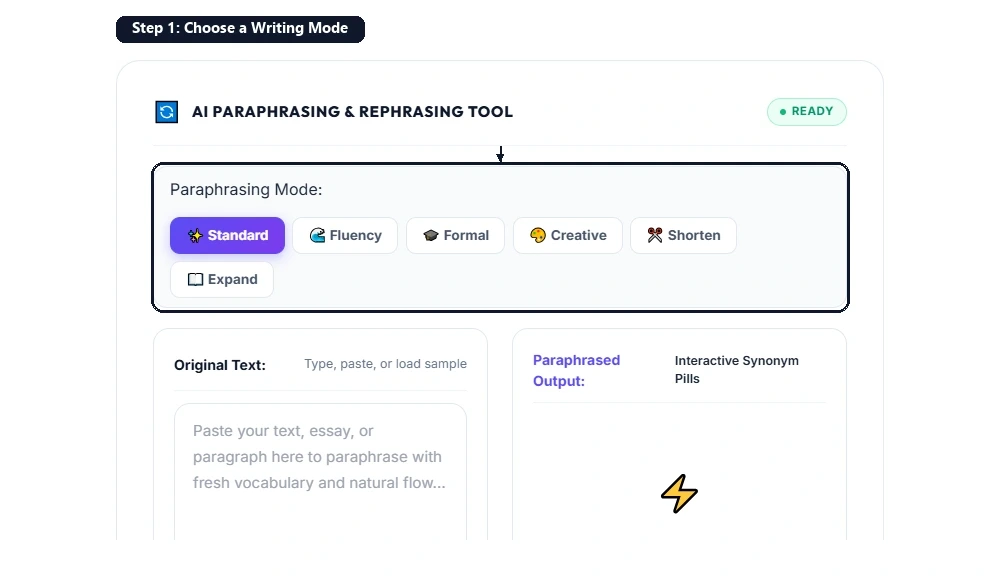
- Six Writing Modes: Choose Standard, Fluency, Formal, Creative, Shorten, or Expand to match your preferred writing style.
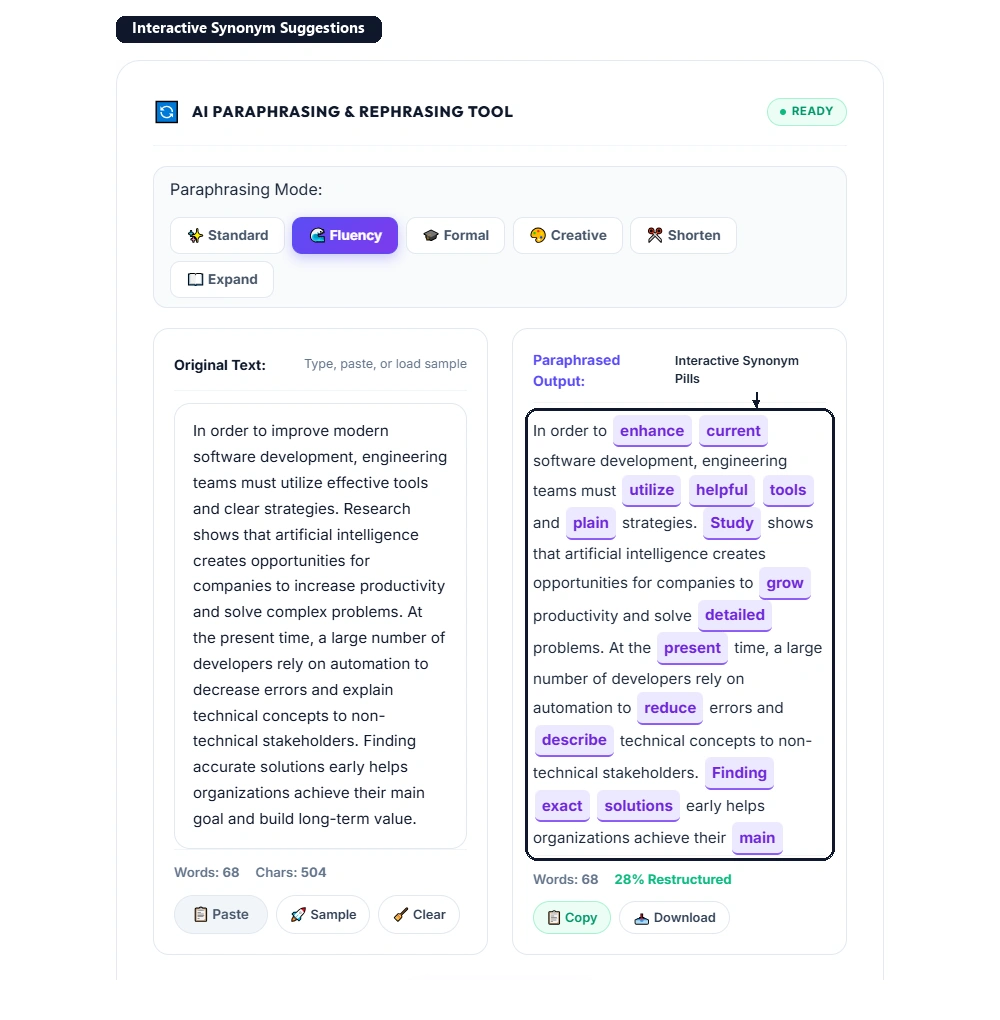
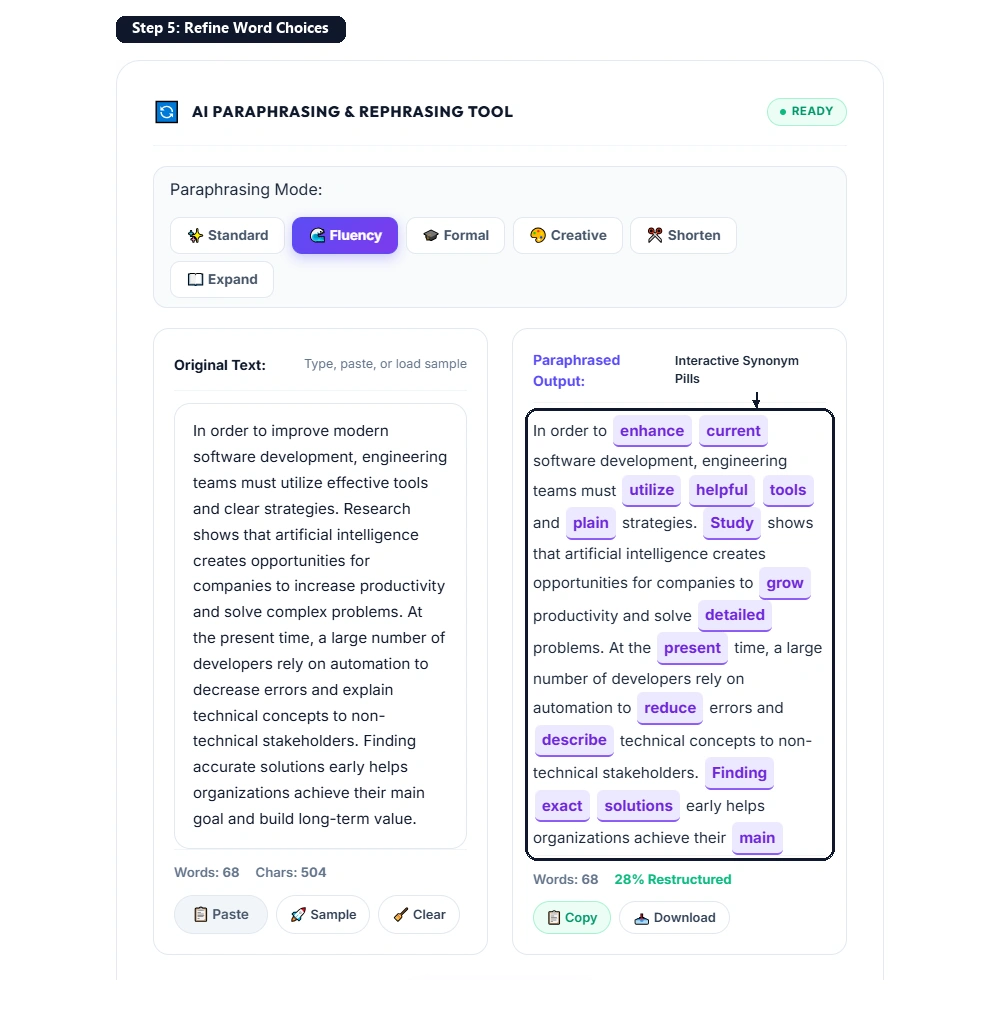
- Interactive Synonym Suggestions: Explore highlighted word alternatives in the generated text and refine individual expressions.
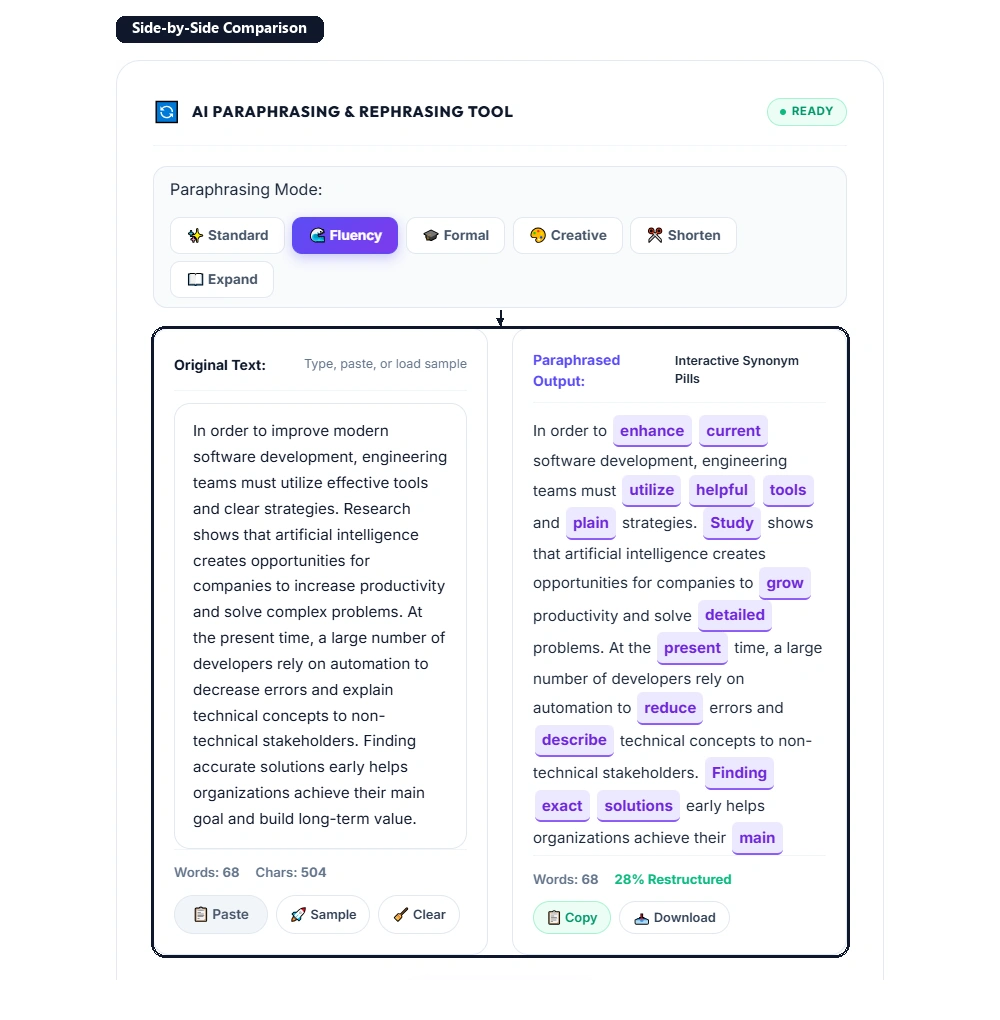
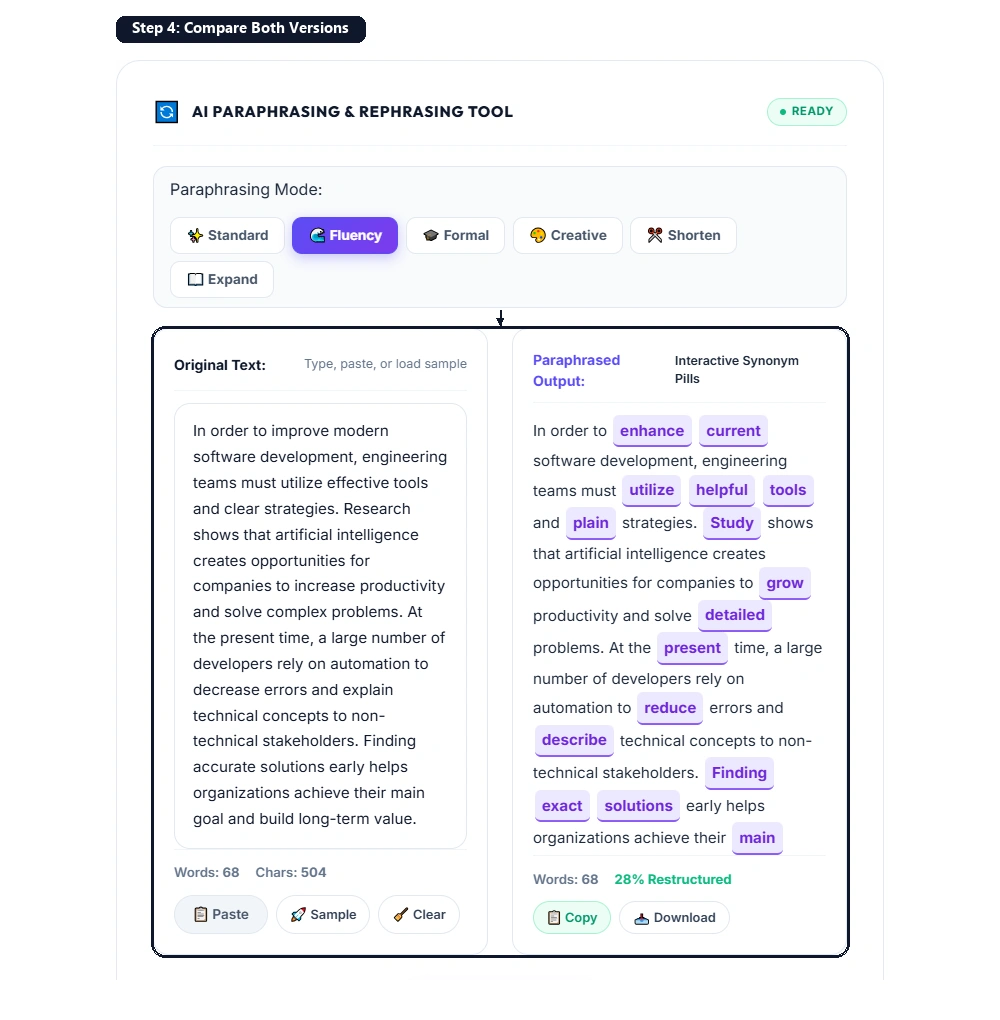
- Side-by-Side Comparison: Review original and rewritten content, check restructuring statistics, and copy or download your result.
How to Paraphrase Text Online
Using our rephrase tool is straightforward:
- Choose a Writing Mode: Select Standard, Fluency, Formal, Creative, Shorten, or Expand.
- Enter Your Text: Type or paste content into the Original Text field. You can also select Paste or Sample.
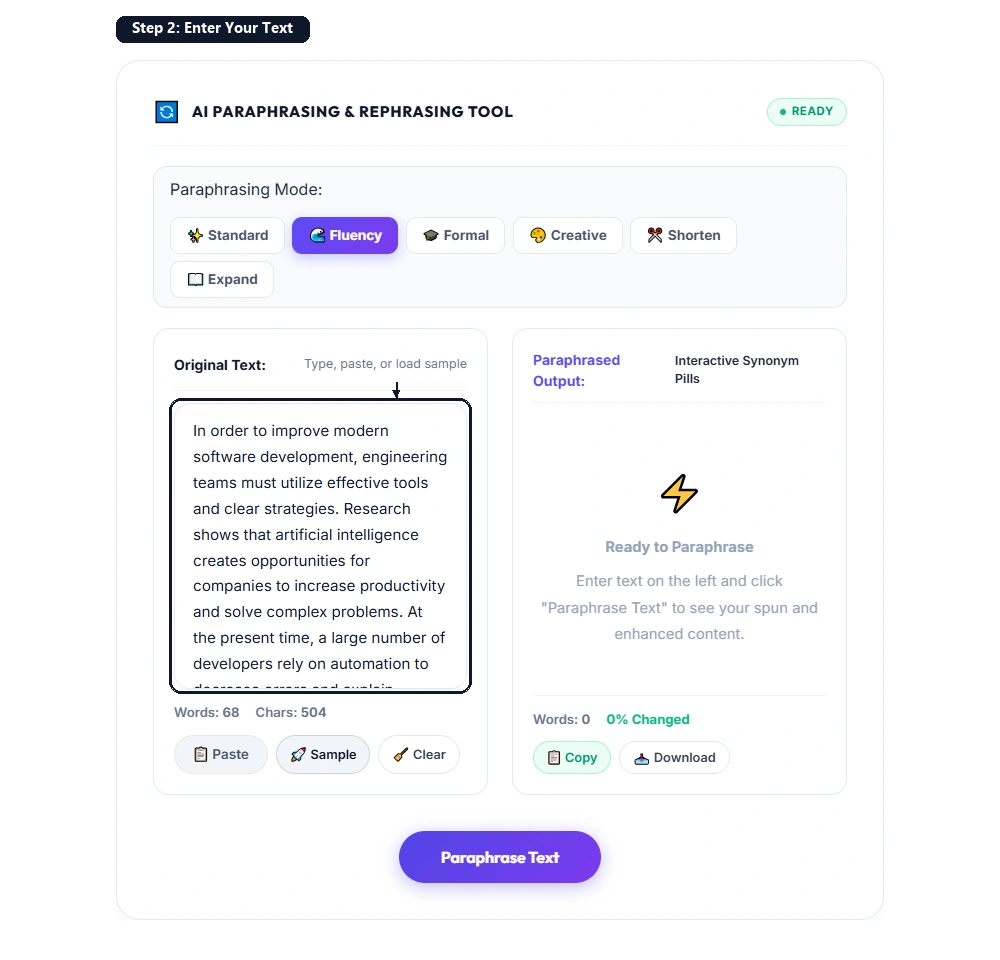
- Generate Your Rewrite: Click Paraphrase Text to process the content.

- Compare Both Versions: Review the original text alongside the Paraphrased Output.
- Refine Word Choices: Examine the interactive synonym pills and select suitable alternatives where available.
- Save Your Result: Click Copy or Download to keep the revised text.
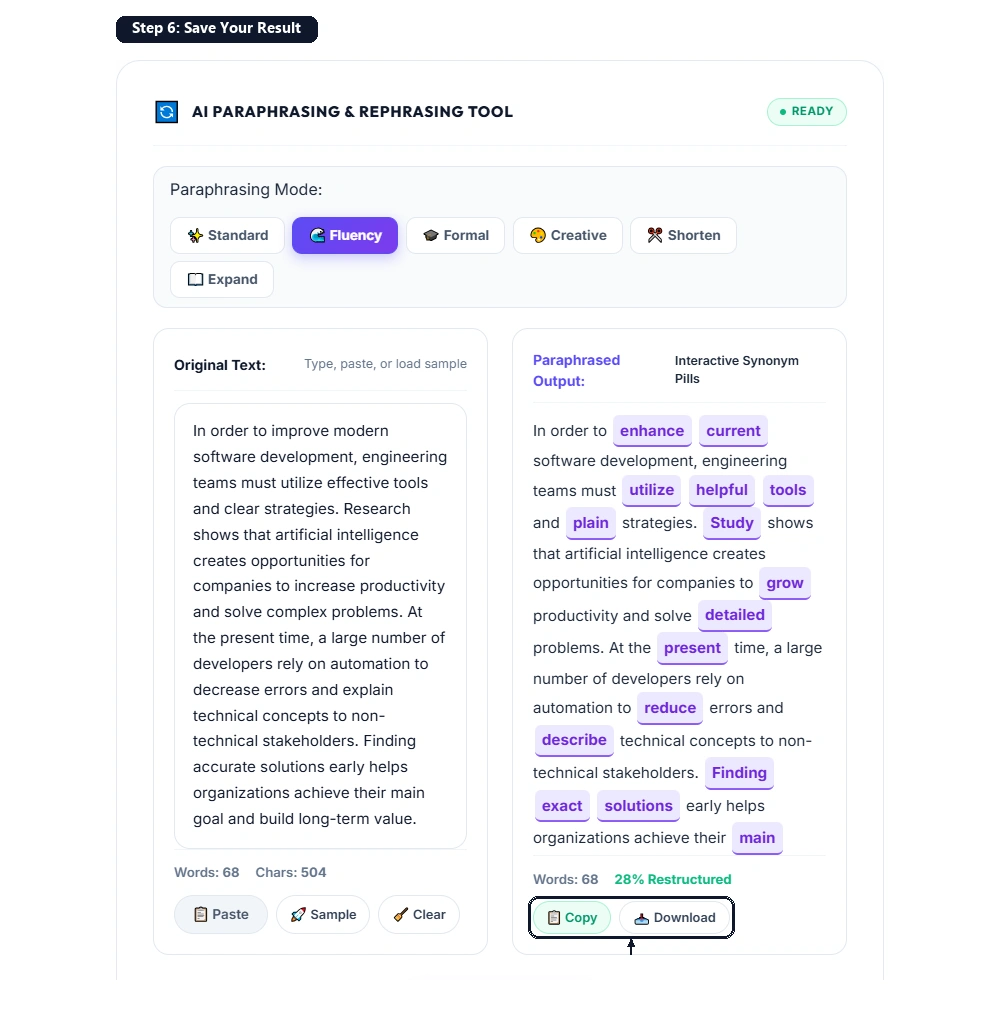
Use Clear to remove the original content before starting another task.
Practical Graduate, Research, and Editorial Use Cases
- Doctoral Literature Reviews: Reword complex scholarly explanations while retaining the intended meaning and acknowledging original sources.
- Grant Proposal Drafting: Present technical research concepts in clearer language for reviewers from different academic backgrounds.
- Conference Paper Preparation: Refine sentences for abstracts, presentations, and research summaries without changing essential findings.
- Interdisciplinary Communication: Make specialized medical, scientific, or engineering explanations easier for non-specialist audiences to understand.
Choosing the Right Paraphrasing Mode
The tool provides six modes for different writing needs.
| Mode | Best Used For |
|---|---|
| Standard | General sentence and paragraph rewriting |
| Fluency | Improving readability and natural flow |
| Formal | Academic and professional communication |
| Creative | Exploring alternative wording and expressions |
| Shorten | Making lengthy passages more concise |
| Expand | Developing fuller explanations from existing text |
For example, Formal mode may be suitable for a research proposal, while Fluency mode can help smooth awkward sentence structures.
If you need to paraphrase a paragraph for a particular audience, choose the mode that matches your communication goal rather than focusing only on how many words change.
Understanding Your Paraphrasing Results
The output panel includes statistics that help you compare both versions.
- Original Words: Number of words in the submitted content.
- Paraphrased Words: Number of words in the rewritten version.
- Words Restructured: Reported count of words changed or reorganized.
- Change Percentage: An indication of how much the wording was modified.
For example, a sample result may show 68 original words, 60 paraphrased words, and 26% restructuring.
These figures help you assess the extent of rewriting, but a higher change percentage does not necessarily indicate better quality.
A good AI paraphrase should communicate the intended message clearly without introducing inaccurate information.
Tips for Better Paraphrasing
Whether you're using a rewording tool for academic writing or everyday communication, reviewing the output is essential.
- Preserve the Meaning: Check that important facts, arguments, and qualifications remain accurate.
- Review Technical Vocabulary: Keep specialized terms when replacing them could change the meaning.
- Use Synonyms Carefully: Choose alternatives that fit the surrounding sentence.
- Maintain Proper Attribution: Rewriting another author's ideas does not remove the need for citations.
A paraphrase generator can suggest useful wording changes, but it cannot guarantee originality, factual accuracy, or compliance with academic integrity requirements.
More Tools for Writing and Editing
For condensing longer passages, explore our Text Summarizer.
If you prefer to edit and format your writing manually, use the Online Text Editor.
For complete article-writing and rewriting workflows, try the Article Rewriter.
These tools complement the paraphrasing workflow by supporting different stages of writing and revision.
Start Paraphrasing Your Text Today
Clear communication often requires trying different ways to express the same idea.
With our free AI paraphrasing tool from Muse AI SEO Tools, you can explore alternative wording, compare versions, and refine text using six writing modes.
Paste your content and start improving your writing today.