Free Online Text Editor: Write, Edit, and Format Text
Need a convenient place to write notes, edit paragraphs, or format a document without installing software? A browser-based editor makes it easy to work on text whenever you need to make quick changes.
With Muse AI SEO Tools, our free Online Text Editor lets you write, format, and organize content directly in your browser. From simple notes to structured documents, you can edit text using familiar formatting controls and download your work when it's ready.
What Is an Online Text Editor?
An online text editor is a browser-based writing tool that allows you to create and modify text without opening a separate desktop application.
Unlike a basic plain text editor, which typically works with unformatted text, this tool also includes rich-text formatting options.
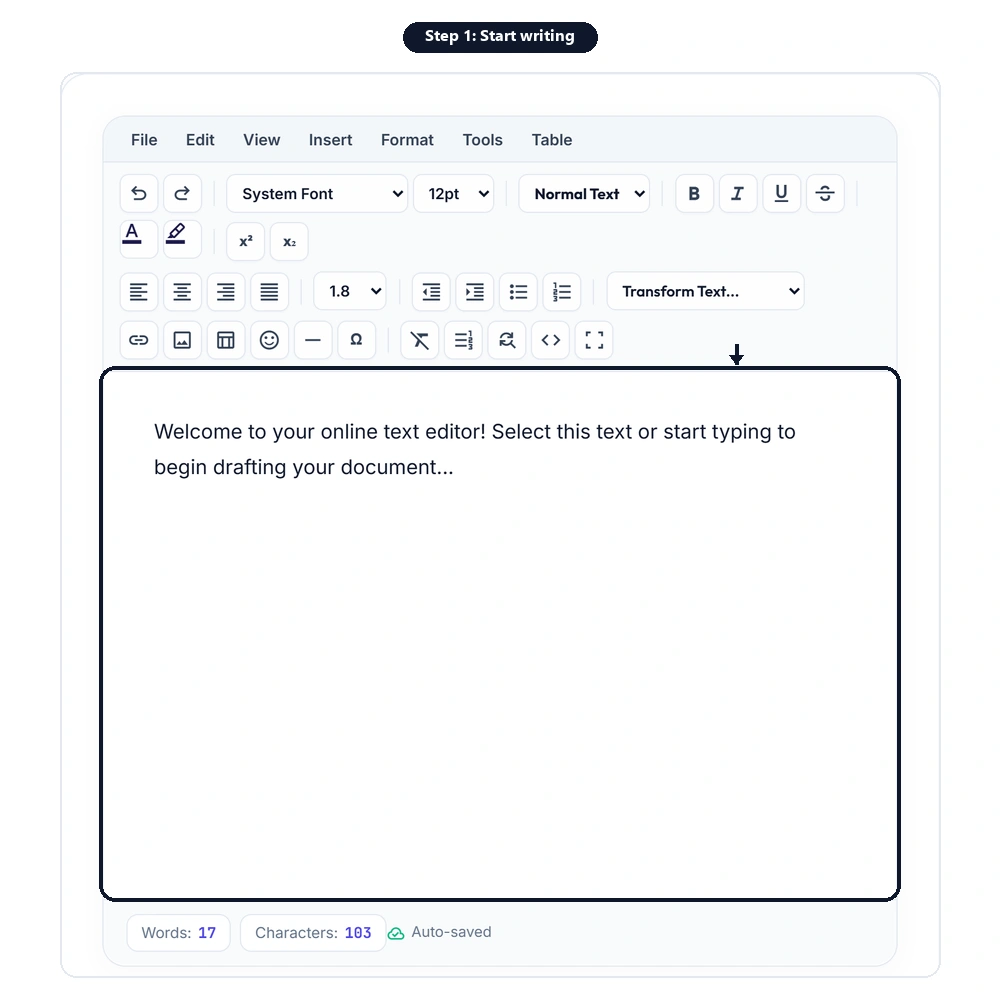
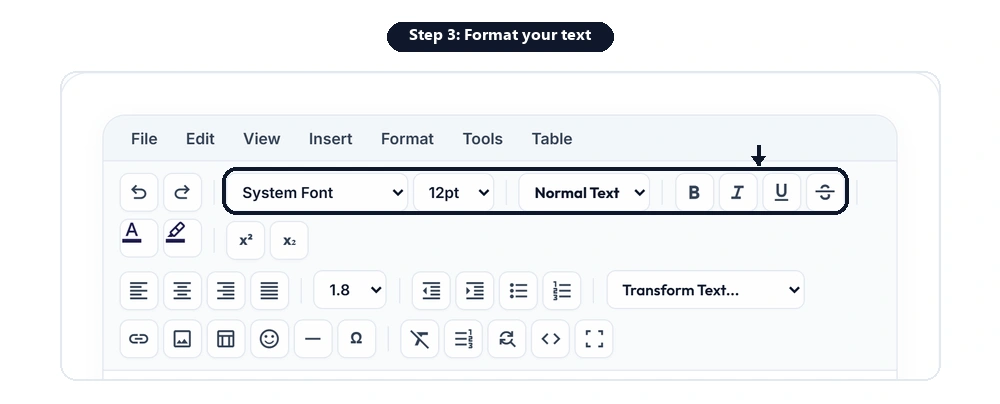
You can change fonts and text sizes, apply bold or italic formatting, adjust alignment, create lists, insert links and tables, and use additional editing controls.
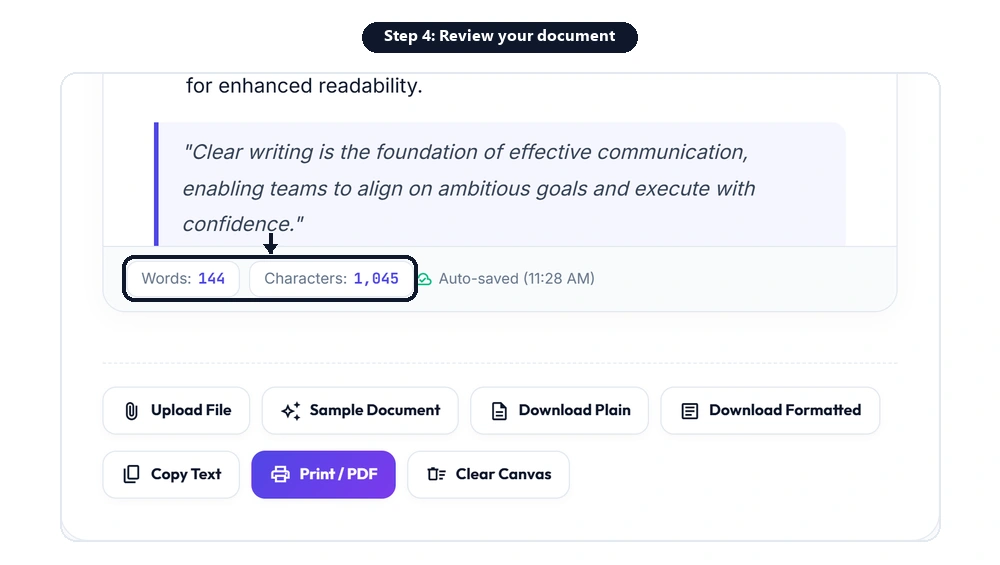
The interface also displays live word and character counts, helping you monitor document length as you write.
Whether you're preparing a short message or organizing a longer document, the web text editor provides a practical workspace for everyday writing.
Key Features of Our Tool
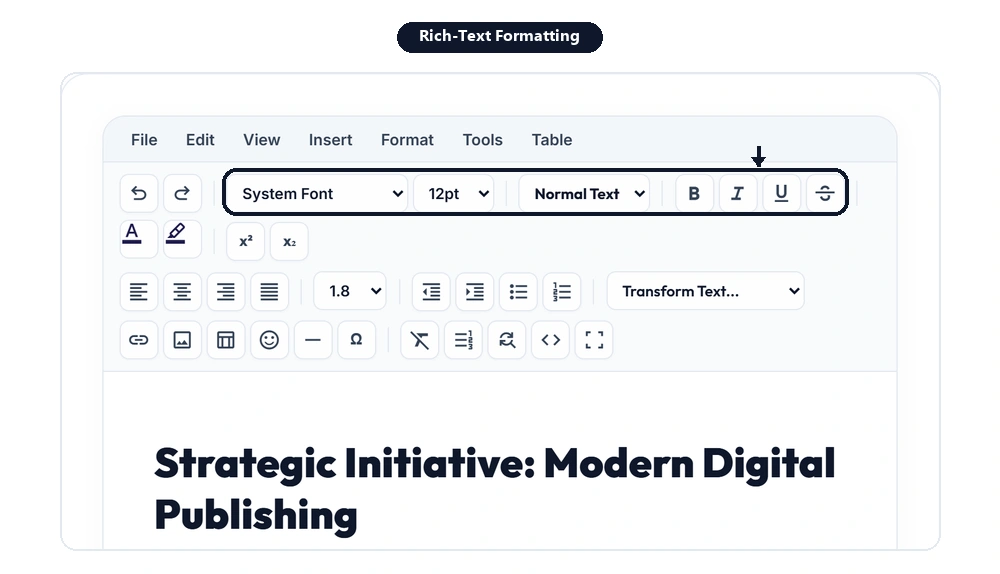
- Rich-Text Formatting: Customize fonts, text sizes, alignment, headings, lists, and other formatting options using the built-in toolbar.
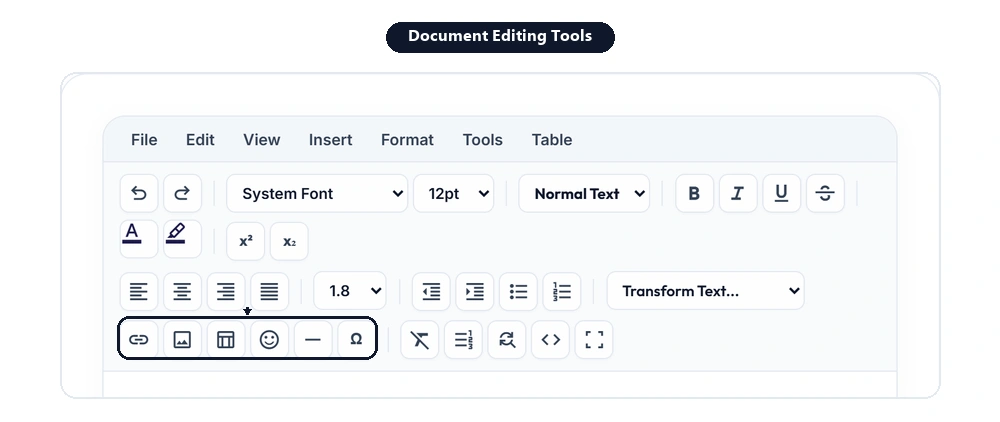
- Document Editing Tools: Insert links, images, tables, and symbols, use text transformation controls, and monitor live word and character counts.
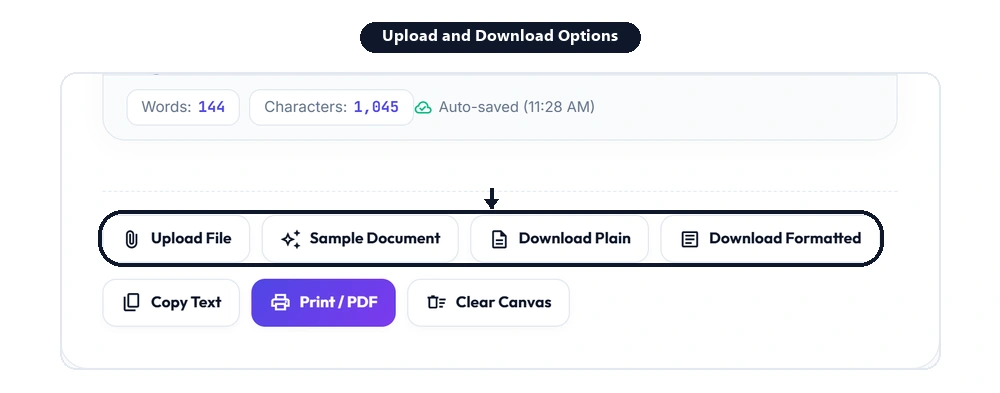
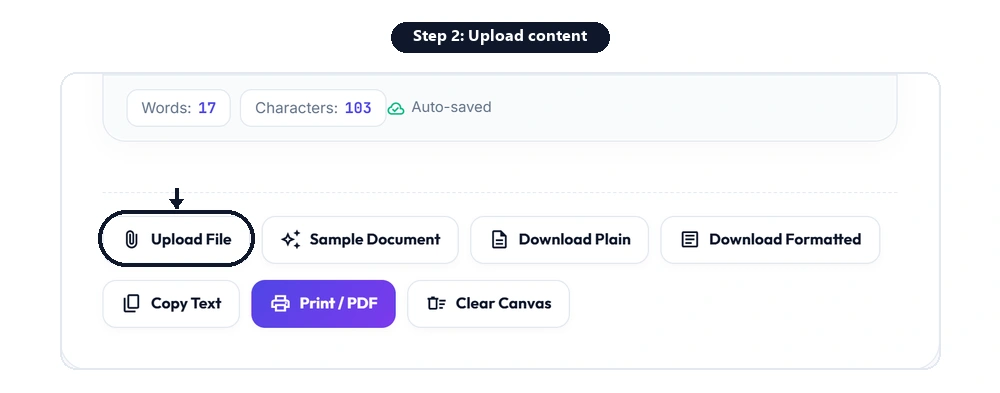
- Upload and Download Options: Upload a file, open a sample document, or download your work as plain text or formatted content.
How to Use the Online Text Editor
Follow these steps to create or edit your document:
- Start Writing: Click inside the editing area and replace the sample text with your own content.
- Upload Content: Select Upload File to import a supported document, or choose Sample Document to explore the editor.
- Format Your Text: Use the toolbar to change fonts, adjust text size, apply bold or italic styling, create lists, or insert tables and links.
- Review Your Document: Check the live word and character counters beneath the editing area.
- Save Your Work: Click Download Plain for a text-only version or Download Formatted to preserve supported formatting.
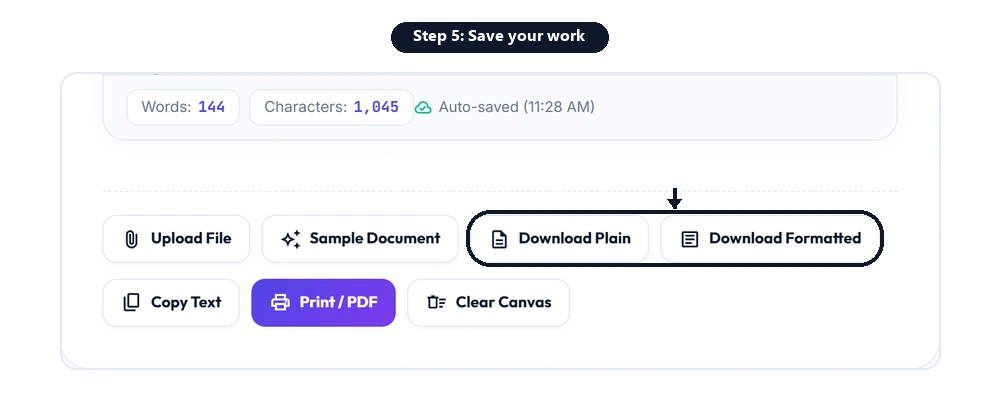
You can also use the available copy and print controls when you need to share or print your document.
Popular Practical Use Cases
- Drafting Articles: Prepare blog posts, outlines, and article drafts before transferring them to your publishing platform.
- Cleaning Copied Text: Paste content from websites or documents, then remove unwanted formatting using the editor's available controls.
- Taking Quick Notes: Organize meeting notes, study material, and everyday lists in a simple writing workspace.
- Composing Messages: Draft and polish emails, announcements, or social media updates before sending or publishing them.
Plain Text vs. Formatted Text: Which Should You Use?
Your download format depends on how you plan to use the content.
| Feature | Plain Text | Formatted Text |
|---|---|---|
| Text content | Preserved | Preserved |
| Bold and italic styling | Removed | Supported |
| Headings and lists | Text only | Formatting can be retained |
| Best for | Notes, code snippets, simple text | Articles, reports, structured documents |
Choose Download Plain when you need text without rich formatting. Use Download Formatted when the document's visual structure matters.
The exact formatting retained may depend on the editor's export format and the application used to open the downloaded file.
Tips for Writing and Editing More Efficiently
A few simple habits can help you get more from a text editor online:
- Structure Your Content: Use headings and lists to organize longer documents.
- Keep Formatting Consistent: Choose a limited number of font sizes and styles for better readability.
- Monitor Text Length: Use the word and character counters when preparing content with length requirements.
- Review Before Downloading: Check spacing, links, and formatting before saving your document.
For quick notes, plain text may be sufficient. For more detailed content, the rich-text controls provide additional flexibility.
More Tools for Working with Text
If you need additional help preparing written content, explore these related tools:
- Text Summarizer — Condense longer passages into shorter summaries.
- Small Text Generator — Create decorative small-text styles for compatible platforms.
- Paraphrasing Tool — Rephrase existing sentences and paragraphs.
These tools complement the editor by supporting different text-processing tasks.
Start Writing and Editing Online Today
Whether you're drafting an article, organizing notes, or formatting a document, a reliable text editor can make everyday writing easier.
With our free Online Text Editor from Muse AI SEO Tools, you can create content, apply formatting, monitor text length, and download your work directly from your browser.
Open the editor and start writing today.