Free Text Summarizer Online – Summarize Long Text with AI
Struggling to find the important information in a lengthy article, research paper, or business document? Reading every paragraph can be time-consuming when you only need the main ideas.
The free Text Summarizer from Muse AI SEO Tools helps you condense lengthy content into shorter, easier-to-review summaries. Choose between paragraph summaries, key points, or a quick overview, and adjust the summary length to match your needs.
Paste, type, or upload your content, generate a summary, and copy or download the result without manually rewriting the entire document.
What is a text summarizer?
A text summarizer is an online tool that identifies important information in a passage and produces a shorter version of the original content.
Instead of removing sentences randomly, a summarizer aims to retain the central ideas while reducing unnecessary detail. This makes it useful for reviewing lengthy documents, preparing study notes, and extracting highlights from written material.
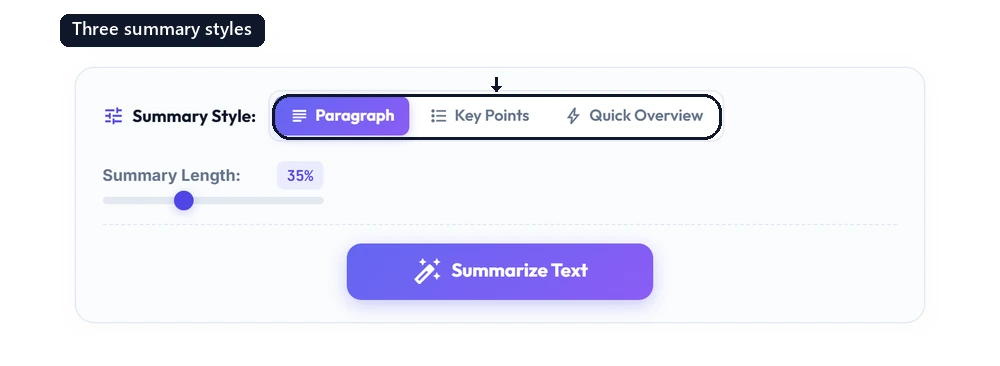
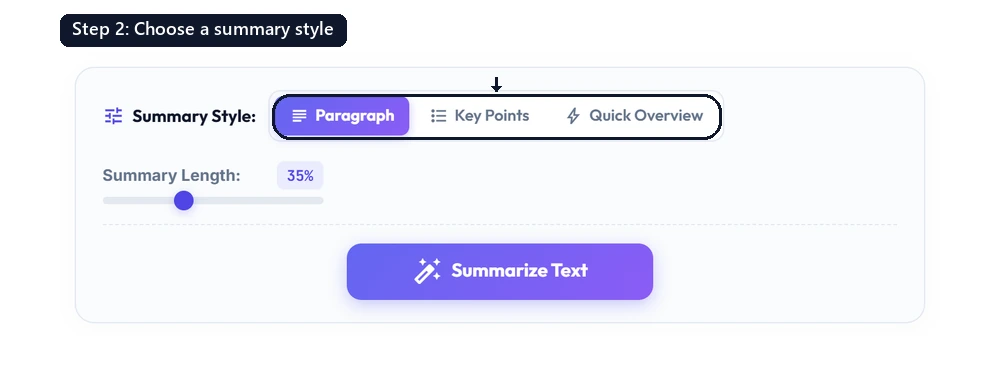
Our automatic text summarizer provides three output styles, allowing you to choose how the information is presented.
| Summary style | Output format | Best for |
|---|---|---|
| Paragraph | Connected sentences in a readable paragraph | Articles, reports, and general summaries |
| Key Points | Bullet points highlighting important information | Meeting notes, research findings, and presentations |
| Quick Overview | Very brief summary of the main ideas | Rapid reading and topic identification |
The tool also identifies core topics, helping you recognize the subjects covered in the original text.
Key features of our tool
- Three summary styles: Generate paragraph summaries, structured key points, or a quick overview according to your reading needs.
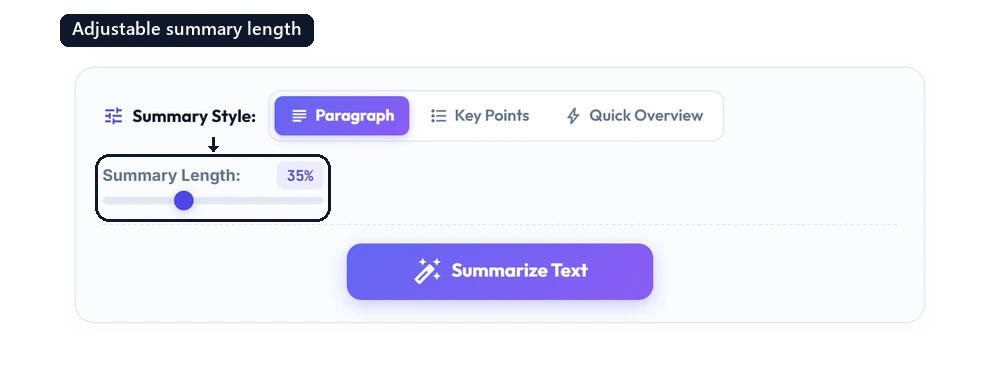
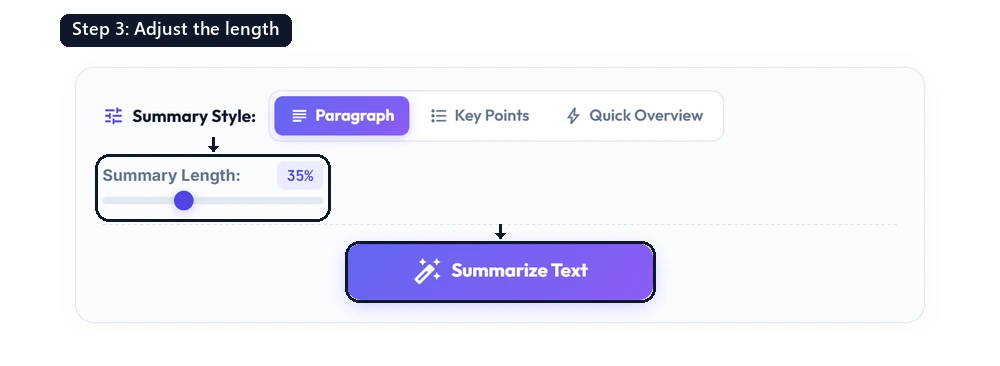
- Adjustable summary length: Use the percentage slider to control how much of the original content is retained.
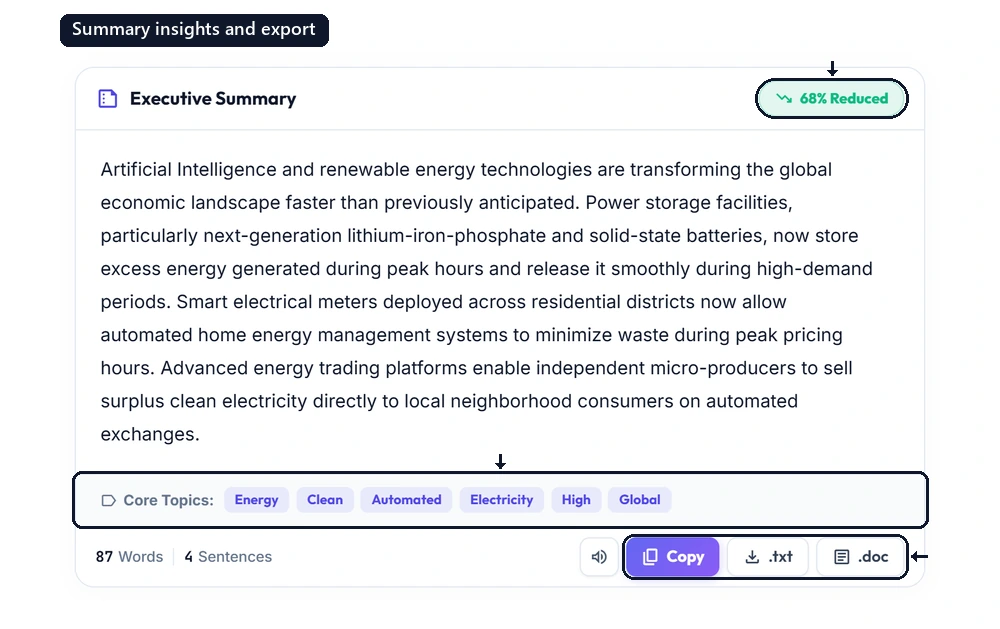
- Summary insights and export: View reduction percentage, core topics, word and sentence counts, listen to the result, or download it as TXT or DOC.
How to summarize text online
Using our text summarizer generator takes four simple steps:
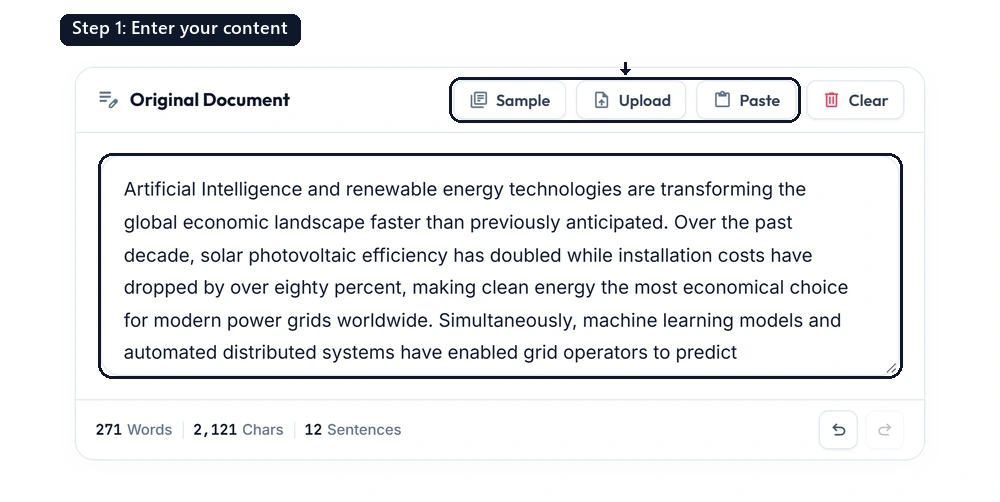
- Enter your content: Type or paste text into the Original Document box, or click Upload to import a document. You can also select Sample to try the tool.
- Choose a summary style: Select Paragraph, Key Points, or Quick Overview.
- Adjust the length: Move the Summary Length slider to your preferred percentage, then click Summarize Text.
- Review and save: Read the Executive Summary, check the core topics and reduction percentage, then copy, listen to, or download the result as
.txtor.doc.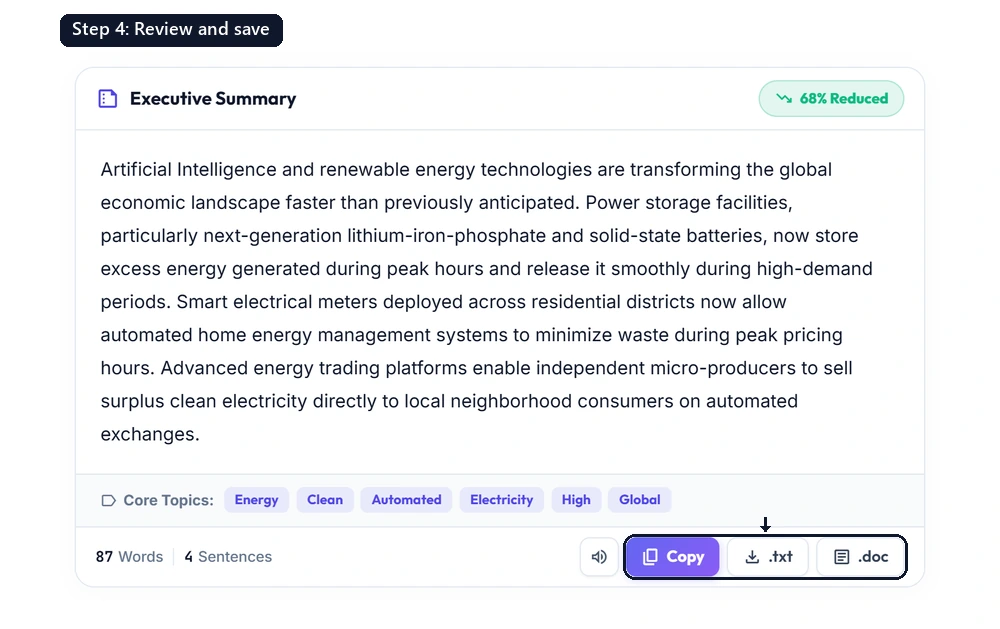
The original document area also displays word, character, and sentence counts, making it easier to understand the length of your source material.
Popular practical use cases
A long text summarizer can help readers and professionals handle information more efficiently.
- Executive briefings: Turn lengthy industry updates into concise bullet points for executives and stakeholders.
- Academic research: Condense abstracts, research findings, and literature reviews to identify relevant topics before examining the original sources.
- Content repurposing: Extract highlights from blog posts for social media captions, newsletters, and promotional summaries.
- Book outlines: Summarize chapters from nonfiction books and study materials to prepare revision notes and chapter overviews.
For academic work, always consult the original document before citing research findings or quotations.
How much should you shorten your text?
The ideal summary length depends on your purpose. A short overview is useful for quick reading, while a more detailed summary may be necessary when important context must be preserved.
| Your goal | Recommended approach |
|---|---|
| Understand the main topic quickly | Quick Overview |
| Prepare presentation notes | Key Points |
| Create a readable document summary | Paragraph |
| Retain more supporting details | Increase the summary length percentage |
The summary length slider gives you additional control over the output. However, the actual reduction may vary depending on the source text and selected style.
For example, a 228-word passage might produce an 83-word summary, while a quick overview could be considerably shorter.
Can an automatic text summarizer replace reading?
An auto text summarizer is useful for identifying main ideas, but it should not replace careful reading when accuracy is essential.
Short summaries may omit supporting evidence, qualifications, or examples that affect the meaning of the original material.
For research papers, contracts, medical information, and other important documents, review the source alongside the generated summary.
If you need to revise the original writing, our Online Text Editor can help you work with longer passages.
For changing sentence structure or wording, try the Paraphrasing Tool. If you want decorative Unicode lettering for short headings, explore the Small Text Generator.
Summarize long text for free
Whether you're preparing study notes, reviewing reports, or extracting article highlights, the free text summarizer from Muse AI SEO Tools offers a convenient way to condense written information.
Use this text summarizer free online to choose your preferred summary style, adjust the length, and save the result for later reference.