Detect and correct spelling, grammar, punctuation, and style mistakes instantly.
Free Grammar Checker: Improve Your Writing Online
Writing clear, polished content helps you communicate ideas confidently and make a stronger impression on readers. The Grammar Checker on Muse AI SEO Tools helps you identify potential grammar mistakes, awkward sentences, and common writing errors before publishing or submitting your work. Whether you are preparing blog posts, emails, academic assignments, or professional documents, checking your writing can improve clarity and readability.
What Is a Grammar Checker?
A grammar checker is an online writing tool that reviews text for grammatical mistakes, sentence structure issues, and language inconsistencies. A reliable grammar and syntax checker can help identify problems involving verb agreement, punctuation, sentence construction, and word usage. Reviewing these issues makes your writing easier to understand and more professional.
A grammar and punctuation checker can also help you spot missing commas, misplaced punctuation marks, and other errors that affect readability. Although automated tools provide useful suggestions, reviewing the context yourself remains important because some sentences may have multiple valid interpretations.
Key Features of Our Free Grammar Checker
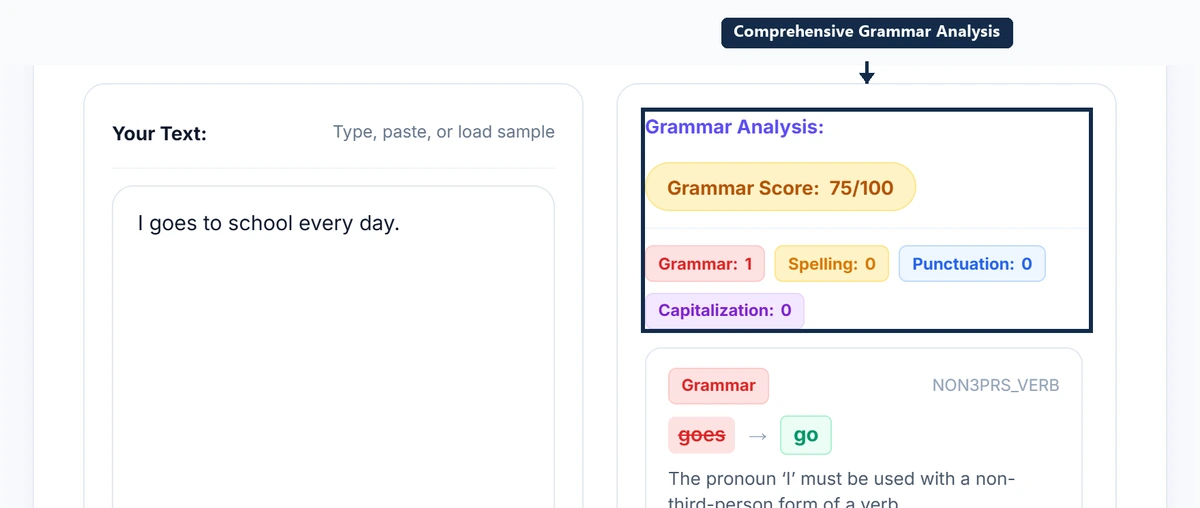
- Comprehensive Grammar Analysis: Review your grammar score alongside separate counts for spelling, punctuation, capitalization, and grammar errors.
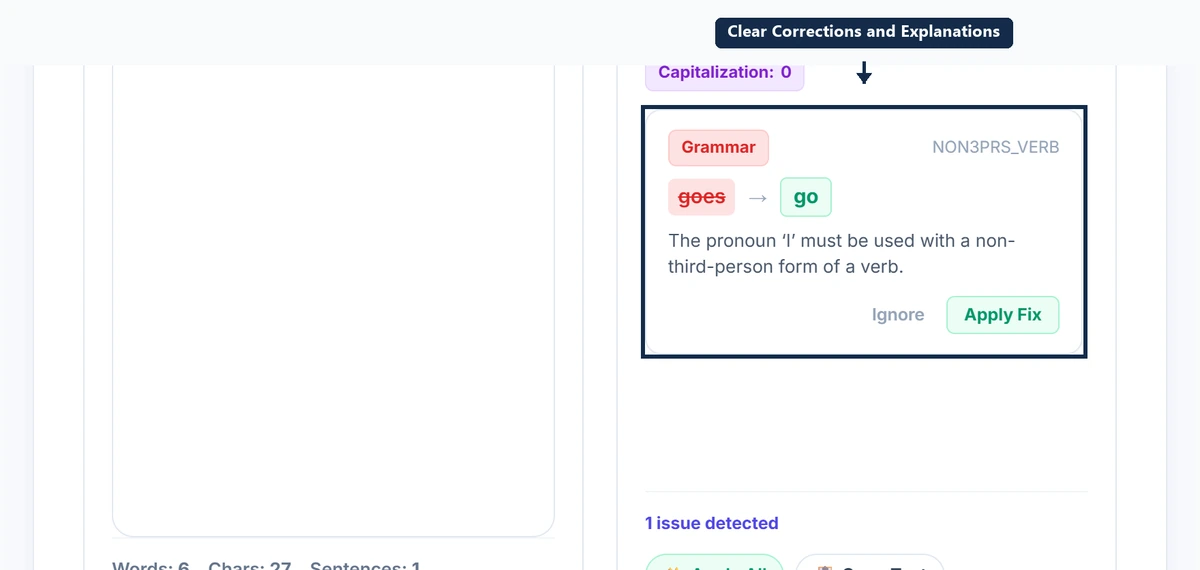
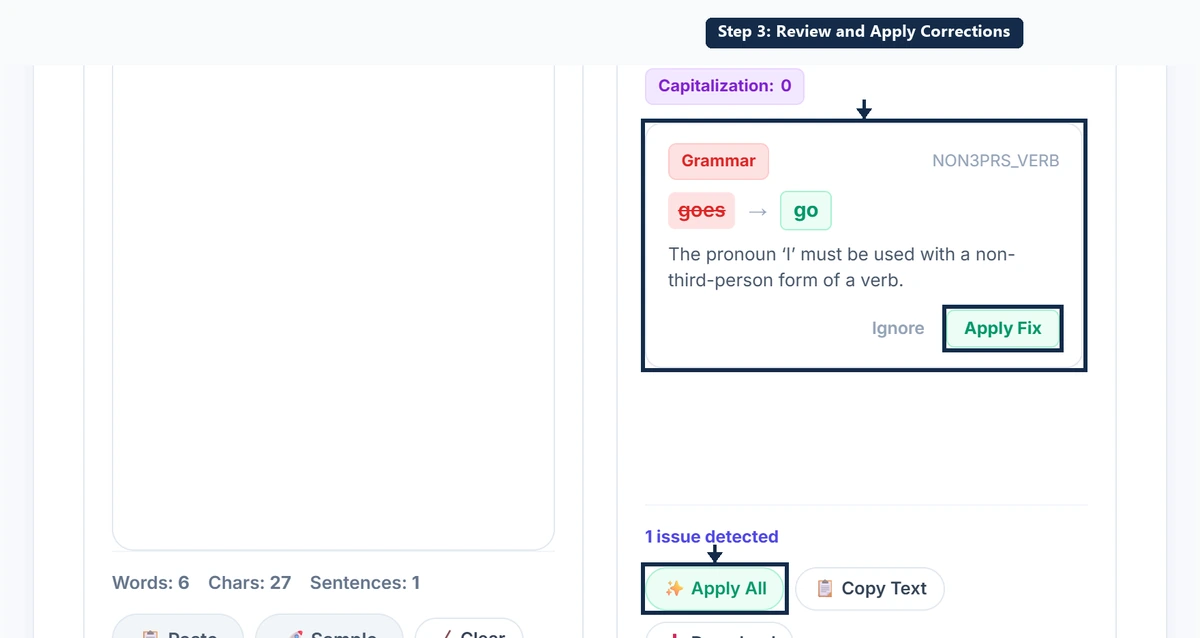
- Clear Corrections and Explanations: Examine individual mistakes, understand the suggested changes, and use Apply Fix or Apply All to correct your text efficiently.
Multi-Language & Export Options: Select your preferred language for grammar checking.
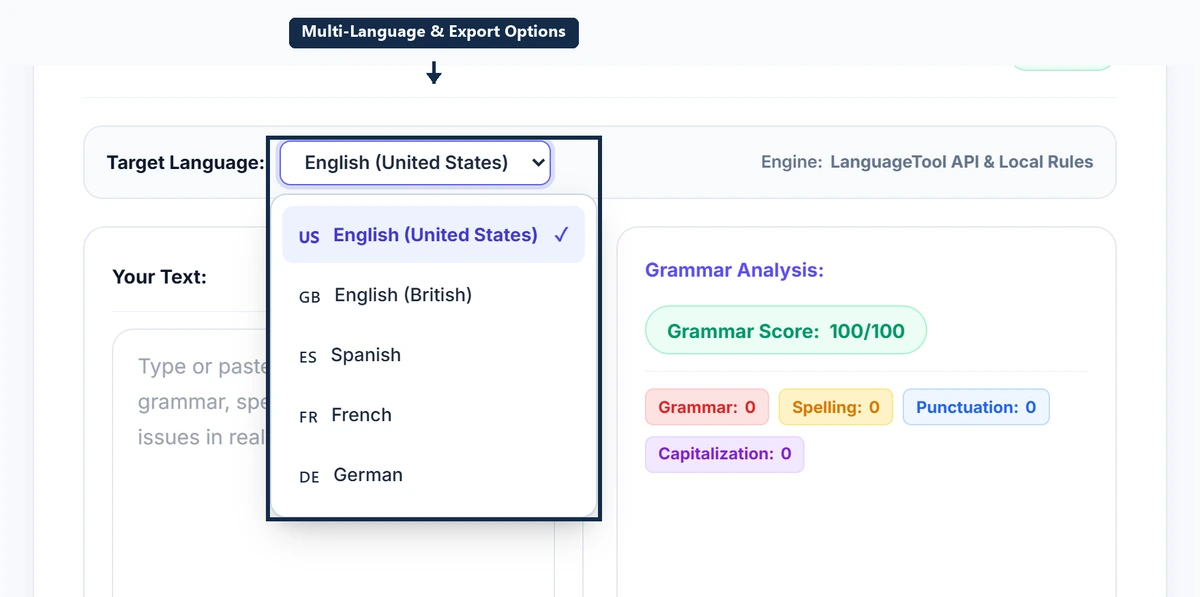
Multi-Language & Export Options
How to Check and Correct Grammar Step by Step
Follow these four simple steps to review and improve your writing.
- Enter Your Text: Type or paste your content into the editor, or select Sample to load example text.
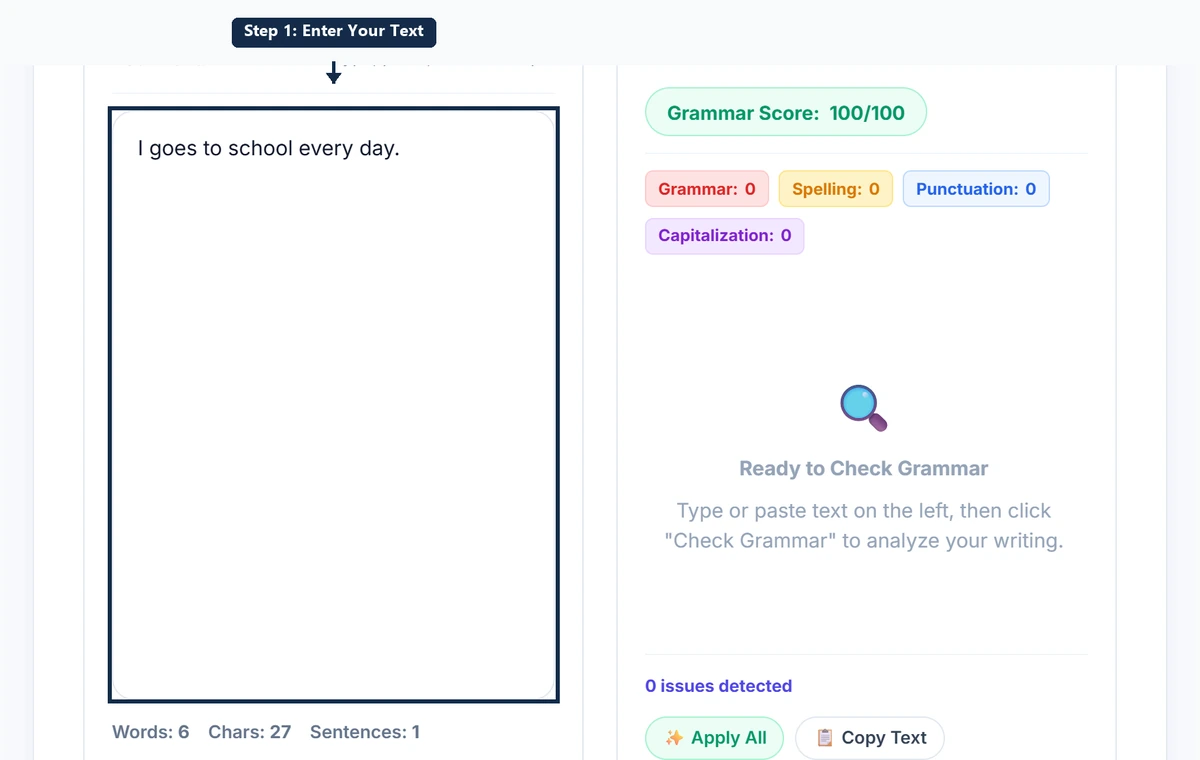
- Run the Grammar Check: Choose your preferred language and click Check Grammar to analyze your writing.
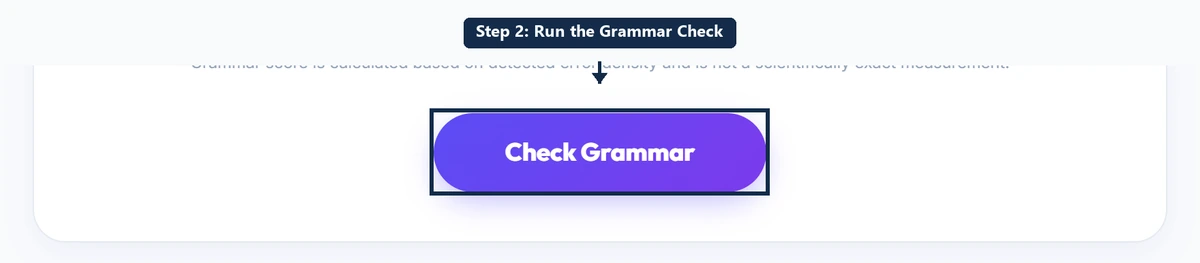
- Review and Apply Corrections: Use Apply Fix to correct individual errors or Apply All to accept all available suggestions.
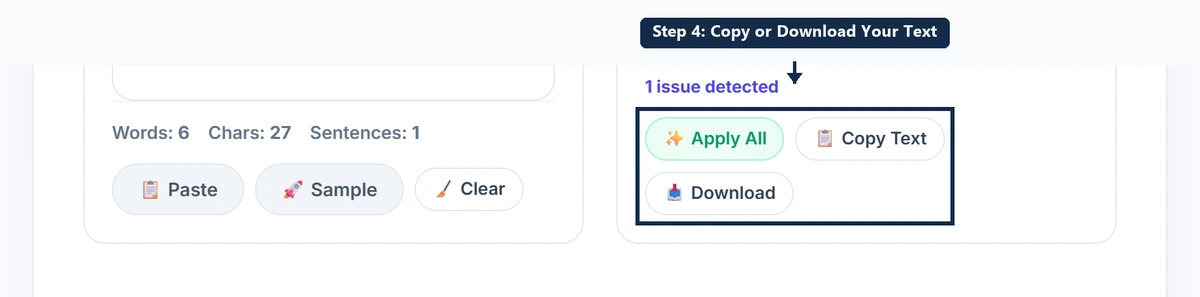
- Copy or Download Your Text: Select Copy Text or Download to save your corrected content for future use.
Who Can Benefit From a Grammar Corrector?
A grammar corrector can support anyone who wants to communicate more clearly through written content. It provides a convenient way to review everyday writing and catch mistakes that might otherwise go unnoticed.
- Students: Check assignments, essays, and reports before submission.
- Content Writers: Review articles, blog posts, and website copy for grammatical accuracy.
- Professionals: Polish business emails, proposals, presentations, and workplace documents.
- Digital Marketers: Improve product descriptions, advertising copy, and promotional content.
- English Learners: Recognize common grammar mistakes and develop stronger writing habits.
Using a checker as part of your editing process can help you produce more consistent, readable content across different formats.
Why Choose a Free AI Grammar Checker?
An AI grammar checker can examine writing patterns and suggest improvements based on the text you provide. Depending on its capabilities, it may help identify grammatical errors, improve sentence flow, and highlight wording that sounds unnatural.
A grammar checker free of charge is especially useful for people who want to review their writing without immediately paying for a subscription. However, automated suggestions should support your judgment rather than replace it. Always confirm that suggested corrections preserve your intended meaning and tone.
For additional writing support, use our Text Summarizer to shorten lengthy passages and highlight essential information. You can also explore the AI Content Detector to examine text for patterns associated with AI-generated writing. If you prefer editing directly in your browser, try our Online Text Editor.
Tips for Better Grammar and Readability
A grammar checker works best when combined with careful proofreading and thoughtful editing. These practical habits can help you improve your writing over time.
- Use Clear Sentences: Express one main idea at a time whenever possible.
- Check Punctuation: Review commas, apostrophes, periods, and other punctuation marks.
- Avoid Unnecessary Repetition: Replace repeated words and phrases when doing so improves readability.
- Maintain Consistent Tense: Keep verb tenses consistent unless the meaning requires a change.
- Proofread the Final Draft: Read your revised text again to catch errors the tool may have missed.
These habits help you develop stronger writing skills while making your content easier for readers to follow.
Improve Your Writing with Simple Grammar Checks
Review your text, identify possible mistakes, and make informed corrections before publishing or submitting your work. Visit Muse AI SEO Tools to explore practical writing utilities that support your content workflow.
Combine automated grammar suggestions with careful proofreading to create clear, accurate, and reader-friendly writing.