State of the art OCR extraction tool supporting JPG, PNG, and scanned PDF documents.
Image to Text Converter – Extract Text from Images Online for Free
Need to copy text from a screenshot, scanned document, or photograph? Manually typing everything can be time-consuming, especially when working with lengthy notes, invoices, or printed materials.
The Image to Text Converter from Muse AI SEO Tools helps you extract readable text from images and turn it into content you can copy, edit, or download. Upload an image, review the extracted text alongside the original, and choose the output format that suits your needs.
Whether you're digitizing study notes or collecting information from screenshots, this free tool makes image-based text easier to reuse.
What is an image to text converter?
An image to text converter is an online utility that recognizes written content within an image and transforms it into selectable, editable text.
For example, a photographed invoice may contain customer details, dates, amounts, and descriptions. Instead of manually retyping the information, you can convert text in an image to text and transfer it into another document.
Our online image to text converter supports PNG, JPG, JPEG, WEBP, and BMP files up to 20 MB. It also offers different text display options and multiple download formats.
Key features of our image to text converter
1. Multiple image formats and flexible uploads
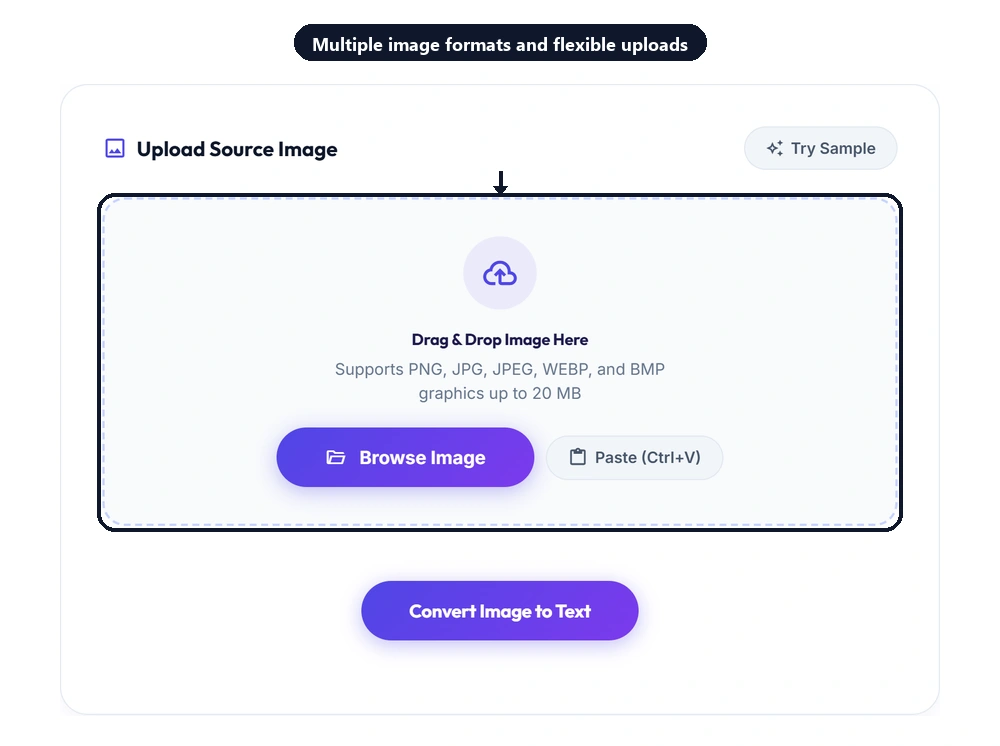
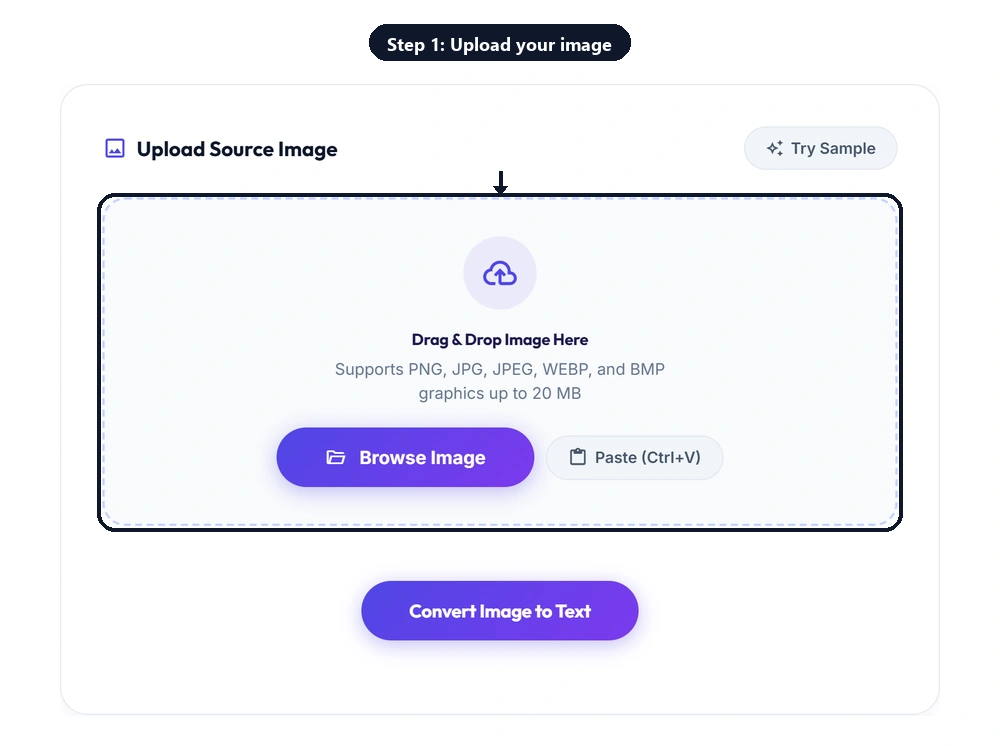
Upload PNG, JPG, JPEG, WEBP, or BMP images using drag-and-drop, Browse Image, or Paste (Ctrl+V).
2. Exact layout and smart paragraph options
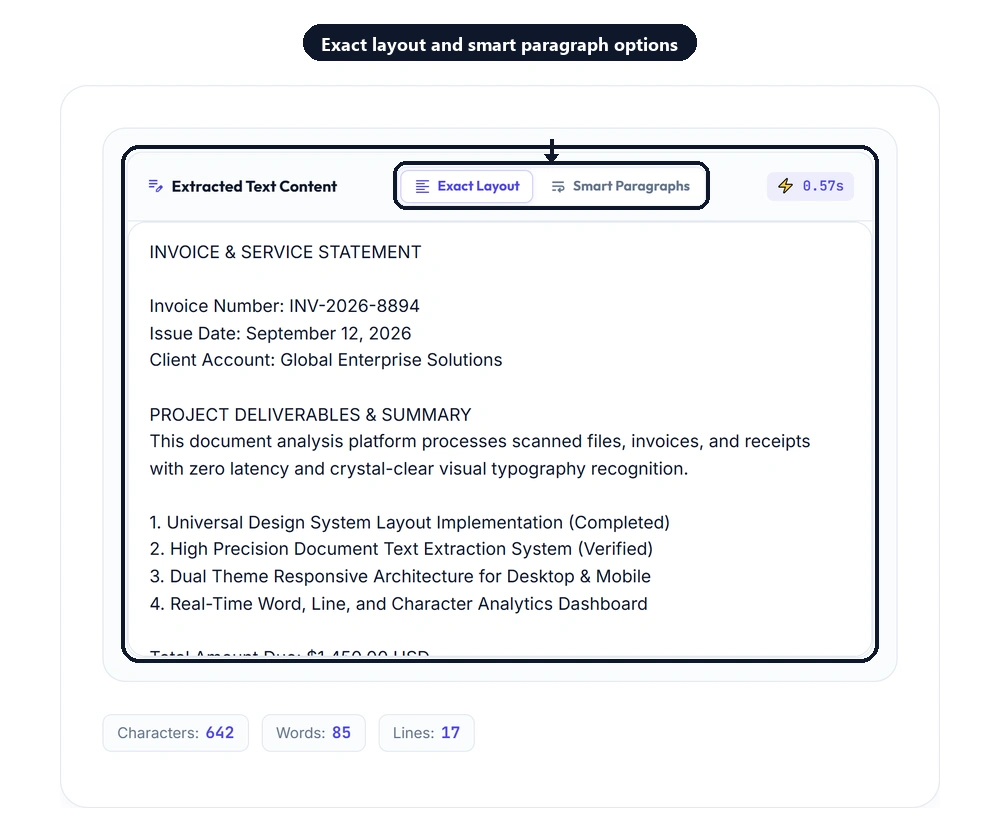
Choose how your extracted text is displayed:
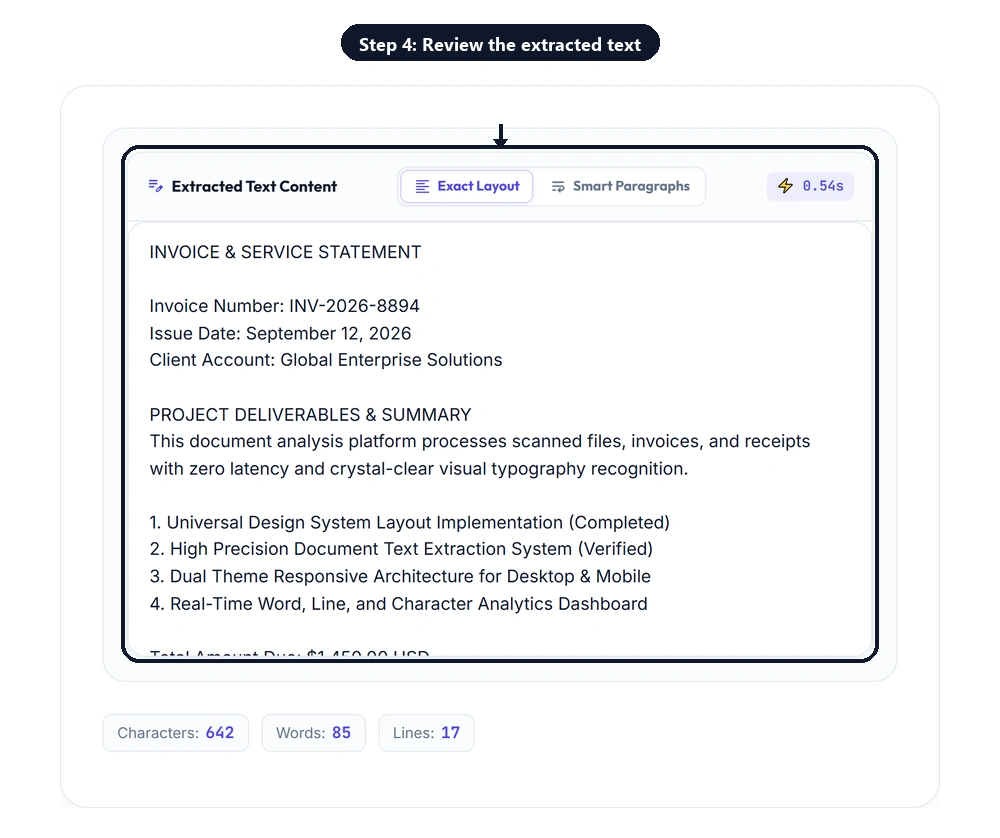
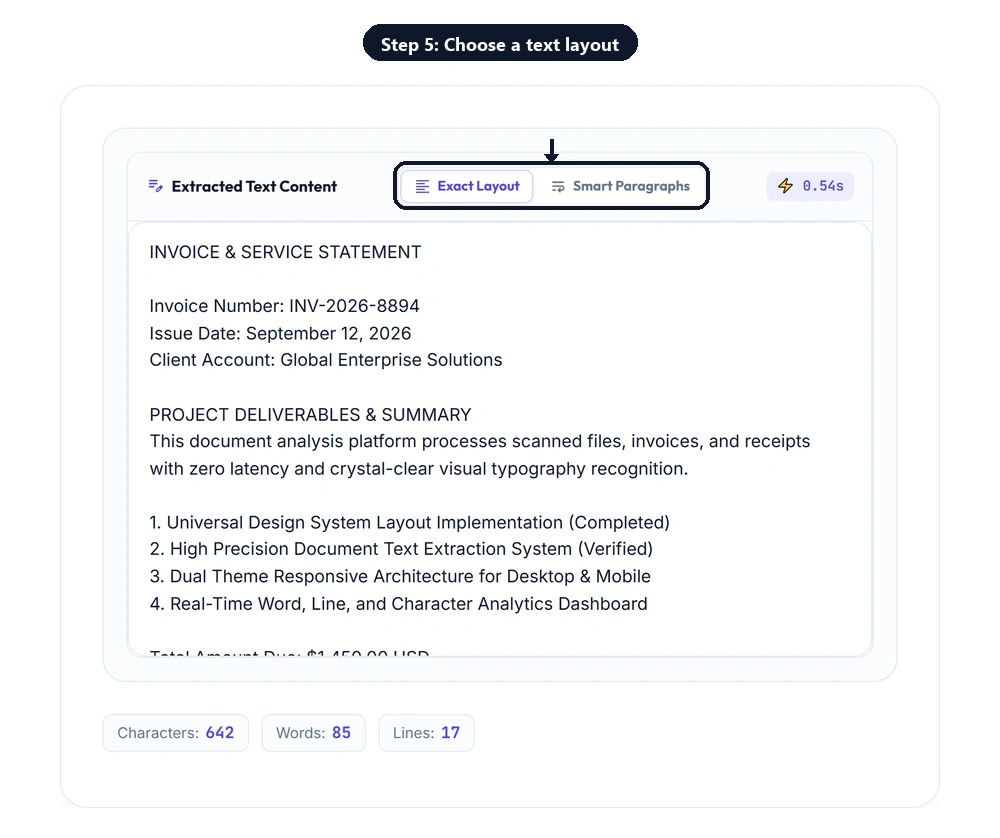
- Exact Layout: Keeps the recognized content closer to the original line arrangement and spacing.
- Smart Paragraphs: Organizes the extracted content into readable paragraphs for easier copying and editing.
The side-by-side preview makes it convenient to compare the source image with the converted text.
3. Multiple formats and text controls
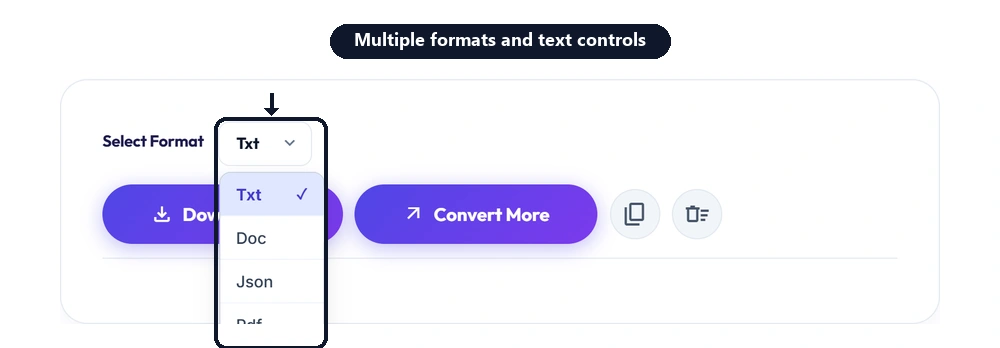
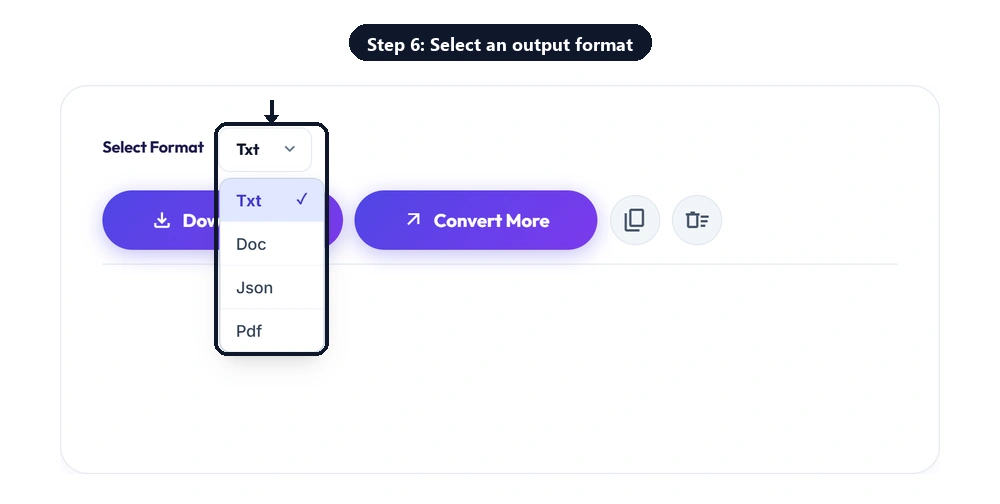
Save extracted content in TXT, DOC, JSON, or PDF format using the Select Format dropdown.
How to convert an image to text online
Follow these simple steps to turn your image into editable text:
- Upload your image: Drag and drop a supported image, click Browse Image, or paste an image from your clipboard.
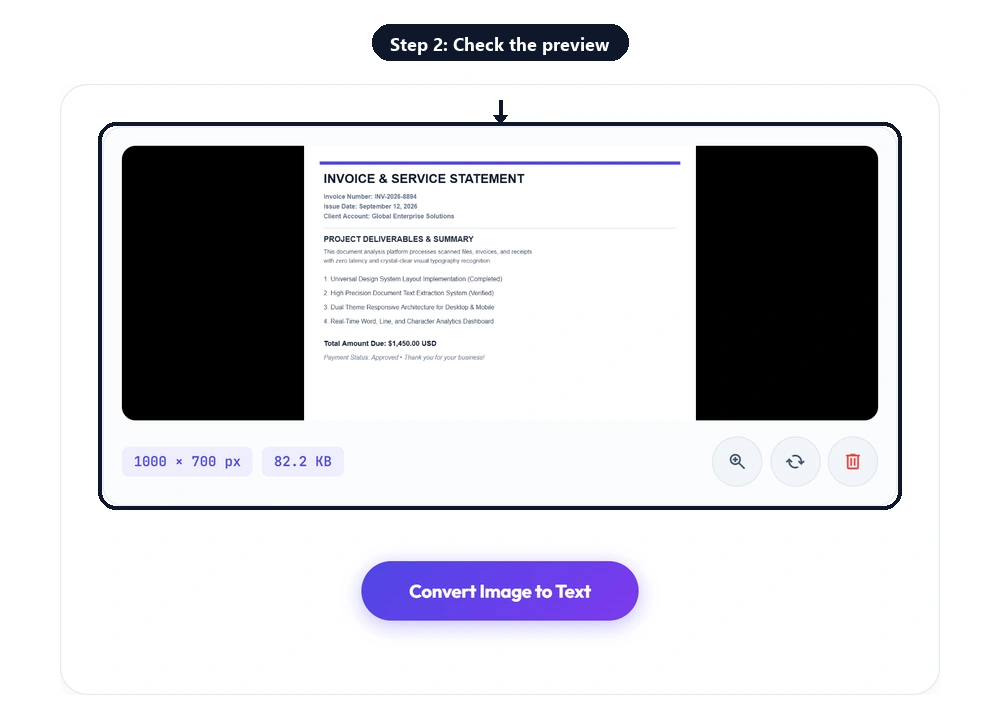
- Check the preview: Review the uploaded image and its dimensions using the available preview controls.
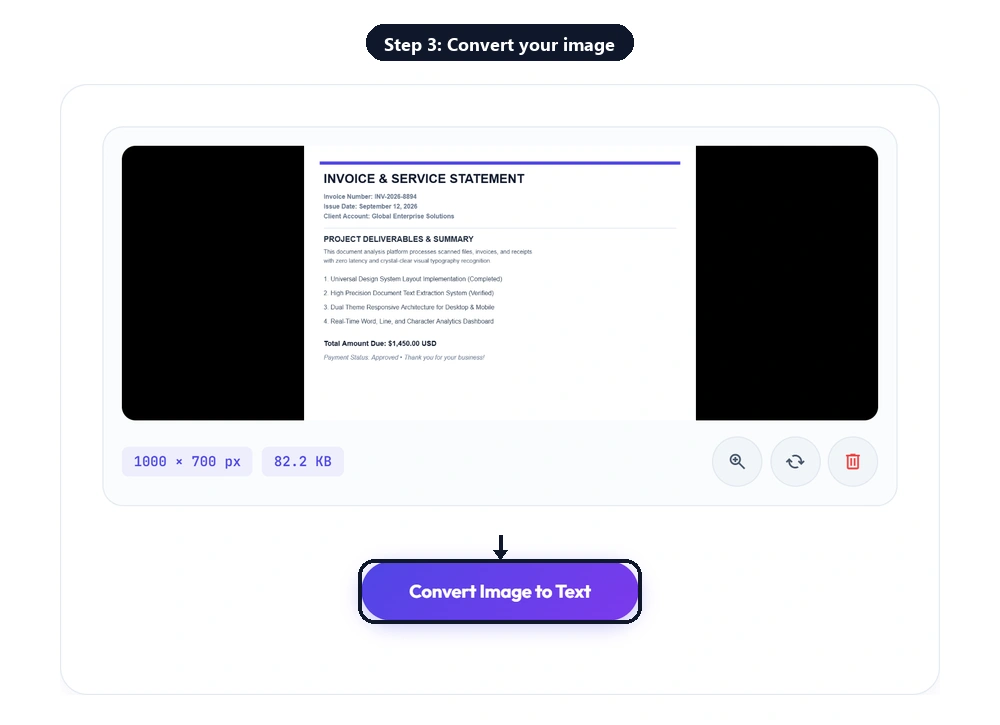
- Convert your image: Click Convert Image to Text to extract the written content from your uploaded image.
- Review the extracted text: The converted content appears beside the original image.
- Choose a text layout: Switch between Exact Layout and Smart Paragraphs according to your preference.
- Select an output format: Choose TXT, DOC, JSON, or PDF from the dropdown menu.
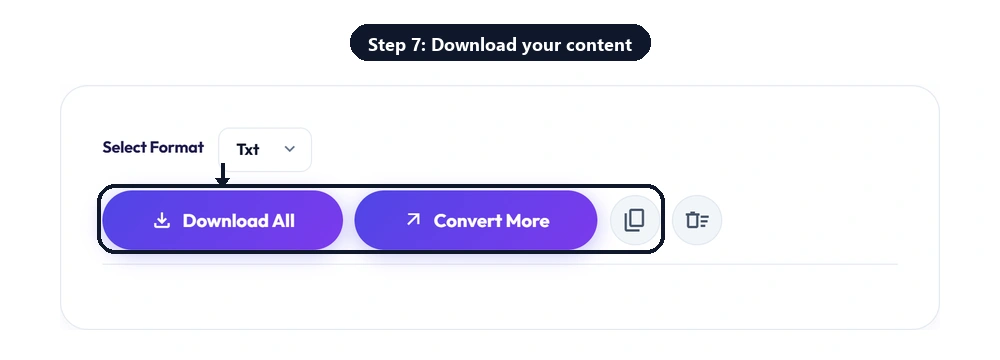
- Download your content: Click Download All to save the result, or copy the extracted text directly. Select Convert More to process another image.
Which text download format should you choose?
Our free image to text converter provides several output options for different tasks.
| Format | Best suited for |
|---|---|
| TXT | Plain text, quick notes, and copying |
| DOC | Editable documents, assignments, and reports |
| JSON | Structured text output for technical projects |
| Saving and sharing extracted content as a document |
For example, students may prefer DOC when preparing study materials, while developers may choose JSON for further processing.
Practical everyday use cases
Digitizing book passages and study notes
Students frequently photograph textbook passages, lecture slides, and library materials. Instead of retyping entire paragraphs, they can convert the image to text and organize important information into editable notes.
Organizing receipts and business cards
Office administrators and small business owners often need information from photographed receipts, invoices, and business cards. Using an image to text generator helps extract dates, contact details, and transaction information that can be transferred into spreadsheets or business records.
Capturing text from screenshots
Screenshots may contain useful error messages, instructions, quotations, or addresses that cannot be selected directly. An image to text converter makes it easier to capture this information for emails, documents, and support tickets without manually rewriting every word.
Can you convert JPEG images into editable text?
Yes. You can convert JPEG image to text using the same process as other supported image formats. Our tool also works as a JPEG image to text converter, allowing you to upload JPG or JPEG photographs and extract their visible written content.
For better results, use clear images with readable lettering, sufficient resolution, and minimal blur. Small text, unusual fonts, and complex backgrounds may affect recognition accuracy. Always review extracted content carefully, especially when working with names, financial figures, or important documents.
Explore related image and text tools
If you need a dedicated document recognition utility, explore our Optical Character Recognition tool. For working with text in other languages, try the Image Translator. You can also use Text to Image to create images from written content.
Convert images into editable text with ease
Whether you're working with screenshots, scanned pages, or photographs, our image to text converter free utility offers a convenient way to capture and reuse written information. Upload your image, choose your preferred text layout, and download the extracted content in a format that fits your workflow.