Copy zero-width spaces, blank characters, and detect hidden Unicode markers.
Invisible Character Generator: Copy, Paste, Detect & Remove Hidden Text
Want to create a blank-looking username, add invisible spacing to a message, or find hidden characters causing problems in your text? An invisible character lets you insert Unicode characters that occupy space or affect text behavior without appearing as ordinary letters.
The free Invisible Character tool from Muse AI SEO Tools helps you generate, copy, test, detect, and remove these characters in one place. Whether you're customizing a gaming profile, experimenting with social media formatting, or cleaning copied text, the tool provides a simple browser-based workspace.
You can select different Unicode characters, copy them instantly, verify what you've copied, and scan text for hidden characters that may be difficult to identify manually.
What Is an Invisible Character?
An invisible character is a Unicode character that may not display as a visible letter, number, or symbol. Some create blank-looking spaces, while others influence how characters join, separate, or wrap within text.
For example, Hangul Filler (U+3164) can appear as an invisible blank in certain applications. Zero Width Space (U+200B) and Zero Width Joiner (U+200D) affect text behavior without adding an ordinary visible space.
These characters are different from simply pressing the spacebar. Their Unicode values and behavior vary, and some applications may recognize or reject them.
Our tool includes a catalogue of 12 Unicode characters, including Hangul Filler, Braille Pattern Blank, Zero Width Space, Zero Width Joiner, Non-Breaking Space, and several typographic spacing characters.
If you're looking for an invisible letter or an invisible symbol, the tool lets you explore these options and copy the appropriate character for your intended use.
Key Features of Our Invisible Character Tool
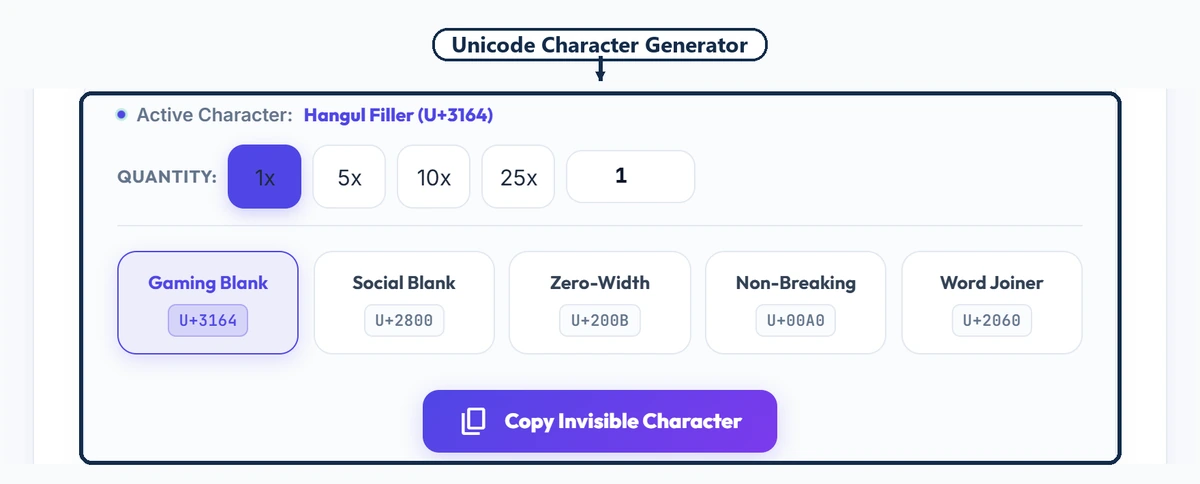
- Unicode Character Generator: Choose from several invisible and spacing characters, select a quantity, and copy the generated text with one click.
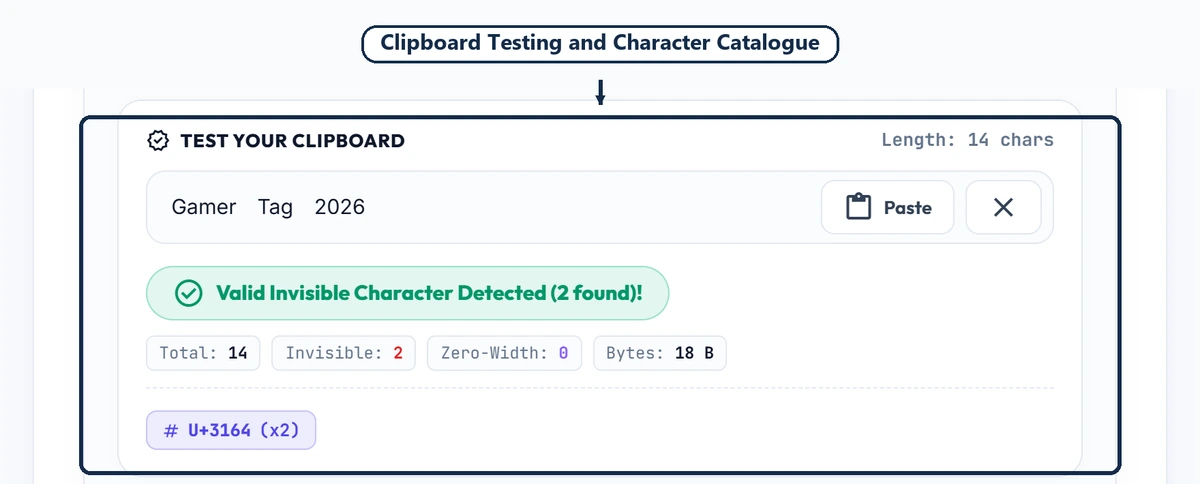
- Clipboard Testing and Character Catalogue: Paste copied content to verify hidden characters, view character counts, and explore 12 Unicode options with individual copy controls.
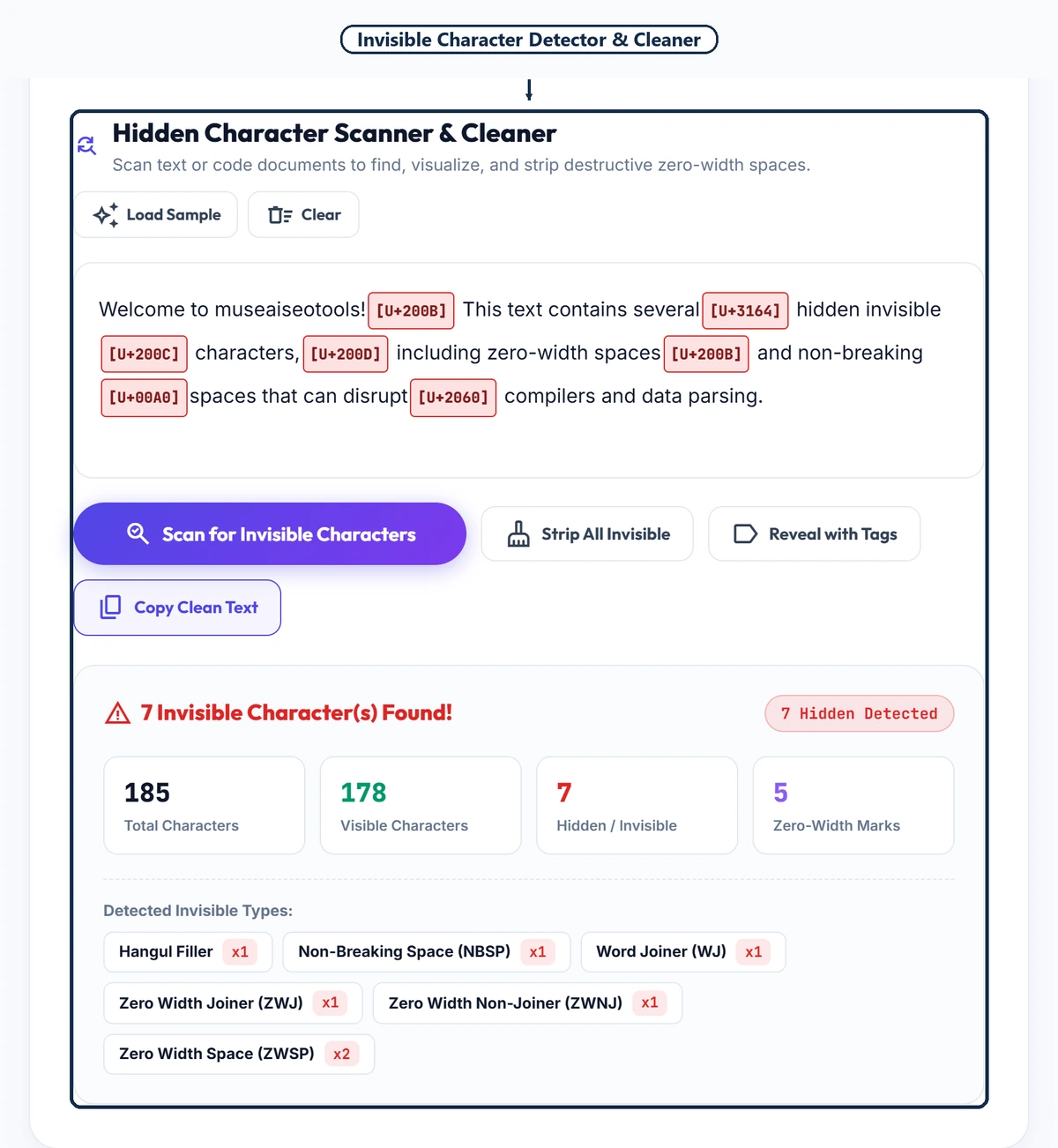
- Invisible Character Detector & Cleaner: Scan text for hidden characters, identify detected types, reveal them with tags, and remove them when needed.
How to Generate and Copy Invisible Characters
Use the Generate & Test tab to create blank-looking text.
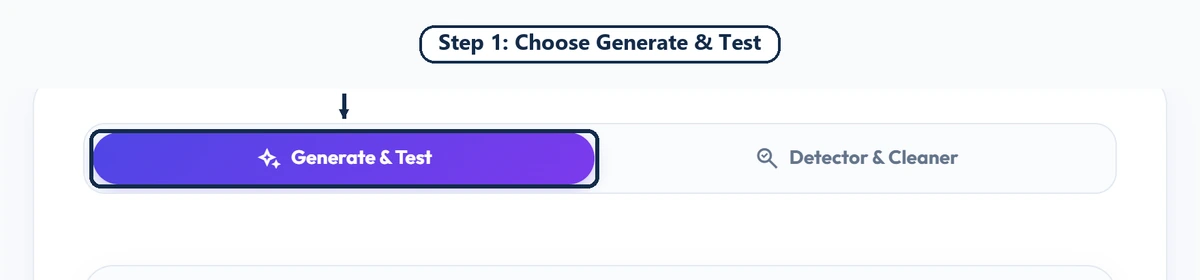
- Choose Generate & Test: Open the Generate & Test tab in the tool interface.
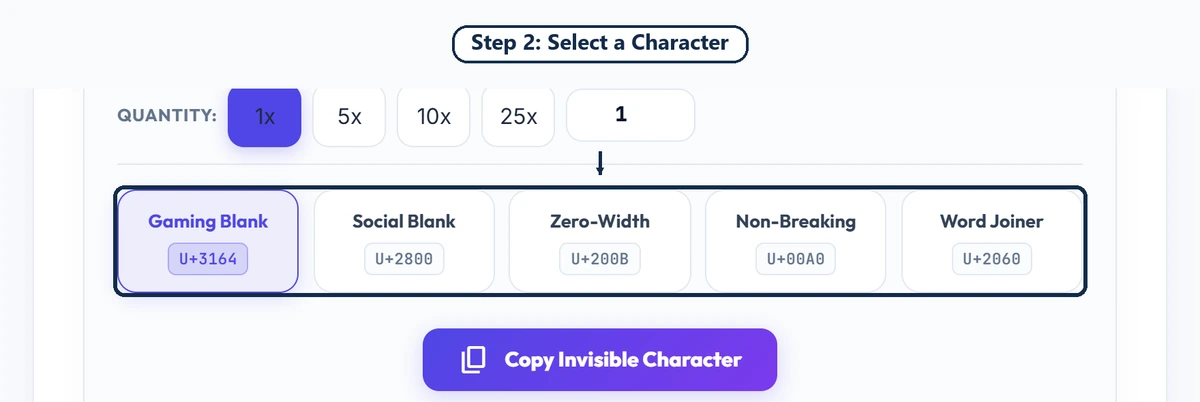
- Select a Character: Choose Gaming Blank, Social Blank, Zero-Width, Non-Breaking, or Word Joiner according to your needs.
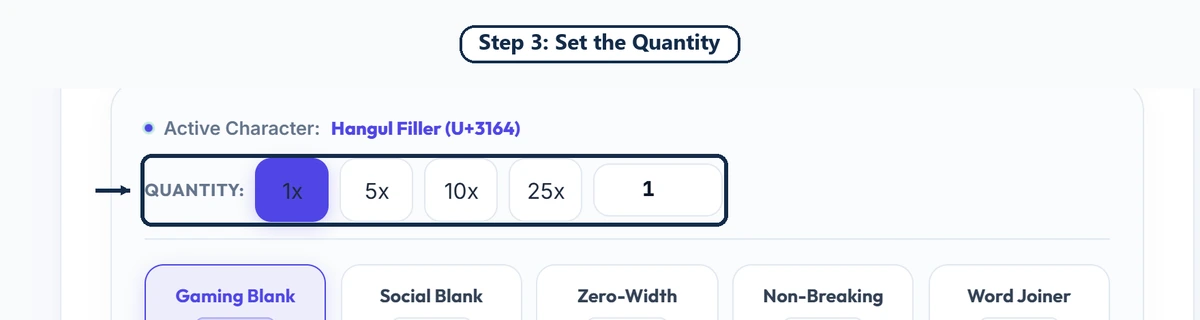
- Set the Quantity: Select 1x, 5x, 10x, or 25x, or enter a custom quantity.
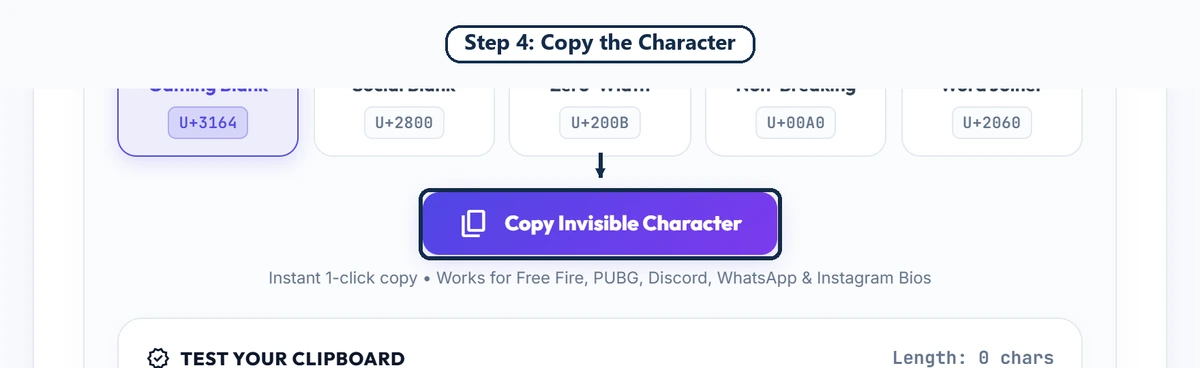
- Copy the Character: Click Copy Invisible Character to copy the selected Unicode character or sequence.
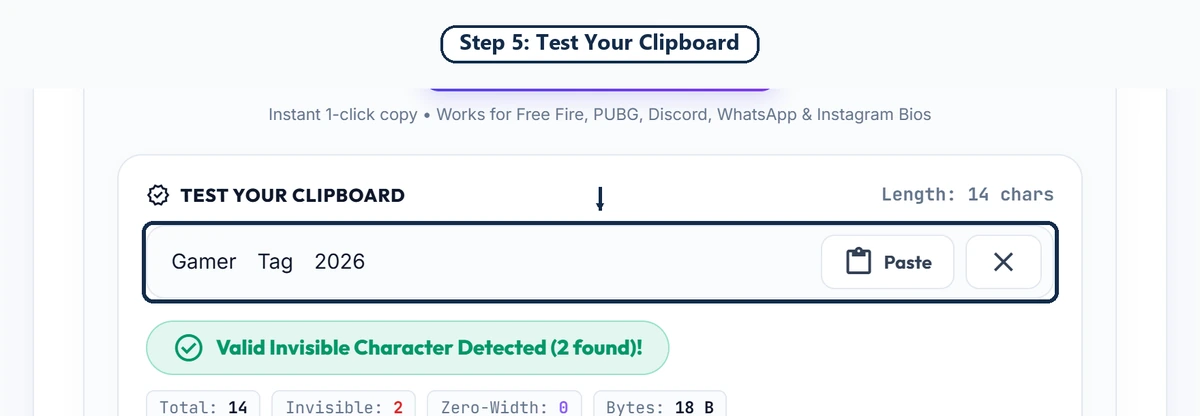
- Test Your Clipboard: Paste the copied content into Test Your Clipboard to verify that the character was copied successfully.
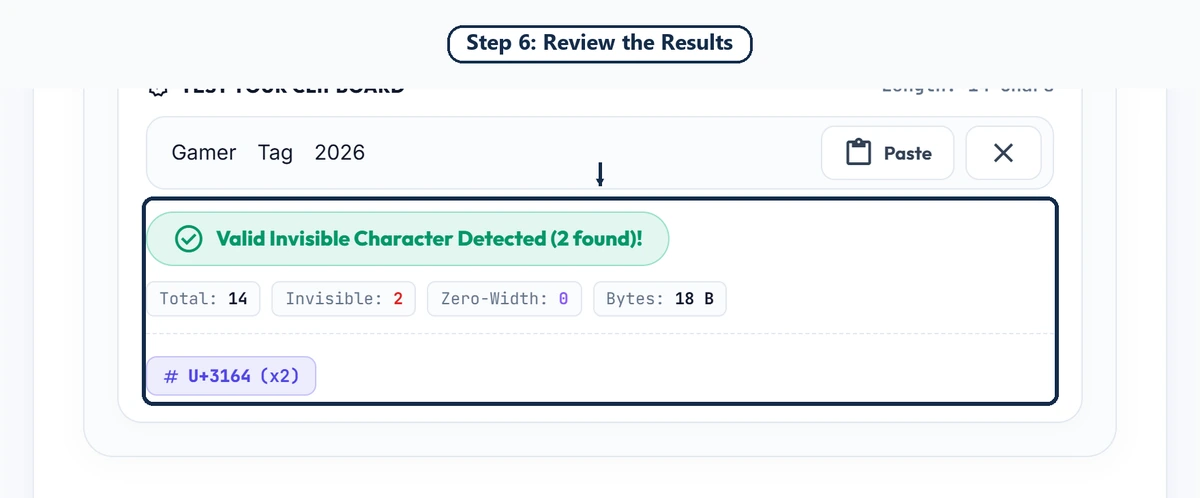
- Review the Results: Check the displayed character count, invisible character count, zero-width count, and detected Unicode values.
You can also explore the Unicode Invisible Character Catalogue to copy individual characters such as Hangul Filler, Braille Pattern Blank, and Zero Width Space.
How to Detect and Remove Invisible Characters
Use the Detector & Cleaner tab when hidden characters are causing unexpected text behavior.
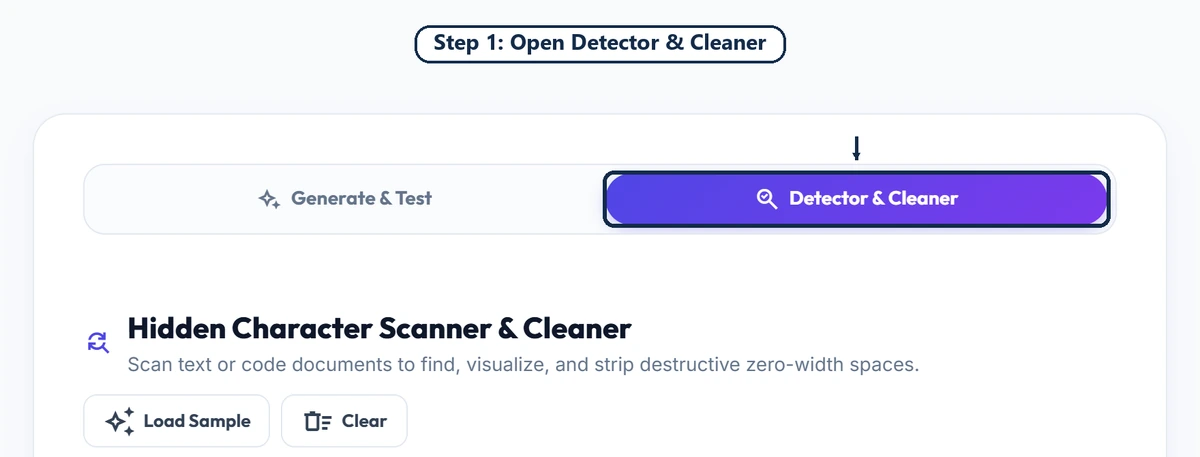
- Open Detector & Cleaner: Select the Detector & Cleaner tab.
- Enter Your Text: Paste the text you want to examine into the input area. You can also select Load Sample to test the scanner.
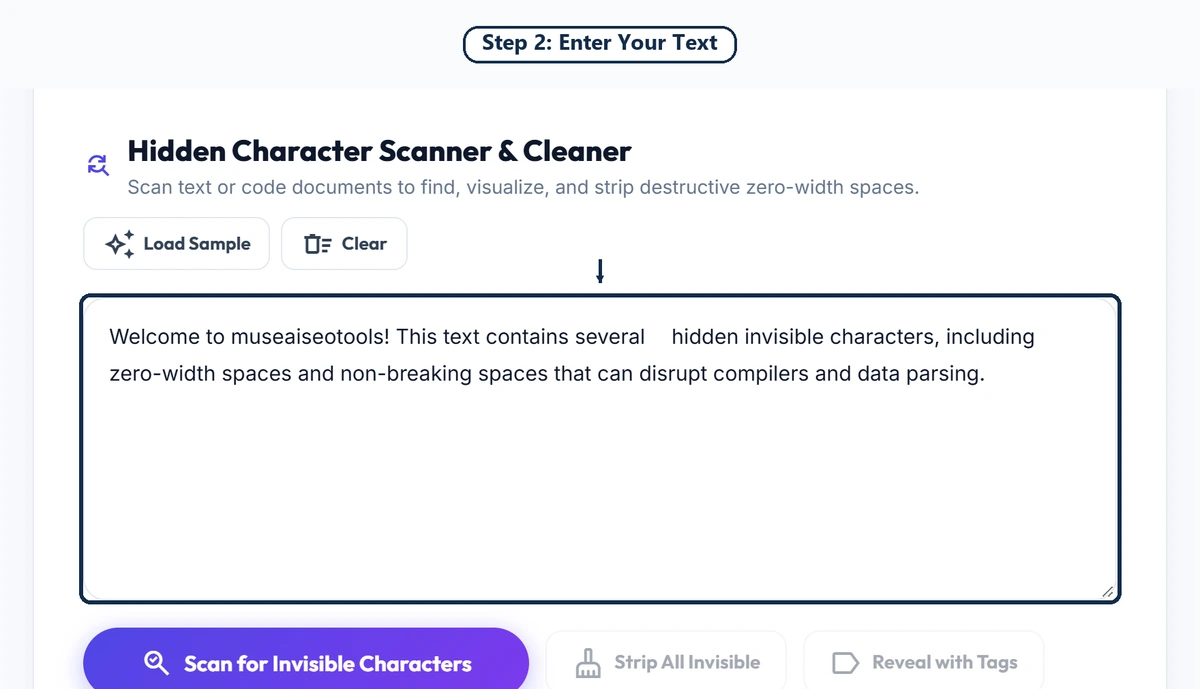
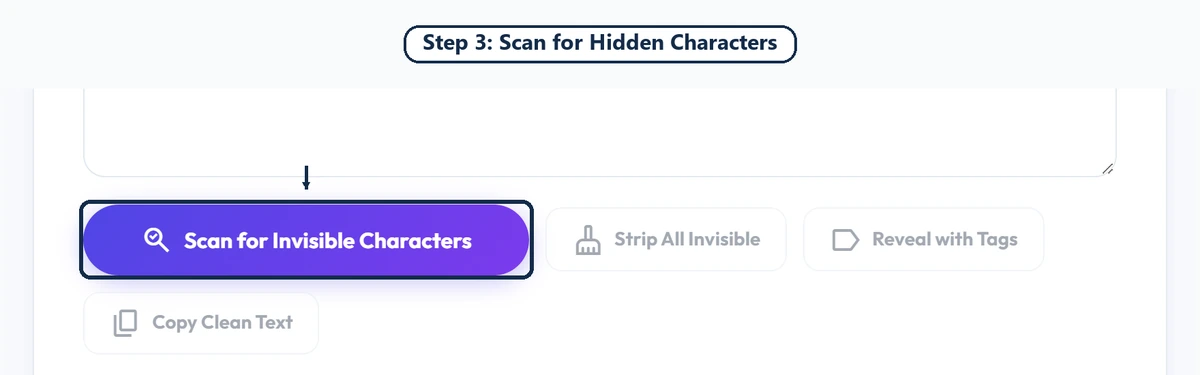
- Scan for Hidden Characters: Click Scan for Invisible Characters to identify supported invisible Unicode characters.
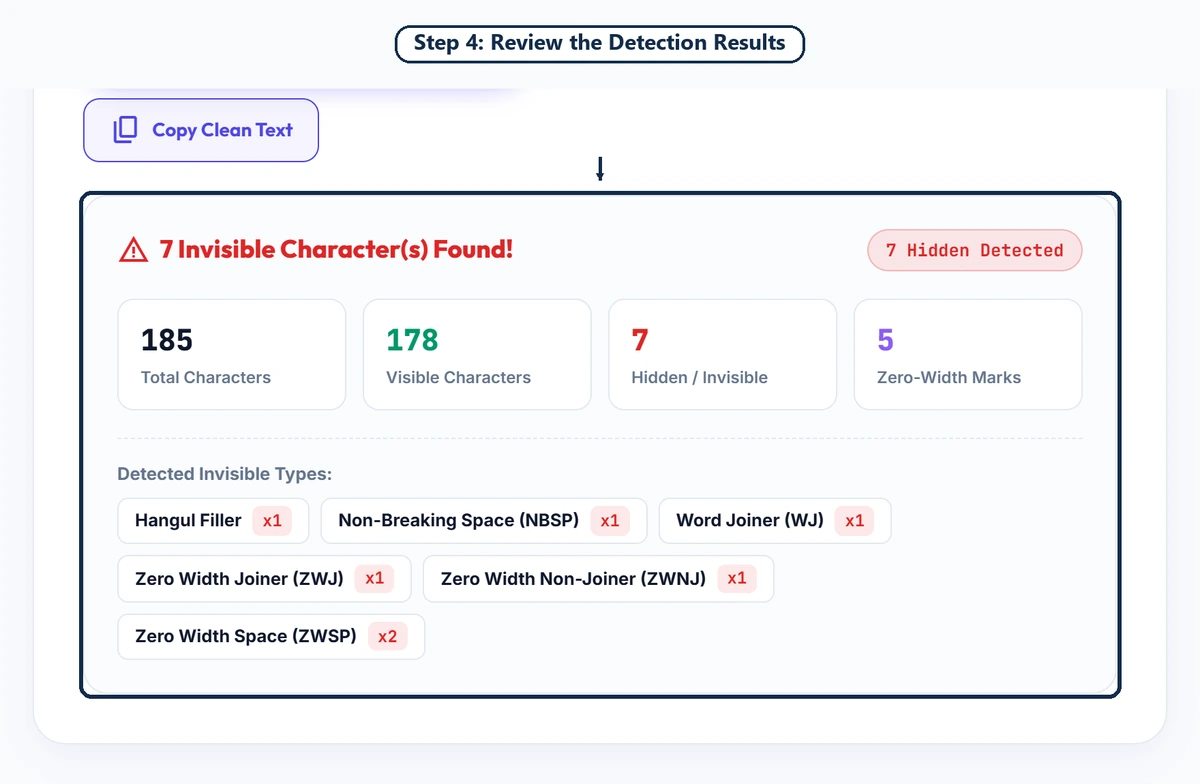
- Review the Detection Results: Examine the total, visible, hidden, and zero-width character counts, along with the detected character types.
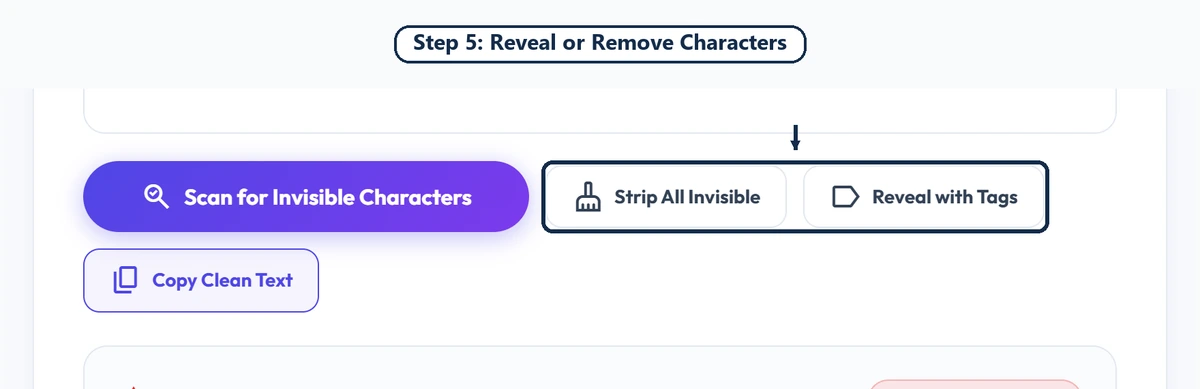
- Reveal or Remove Characters: Select Reveal with Tags to make hidden characters easier to identify, or Strip All Invisible to remove them.
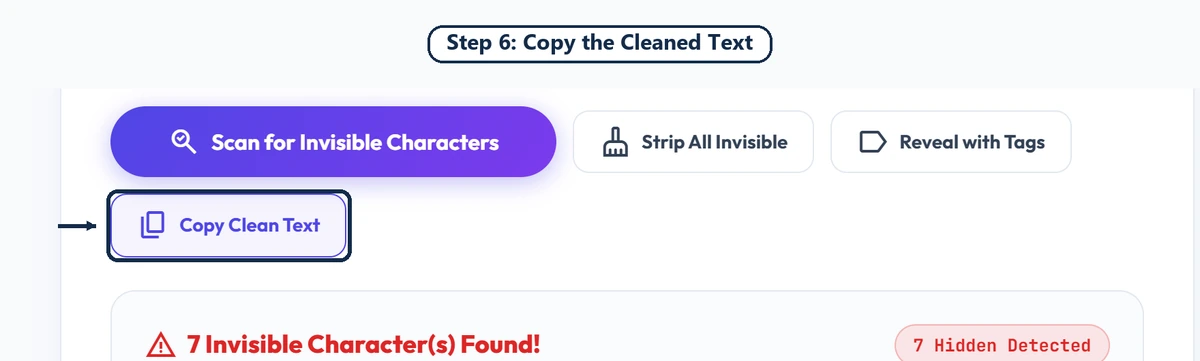
- Copy the Cleaned Text: Click Copy Clean Text to use the processed text elsewhere.
Use Clear to remove the existing input and start another scan.
Popular Practical Use Cases
- Discord Nicknames: Experiment with blank-looking profile names or role labels using Unicode characters, where Discord permits them.
- Gamer Tags: Create minimalist or partially invisible usernames for supported multiplayer games and gaming profiles.
- WhatsApp Status Updates: Experiment with blank-looking text in messages or status updates, depending on platform restrictions.
- Web Layout Spacing: Explore Unicode spacing characters when working with text layouts, while using CSS spacing controls whenever possible.
Understanding Different Invisible Unicode Characters
Not all invisible characters work the same way. Some occupy space, while others affect how text is displayed or joined.
| Character | Unicode | Common Purpose |
|---|---|---|
| Hangul Filler | U+3164 | Blank-looking character used in some gaming and social profiles |
| Braille Pattern Blank | U+2800 | Blank-looking Unicode character |
| Zero Width Space | U+200B | Allows potential word breaks without a visible space |
| Zero Width Non-Joiner | U+200C | Prevents certain character joining behaviors |
| Zero Width Joiner | U+200D | Influences character joining and emoji sequences |
| Word Joiner | U+2060 | Prevents line breaks at its position |
| Non-Breaking Space | U+00A0 | Creates spacing without an ordinary line break |
| En Space | U+2002 | Provides typographic spacing |
| Em Space | U+2003 | Provides wider typographic spacing |
| Thin Space | U+2009 | Adds narrow typographic spacing |
| Hair Space | U+200A | Adds very narrow spacing |
| Halfwidth Hangul Filler | U+FFA0 | Blank-looking Hangul filler variant |
The appropriate choice depends on the application. For example, a blank-looking gaming name may use a different character from a typographic spacing adjustment.
An invisible blank does not guarantee that a platform will accept an empty-looking username. Some services remove, normalize, or reject these characters automatically.
Why Detecting Hidden Characters Matters
Invisible Unicode characters are not always used intentionally. They can appear in copied text, documents, messages, or code and may create confusing formatting problems.
For example, two words may look identical but contain different hidden characters. A copied value may fail to match another value because one includes a zero-width character.
In programming or data processing, unexpected Unicode characters can interfere with text comparisons, search operations, and validation.
The Detector & Cleaner helps identify supported hidden characters so you can understand what is present in the text.
However, removing every invisible character is not always appropriate. Some Unicode characters serve legitimate purposes in languages, typography, and emoji sequences. Removing them may change how text displays or behaves.
Use the scanner to inspect the results before deciding which characters should be removed.
More Text and Development Tools
If you're customizing text for profiles or social media, our Small Text Generator provides additional Unicode-based text styles.
For text contained in scanned images, try Optical Character Recognition to extract readable text before reviewing it.
Developers working with structured data can also use our JSON Viewer to inspect JSON formatting and content.
These tools support different text-processing tasks, from decorative formatting to document extraction and data inspection.
Generate, Test, and Clean Invisible Text Today
Invisible characters can be useful for creative formatting, Unicode experimentation, and text troubleshooting. Understanding which character you're using is important because different Unicode values behave differently across applications.
With the free Invisible Character tool from Muse AI SEO Tools, you can generate blank-looking text, copy Unicode characters, test your clipboard, and detect or remove hidden characters.
Choose the appropriate tab and start working with invisible text directly in your browser.