Generate perfect academic citations in APA, MLA, Chicago, and Harvard formatting.
Citation Generator: Create APA, MLA & Chicago Citations Online Free
The free citation generator by Muse AI SEO Tools helps students, researchers, and writers create citations quickly and easily. Whether you're working on an assignment, research paper, or academic project, you can generate references in APA, MLA, or Chicago style without formatting everything manually.
What is a citation generator?
A citation generator is an online tool that creates references for sources used in your writing. It arranges details such as the author's name, source title, publication date, and publisher according to a selected citation style.
Citations help you give credit to original authors and allow readers to find your sources. Our citation creator supports APA, MLA, and Chicago styles. Simply enter your source information, choose the required format, and generate your reference.
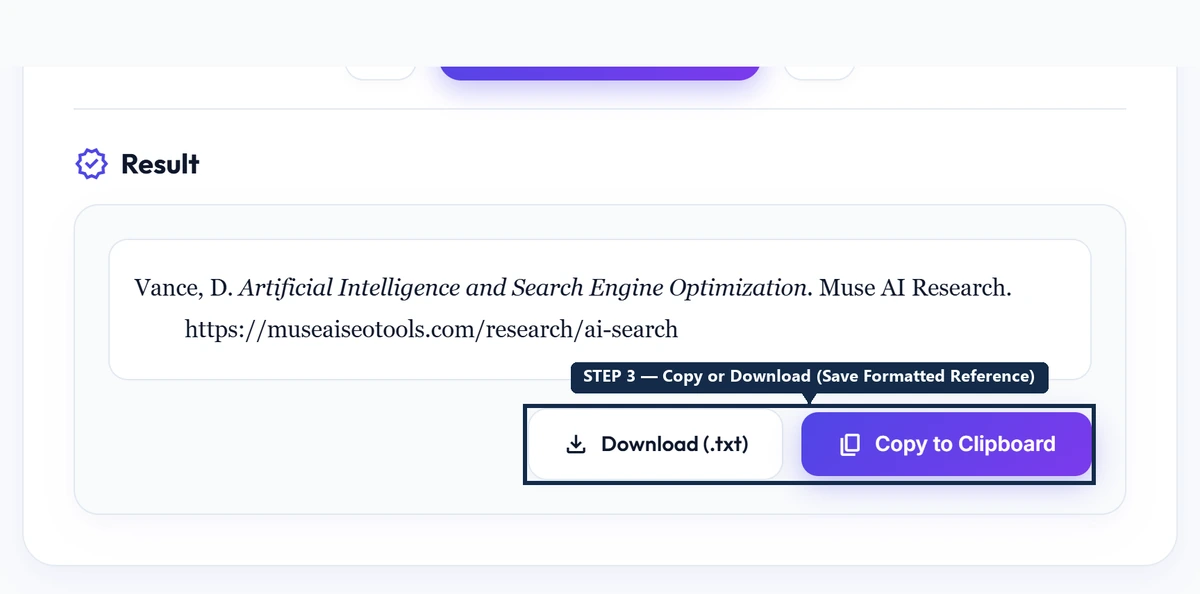
You can copy the generated citation or download it as a text file. Always review the result to make sure it meets your assignment requirements.
Why use an online citation generator?
Creating references manually can take time, especially when your assignment includes several sources. An online citation tool makes the process simpler.
- Save Time: Generate citations without arranging every detail manually.
- Follow Citation Styles: Prepare references using APA, MLA, or Chicago formats.
- Keep References Consistent: Use the same citation style throughout your assignments and research papers.
- Give Proper Credit: Acknowledge original authors and help readers identify your sources.
You can also use our Plagiarism Checker to review your writing for matching content. For shorter research notes, try our Text Summarizer.
Key features of our free citation generator
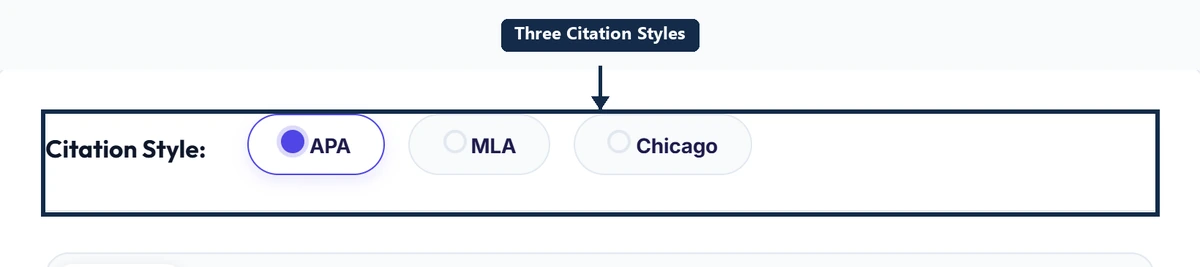
- Three Citation Styles: Create references in APA, MLA, and Chicago formats.
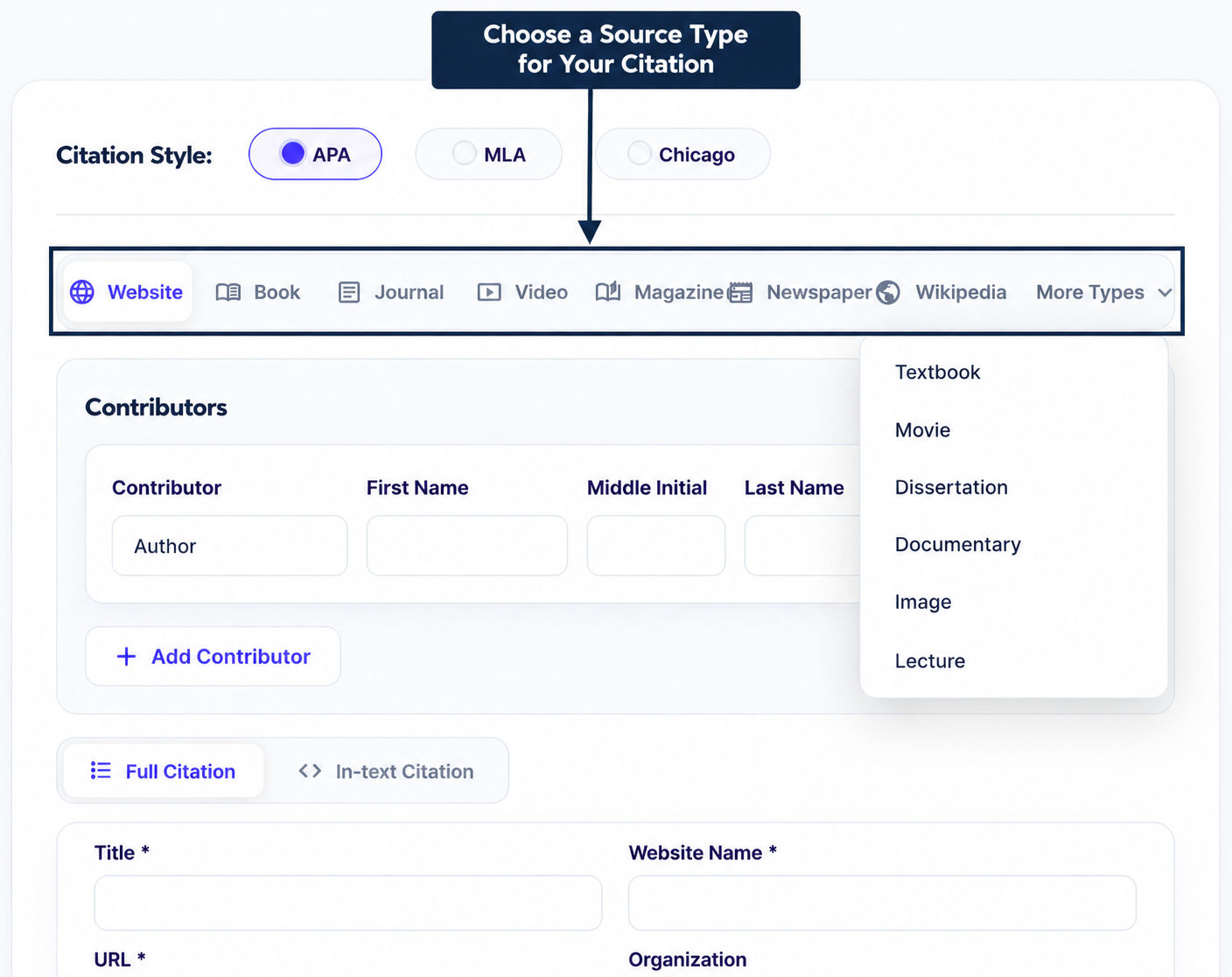
Three Citation Styles - Multiple Source options: Select the type of source you want to cite, such as a website, book, journal, video, or newspaper. Click More Types to explore additional options, including textbooks, movies, dissertations, and more.
Three Citation Styles - Easy Copy and Download: Copy your citation or save it as a text file for later use.

Three Citation Styles
How to use the citation generator step by step
Create a citation in three simple steps:
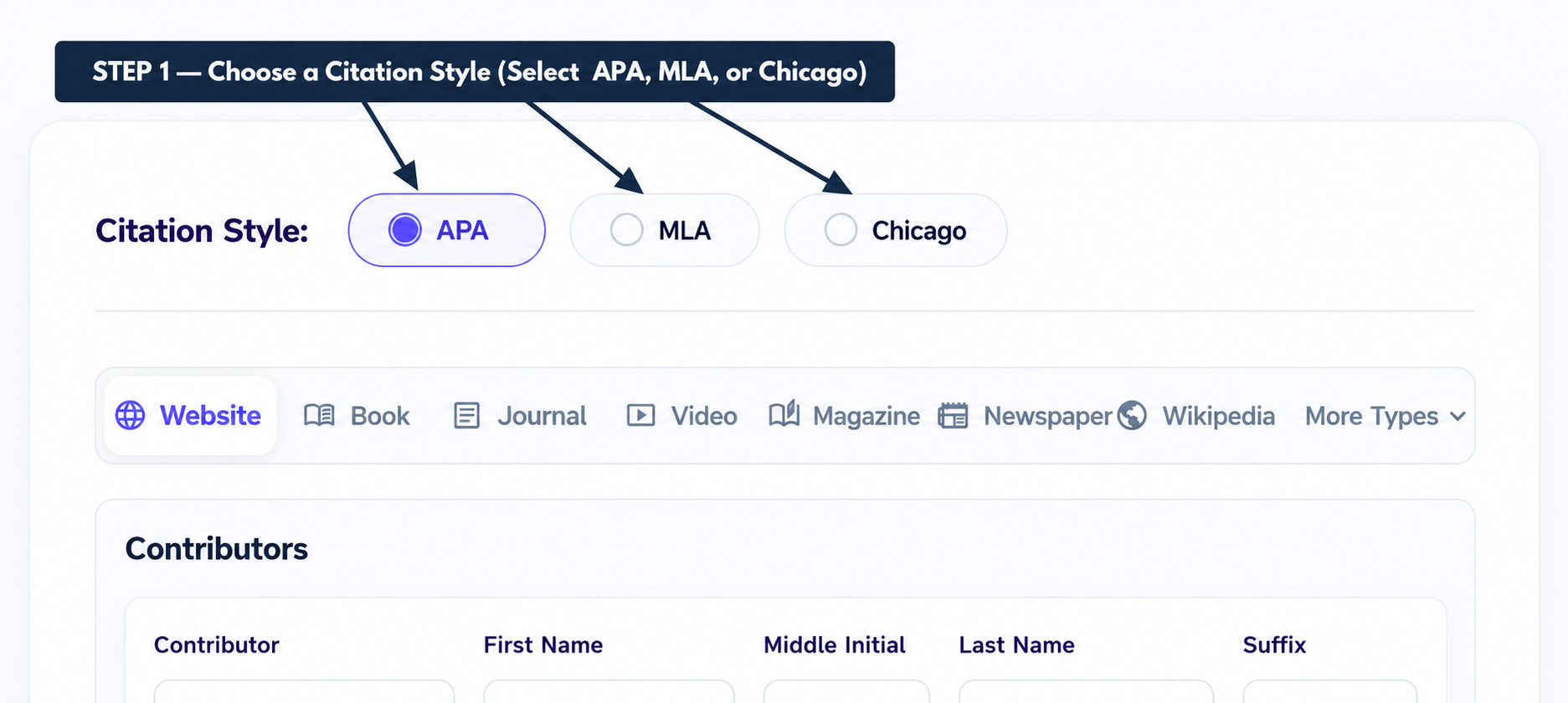
- Choose a Citation Style: Select APA, MLA, or Chicago and enter the required source and contributor details.
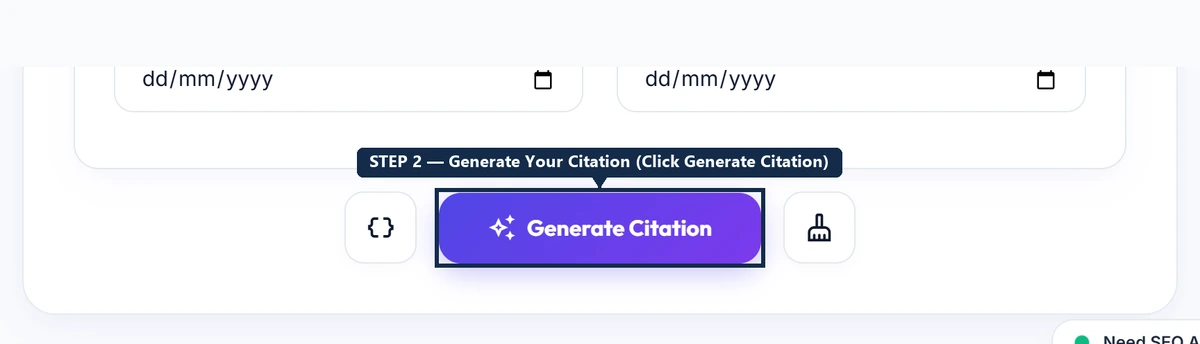
Three Citation Styles - Generate Your Citation: Click the Generate Citation button to create your formatted reference.
Three Citation Styles - Copy or Download: Review the citation, then copy it or download it as a text file.
Three Citation Styles
Understanding APA, MLA, and Chicago citation styles
Different schools, universities, and publications use different citation styles. Understanding their basic differences can help you choose the correct format.
APA Citation Style
APA stands for American Psychological Association. It is commonly used in psychology, education, and social sciences. APA references generally include the author's name, publication year, title, and source information.
Basic APA book reference format:
Author, A. A. (Year). Title of the book. Publisher.
To generate an APA reference, select APA in the citation generator and enter your source details.
MLA Citation Style
MLA stands for Modern Language Association. It is commonly used in literature, languages, and humanities subjects. MLA references usually include the author's name, title, publisher, and publication date.
Basic MLA book reference format:
Author Last Name, First Name. Title of Book. Publisher, Year.
Chicago Citation Style
Chicago style is commonly used in history, humanities, and academic publications. It has two main systems: Notes and Bibliography, and Author-Date.
The correct format depends on your assignment or publication requirements. Always confirm which Chicago system you need and review the generated reference accordingly.
Popular practical use cases
Our online citation generator is useful for different academic and writing tasks:
- School and College Assignments: Create references for essays, homework, and academic projects.
- Research Papers: Prepare citations for books, articles, and other research materials.
- University Projects: Format references for reports, dissertations, and presentations.
- Blog and Article Writing: Give credit to original sources when using published information.
Tips for creating accurate citations
Even when using a citation generator, checking your references before submitting your work is important.
- Check Author Names: Make sure names are spelled correctly and entered in the right order.
- Use the Correct Title: Enter the source title exactly as it appears in the original publication.
- Confirm Publication Details: Check dates, publishers, and other required information.
- Select the Right Style: Follow the citation format requested by your teacher or institution.
- Review the Final Reference: Check punctuation, capitalization, and missing details before using the citation.
A citation generator helps with formatting, but the accuracy of the final reference depends on the information you provide.
Create your APA, MLA, or Chicago citation today
Creating references doesn't have to be complicated. With our free citation generator, you can prepare APA, MLA, and Chicago citations in just a few steps. Select your citation style, enter your source details, and generate a reference for your assignment, research paper, or writing project. Muse AI SEO Tools currently provides free access to this tool, subject to usage limits. Start creating your citations today.