Free Speech to Text Converter Online – Voice Dictation & Audio Transcription
Need to turn spoken words into written text without typing everything manually? Whether you're recording ideas, reviewing interviews, or preparing lecture notes, converting audio into editable text can save valuable time.
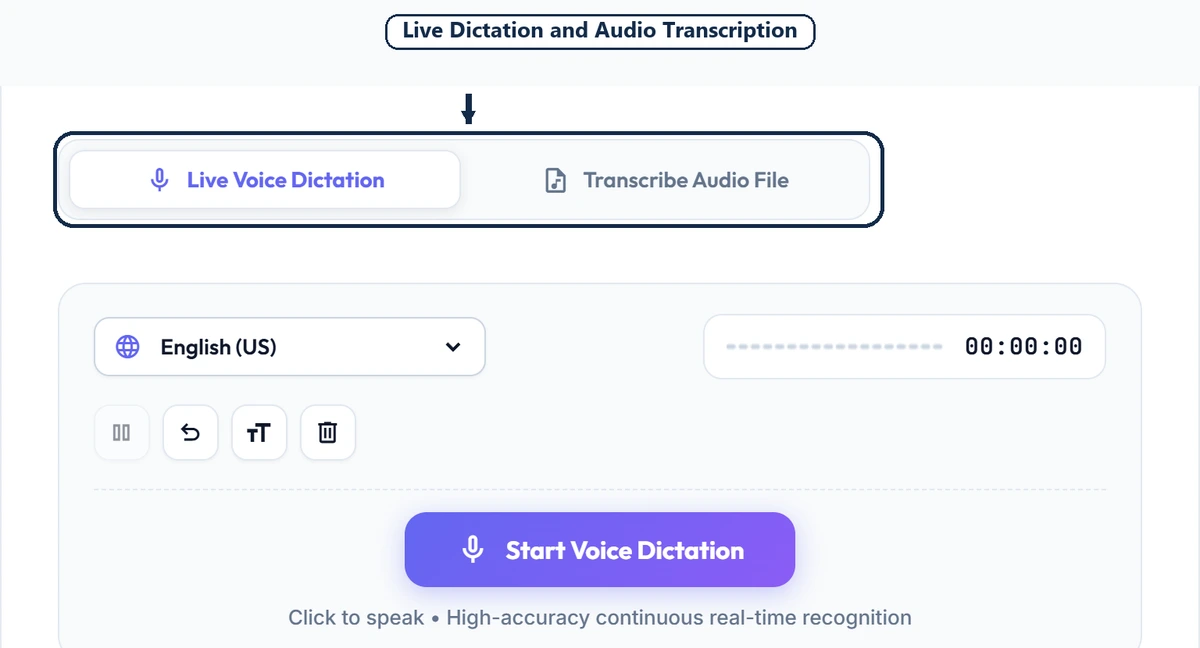
The free Speech to Text Converter from Muse AI SEO Tools offers two convenient options: live microphone dictation and transcription of existing audio recordings.
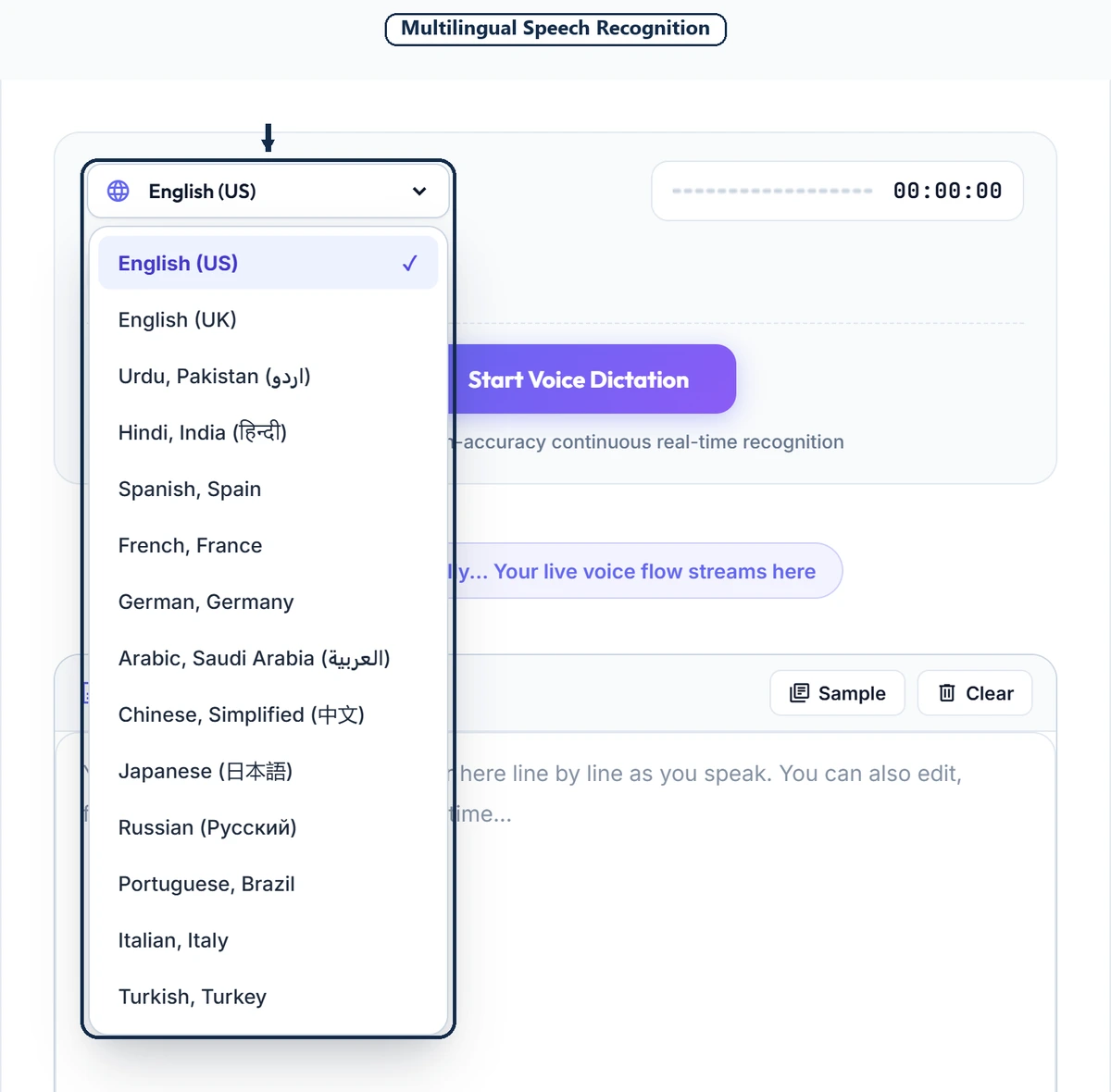
Speak directly into your microphone or upload a voice note, review the generated transcript, and copy or download your text. The tool also supports 14 language options, including English, Urdu, Hindi, Arabic, and Spanish.
What is a speech to text converter?
A speech to text converter uses speech recognition technology to identify spoken words and represent them as written text.
Instead of manually typing a recording, you can transcribe speech to text using a microphone or an existing audio file. This is useful for capturing ideas, documenting conversations, and preparing written material from spoken content.
Our voice speech to text converter supports two workflows:
| Mode | How it works | Best for |
|---|---|---|
| Live voice dictation | Recognizes speech through your microphone as you speak | Notes, drafts, and spontaneous ideas |
| Audio file transcription | Processes an uploaded voice note or recording | Interviews, lectures, and recorded discussions |
Both modes provide an editable transcript, allowing you to review and correct recognized words before saving the result.
Key features of our tool
- Live dictation and audio transcription: Convert speech to text in real time or upload MP3, WAV, M4A, AAC, OGG, and WebM.
- Multilingual speech recognition: Choose from 14 language options, including US and UK English, Urdu, Hindi, Spanish, French, German, Arabic, Simplified Chinese, Japanese, Russian, Brazilian Portuguese, Italian, and Turkish.
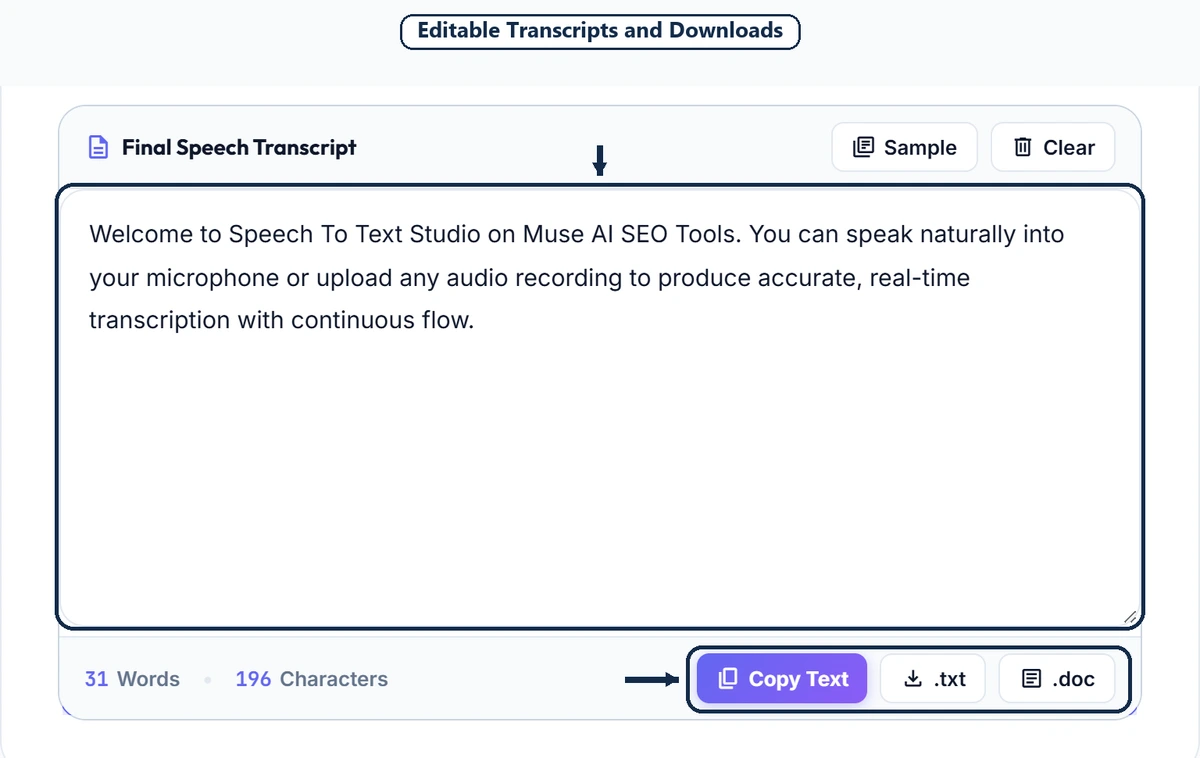
- Editable transcripts and downloads: Review recognized text, monitor word and character counts, and copy or export transcripts as TXT or DOC files.
How to convert speech to text online
Our free online speech to text converter provides separate steps for speaking live and processing recorded audio.
Option 1: Live voice dictation
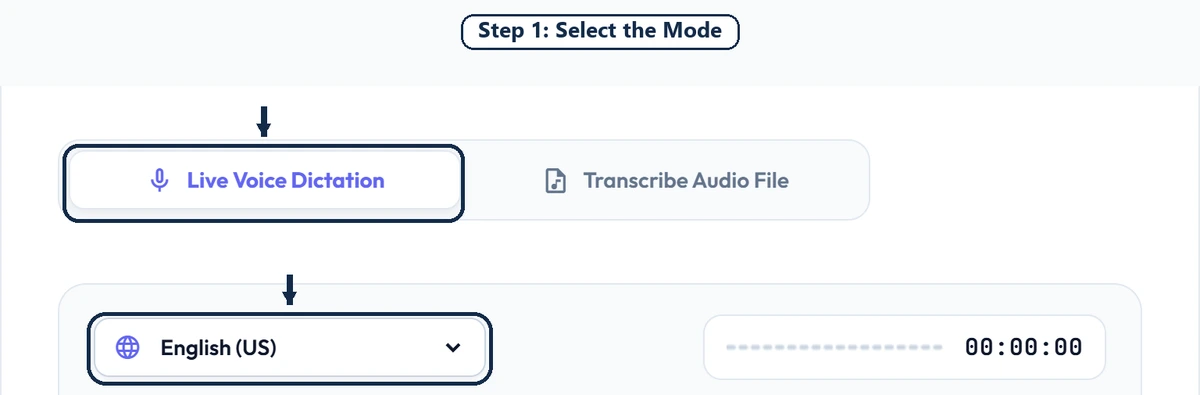
- Select the mode: Open Live Voice Dictation and choose your preferred language.
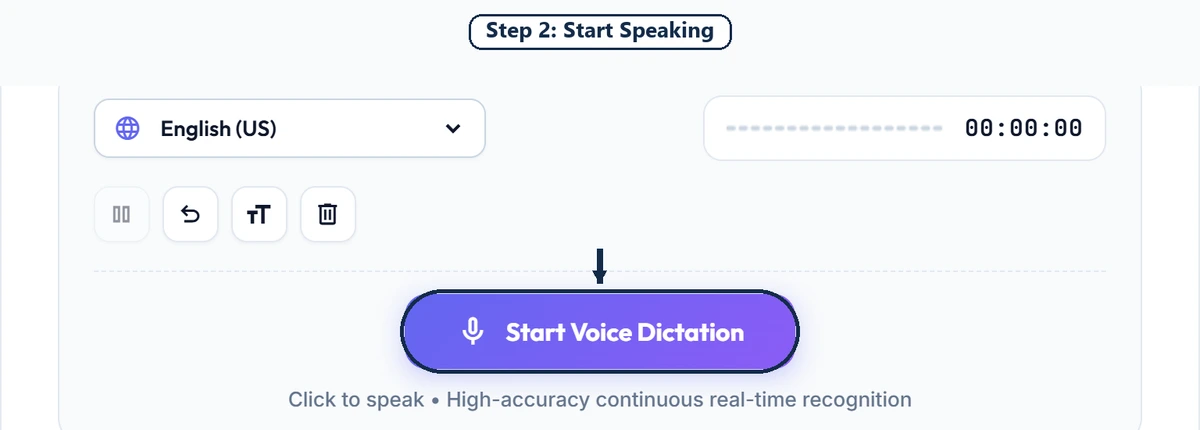
- Start speaking: Click Start Voice Dictation and allow microphone access when prompted.
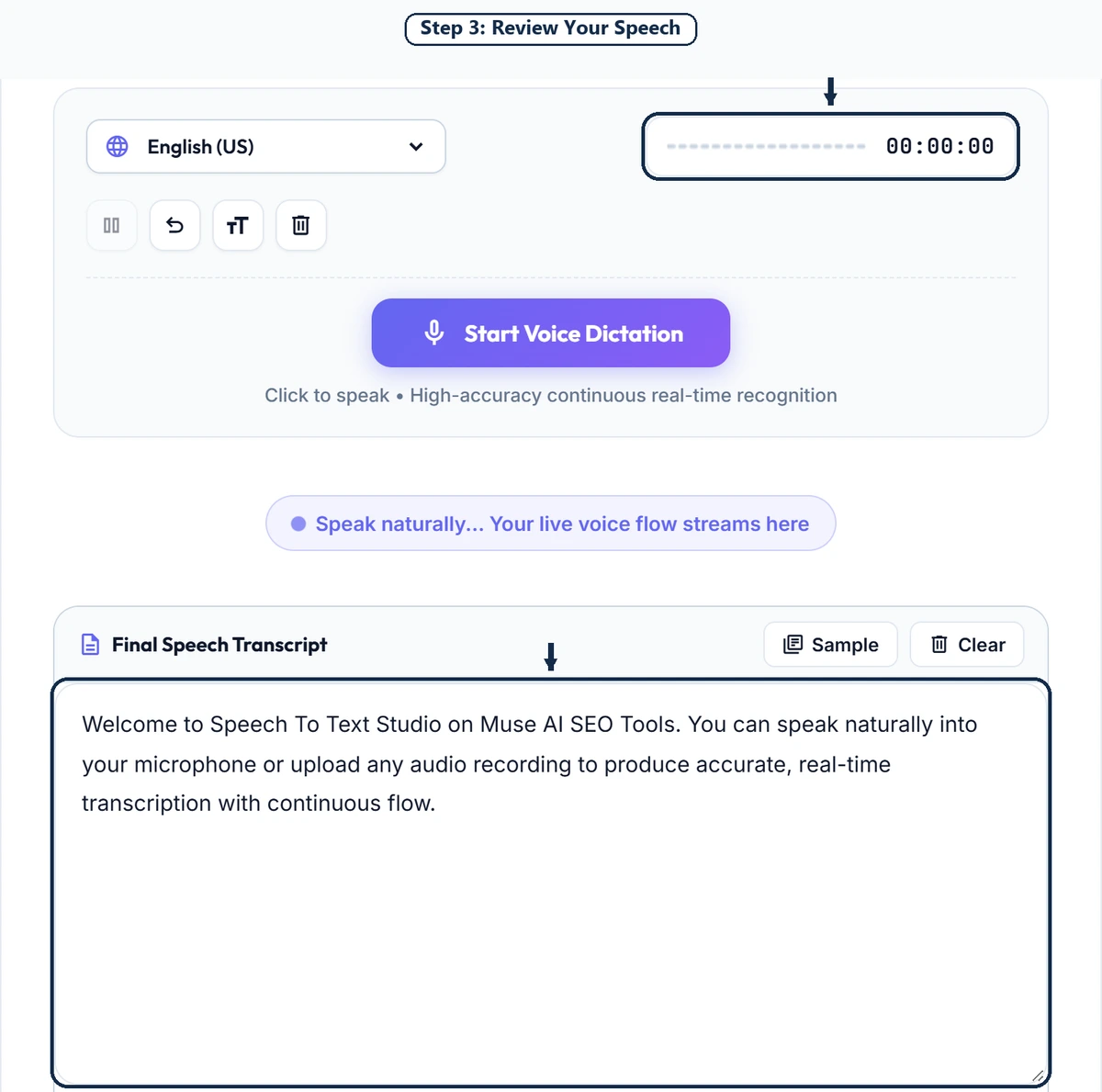
- Review your speech: Watch the recording timer and check the text appearing in Final Speech Transcript. Use the available recording controls as needed.
- Save your transcript: Correct any recognition errors, then click Copy Text or download the result as
.txtor.doc.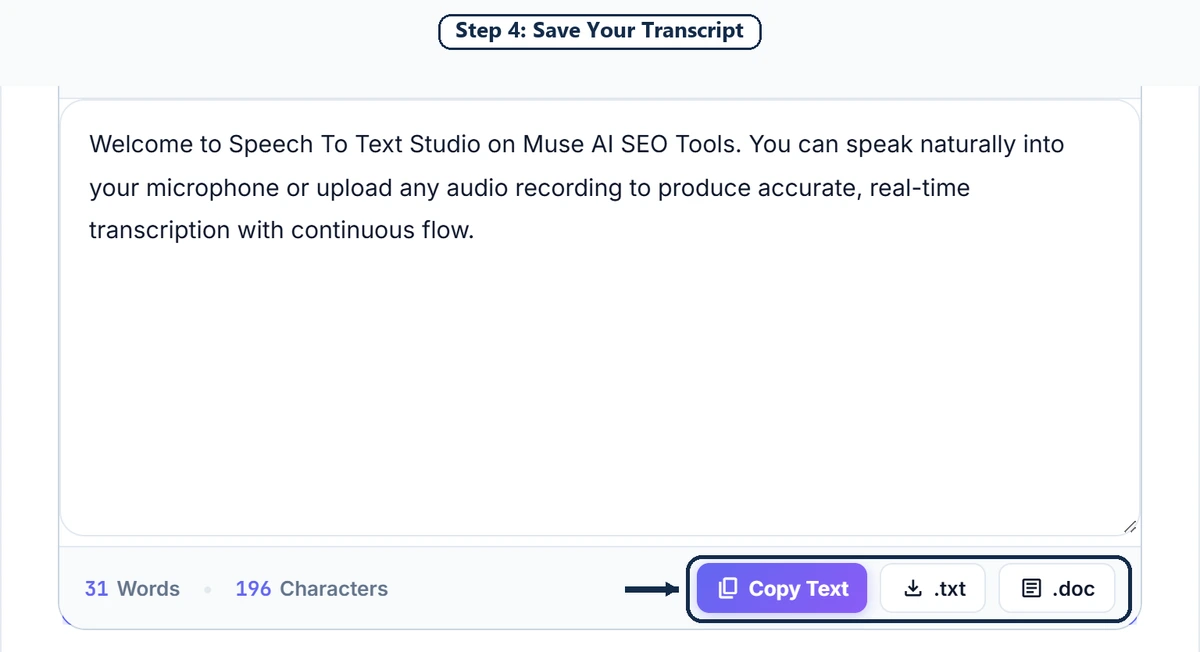
The recorded-audio panel also provides playback, audio download, and a Re-Transcribe with AI option for another transcription attempt.
Option 2: Transcribe an audio file
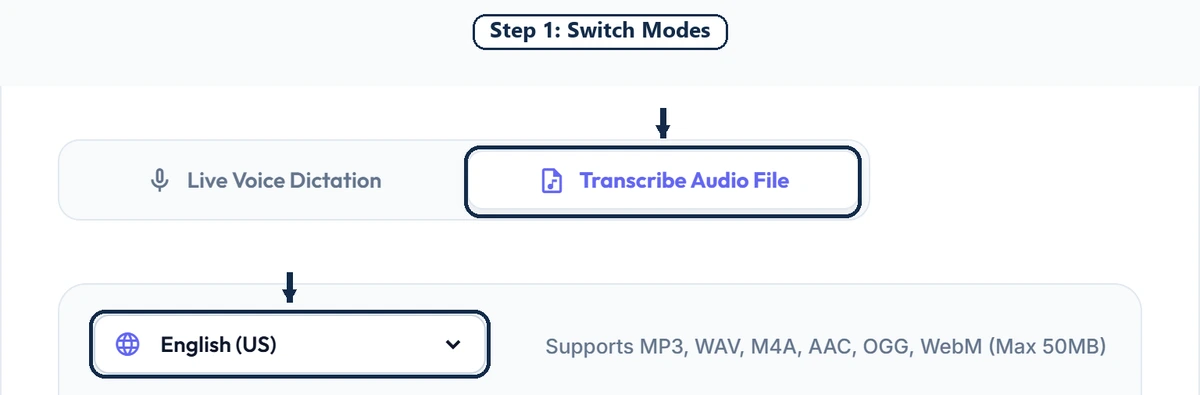
- Switch modes: Select Transcribe Audio File and choose the recording's language.
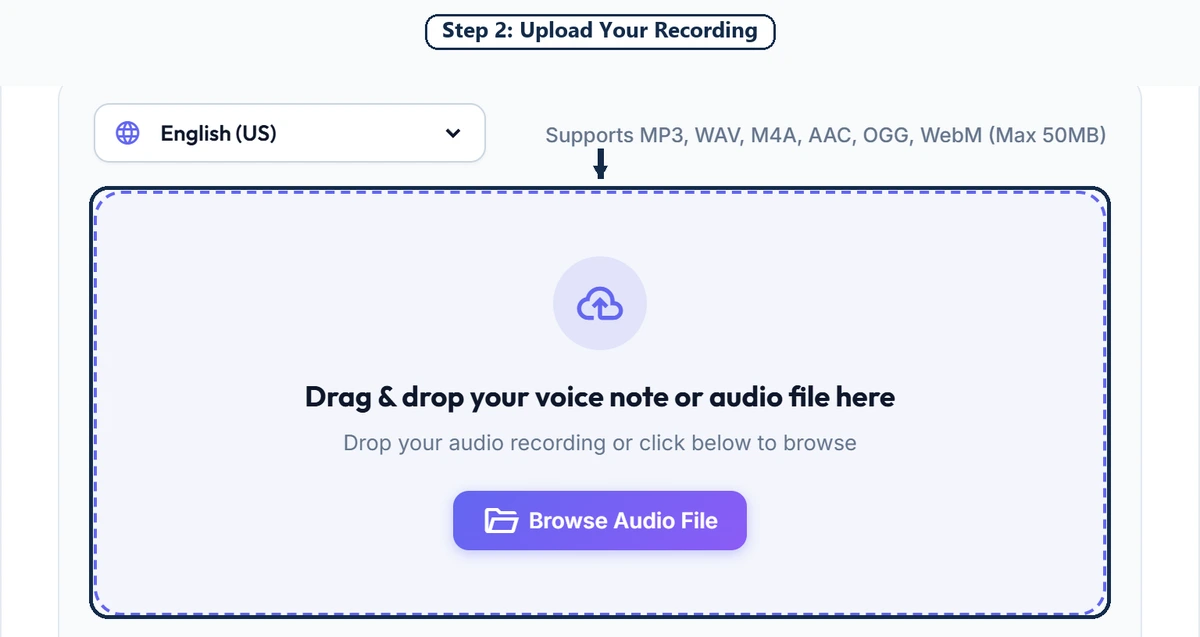
- Upload your recording: Drag and drop an audio file or click Browse Audio File. .
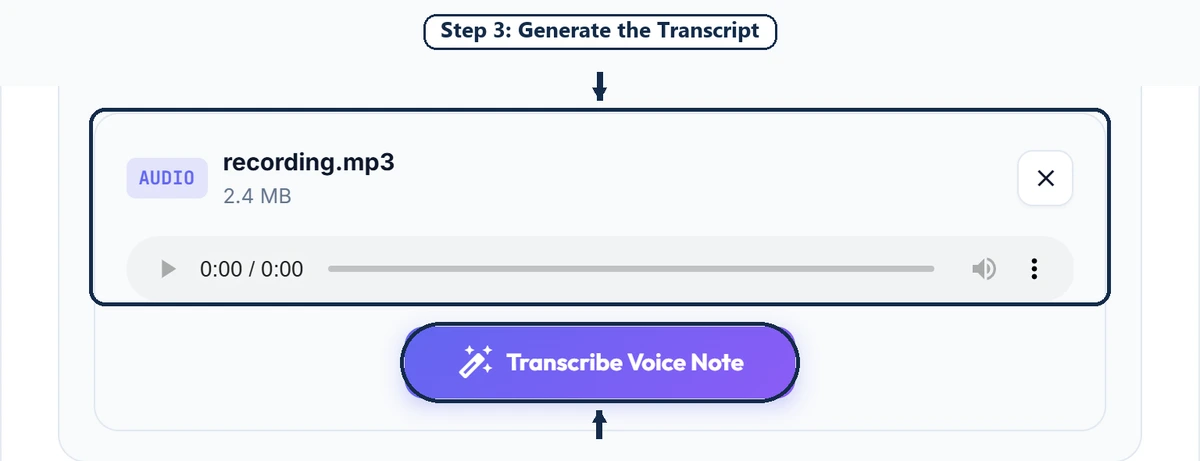
- Generate the transcript: Preview the uploaded audio if needed, then click Transcribe Voice Note.
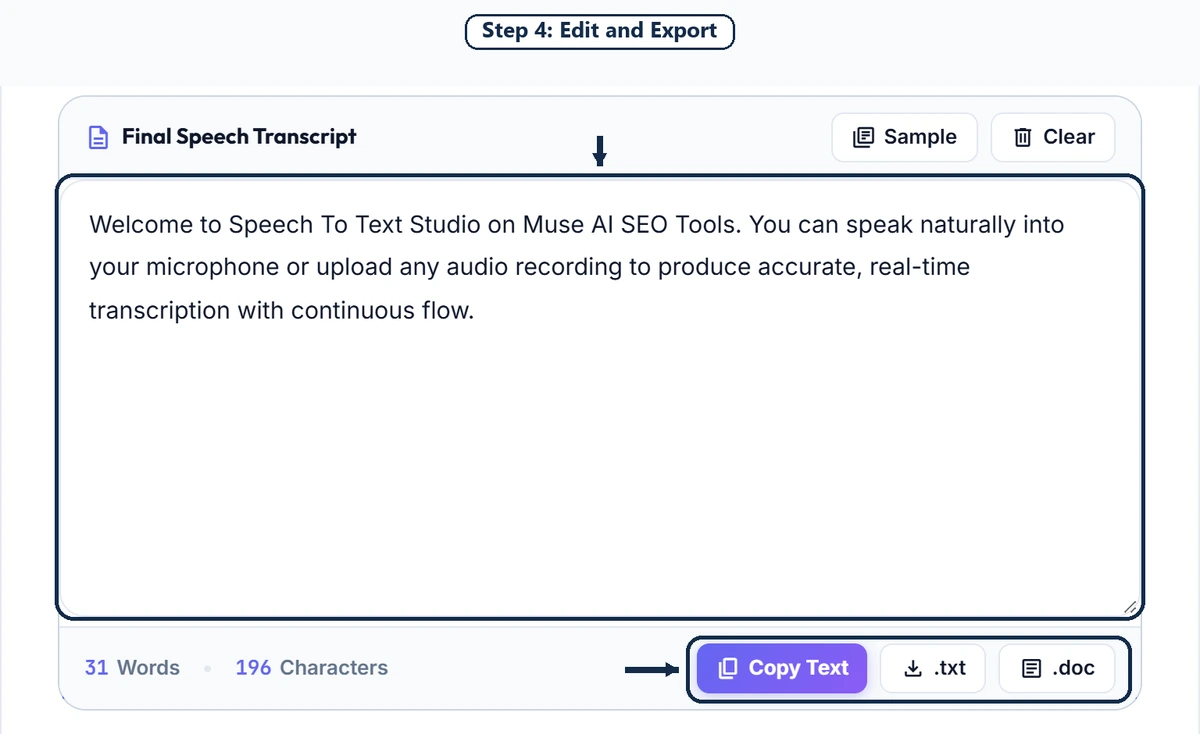
- Edit and export: Review the generated text, make corrections, and copy or download the transcript.
This speech to text online free workflow is suitable for both short voice notes and longer recordings within the supported file-size limit.
Popular practical use cases
People use speech to text transcription for various personal, educational, and professional tasks.
- Student lecture notes: Record permitted lectures and transform speech to text for study outlines, revision notes, and reference material.
- Journalism interviews: Transcribe recorded interviews into searchable text, making it easier to locate quotations and review conversations.
- Content creation: Dictate blog posts, video scripts, and newsletter drafts when speaking is more convenient than typing.
- Meeting minutes: Upload meeting recordings to capture discussions in written form, then review the transcript to prepare summaries of decisions and action items.
For interviews, meetings, and lectures, obtain any required permission before recording or transcribing participants.
How accurate is speech to text transcription?
Recognition accuracy depends on the recording environment, speaker clarity, language selection, and audio quality.
For better results:
- Reduce background noise: Record in a quiet environment whenever possible.
- Speak clearly: Use a natural pace and avoid speaking over other people.
- Select the correct language: Match the language setting to the speech being recorded.
- Review the transcript: Check names, numbers, technical terms, and punctuation before using the text professionally.
The tool's editable transcript makes it possible to correct errors without starting the entire process again.
Work with other media and language tools
Speech transcription is useful for converting spoken information into written content, while other tools support different media workflows.
For text appearing inside images, try our Image Translator. If you're preparing visual content, the Video to GIF Converter can help create animated GIFs from videos. You can also explore the Video Downloader for supported video downloads.
These tools serve different purposes depending on whether you're working with speech, images, or video.
Convert speech to text for free
Whether you need to capture spoken ideas or prepare a written transcript from an audio recording, the speech to text converter online free tool from Muse AI SEO Tools provides a convenient starting point.
Choose live dictation or audio upload, review the generated text, and save your transcript in the format you need.